
City Grows 3D
- Lab Skill
- v0.1.0
- Education
Every real building of a city rises in 3D in the year it was recorded as built, so the city fills in building by building, with narration and the fires that shaped it.
Beispiel
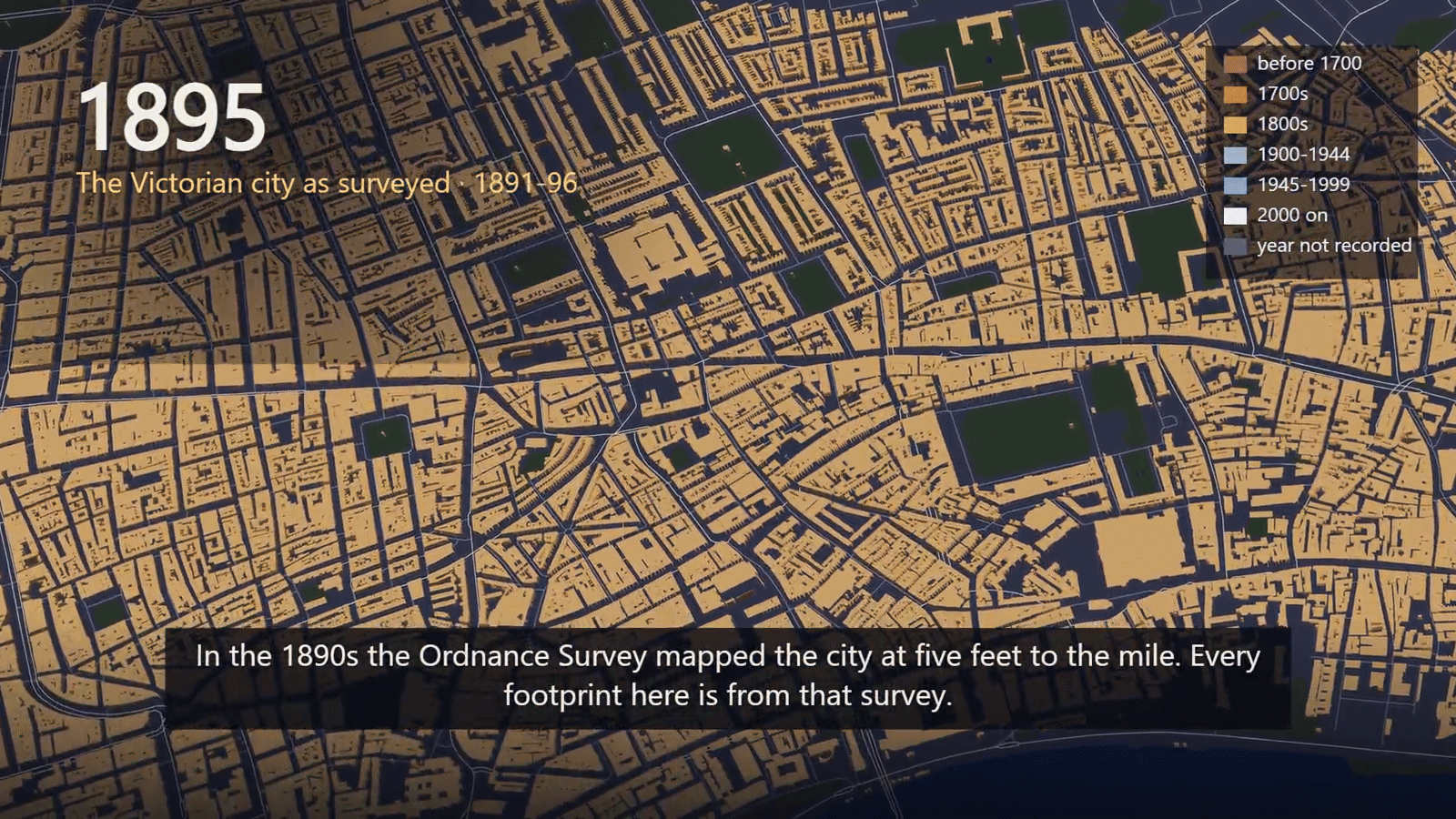
London: Every Building, Year by Year
Online ausführen
Führen Sie das Beispiel von City Grows 3D in einem SandBase Sandbox aus und sehen Sie das Ergebnis direkt hier.
Was Sie erhalten
A narrated 3D film of one real city, building by building. It opens on today's city, the buildings sink away, then the city clock runs forward and each building rises in the year it was recorded as built, coloured by its century. Landmarks are named as they appear, fires and raids glow on the ground, a historic survey shows the city as it stood in one moment, and buildings whose year is not recorded rise last, in grey.
So funktioniert es
- 01
Write and check the story
The Agent writes story.json with MiniMax M3.1 flash through SandBase, or you write it: a city box, seven to ten eras with years, a label, one or two spoken sentences, a camera move and optional fire or raid events, landmarks and outlines for vanished walls. Every line is fact-checked against sources listed in the file.
- 02
Build the city from data
build-city.mjs takes today's footprints from OpenStreetMap and construction years from a Colouring Cities extract such as Colouring London, plus an optional historic survey. Heights come from OpenStreetMap, then Colouring, then an estimate from footprint size. check.mjs validates the story, the building counts and the timeline.
- 03
Voice and render
voice.mjs prints the narration plan and its cost and spends nothing; with confirm, it generates the clips through SandBase. film.mjs renders stills first, then the 1080p film in Chrome with three.js. Buildings rise in their recorded year, coloured by century; those without a year rise last, in grey.
FAQ
What does City Grows 3D make?
City Grows 3D makes a one to two minute narrated 3D film of a real city in which every building rises in the year it was recorded as built, coloured by its century. Landmarks are named as they appear, and fires and raids glow on the ground. The London example shows 18,961 buildings across nine eras.
Which cities work with City Grows 3D?
City Grows 3D works best for cities with open building-age data from the Colouring Cities platforms, such as Colouring London, which records years for about a third of central London. For a city with OpenStreetMap only, its sibling City Through Time 3D raises each era's whole extent instead.
How is City Grows 3D billed?
City Grows 3D uses SandBase for MiniMax M3.1 flash when the Agent writes the story and for the narration voice, and that usage is billed to your SandBase account. voice.mjs without confirm prints the narration plan and its cost and spends nothing. Model prices are at https://www.sandbase.ai/pricing.
Why fact-check before voicing in City Grows 3D?
City Grows 3D asks for every line to be checked against the sources in story.json before generating narration, because the voice is billed and a wrong date means paying to voice it again. Buildings with no recorded year are shown in grey rather than given a guessed date.
What does City Grows 3D need on my machine?
City Grows 3D needs Node 22.5 or newer, Google Chrome, FFmpeg, curl and about 10 GB of disk for the London extract, plus a SandBase login for narration. A GPU makes rendering about ten times faster; a software mode works without one. The London film took about ten minutes with a GPU.
Weitere Skills
Alle Education Skills →
Science MV
Explain science through visible causes, transformations and results.

Loop Story
Explain a cycle: build each stage, close the loop, then reveal the takeaway.

Flux Rotor: Cobalt Drive
Inspect an original motor with real winding groups, alternating magnet sectors and a keyed shaft. Balanced phase currents drive prescribed synchronous rotation, material colors and spatial harmonic markers. Open the actual cutaway and separate six components offline. This display does not solve torque, efficiency or magnetic finite elements.

Voxel Paddock: Mint Apex
Inspect an original open-wheel vehicle built from procedural cubes. Spin actual wheels on a stationary display, turn nominal geometric steering and separate twelve component groups. Edit bounded dimensions, voxel density and three palettes offline. This is not a driving or aerodynamics simulation.

River Era: Valley Years
Scrub an authored river settlement timeline from camp and farms to town, workshops and speculative towers. Actual seeded geometry changes reversibly; boats and vehicles follow the same river and bank equations. This is an illustrative sequence rather than predictive history.

3D Mechanical Watch Explorer
Inspect a kinematic mechanical watch with actual meshed tooth ratios, 54 components, axial explosion, material cutaway and bilingual mouse/touch controls. One offline HTML with optional synthesized tones.