
Free statue filter
KostenlosKI-BildUpload a photo and become a statue: classical marble, weathered bronze, polished gold or carved granite, with your face and pose kept.
- 100% free
- No sign-up
- No watermark
- Works on phone
Beispielergebnis
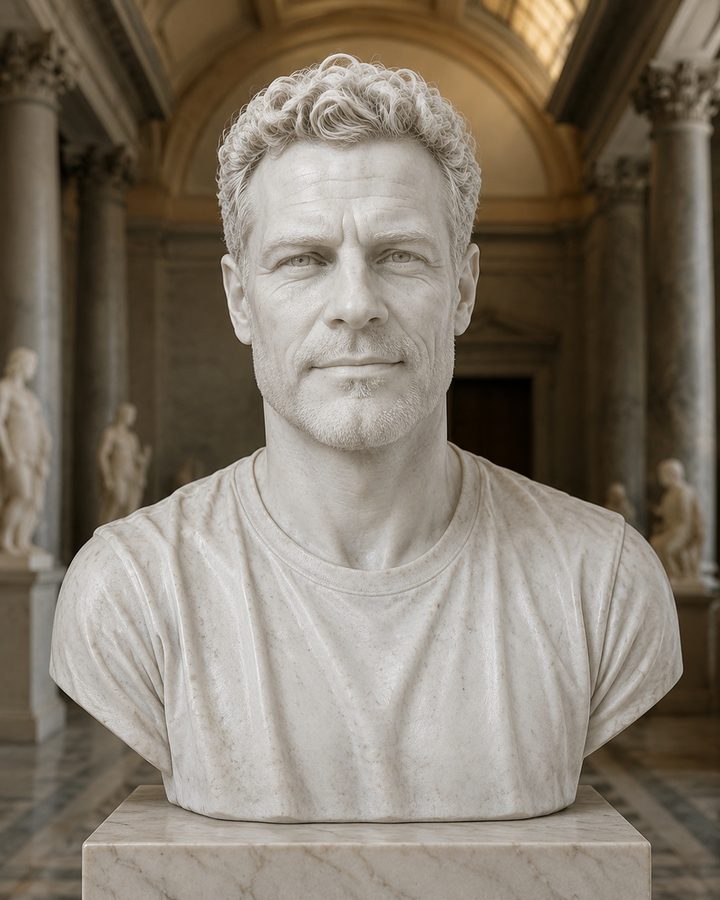
 VorherNachher
A portrait turned into a marble statue in a museum.
So verwenden Sie Statue Filter
Drei Schritte, am Computer oder auf dem Smartphone.
- 01
Upload a photo
Drop, paste or pick a JPG, PNG, WebP or HEIC image; on a phone you can take one with the camera.
- 02
Choose material and setting
Pick Material (Marble, Bronze, Gold or Stone) and Setting (Museum, Park or Plain), then select Make statue. A result usually takes about 20 seconds.
- 03
Compare and download
Compare it with your original, then download a JPG. Example on this page: a portrait turned into a marble statue in a museum.
Weitere Beispiele
Das gleiche Tool auf anderen Fotos, ganz ohne manuelle Bearbeitung. Öffnen Sie eines, um es selbst auszuprobieren.

Vorher 
Nachher 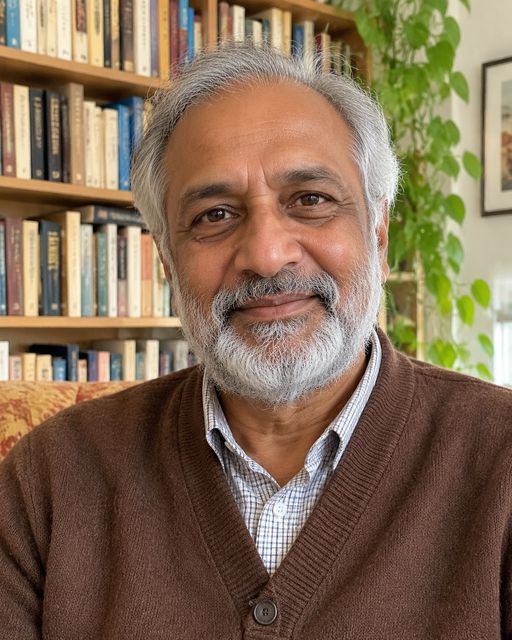
Vorher 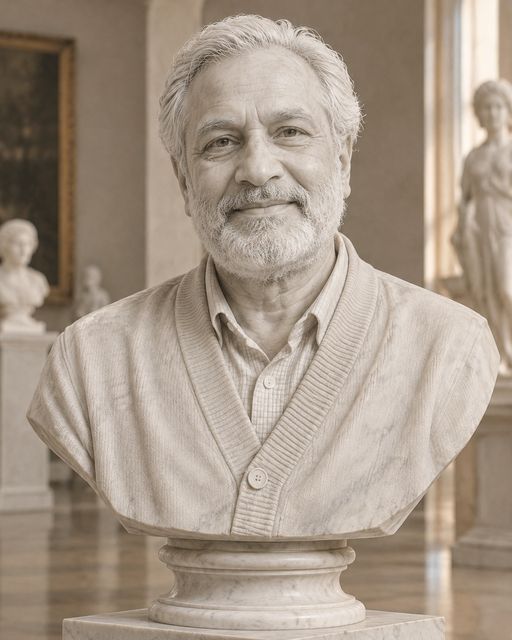
Nachher Auf Ihrem Foto ausprobieren
Laden Sie ein Foto hoch und erhalten Sie in Sekunden das Ergebnis. Kostenlos, ohne Anmeldung, ohne Wasserzeichen.
Ein Foto hochladen
Wofür es verwendet wird
Fun posts
A monument to yourself.
Gifts
A statue portrait of a friend.
Art projects
Classical looks from modern photos.
Tipps für ein besseres Ergebnis
- Marble in Museum is the classic look.
- Gold and Bronze suit awards and trophies.
- A posed, full body photo looks most like a statue.
Mehr Kontrolle nötig? Verwenden Sie die API
Dieses Tool läuft auf der SandBase-Bild-API. Die API gibt Ihnen jede Einstellung, die das kostenlose Tool für Sie festlegt.
- Höhere Qualität und Größequality=high, Größen bis zu 2K und transparente Hintergründe in einem Aufruf.
- Ihr eigener PromptÄndern Sie die Vorlage, fügen Sie Referenzbilder hinzu oder verarbeiten Sie Hunderte von Bildern stapelweise aus Ihrem Code oder Agent.
- Pro Bild bezahlenVerwenden Sie Ihr SandBase-Guthaben über das kostenlose Tool-Kontingent hinaus. Modellverfügbarkeit und API-Ratenlimits gelten weiterhin.
# Set SANDBASE_API_KEY and choose your local image file.
IMAGE_FILE="photo.jpg"
curl --fail-with-body https://api.sandbase.ai/v1/images/edits \
  -H "Authorization: Bearer $SANDBASE_API_KEY" \
  --form-string 'model=gpt-image-2.6-flare' \
  --form "image=@${IMAGE_FILE}" \
  --form-string 'quality=high' \
  --form-string 'size=2048x2048' \
--form-string 'prompt=Turn the person in this photo into a white classical marble statue of themselves, on a plinth in a museum hall. Keep the face, features, expression, hairstyle, clothing and pose recognizable, carved or cast in the material with realistic surface detail and lighting.'FAQ
Does it work with groups?
Yes, every person in the photo becomes part of the statue, but one or two people look best.
Ist Statue Filter kostenlos?
Ja, ohne Wasserzeichen und ohne Anmeldung. Ein Durchlauf von Statue Filter dauert etwa 20 Sekunden und liefert Ihnen ein JPG. Er nutzt einen Durchlauf des kostenlosen täglichen Kontingents für KI-Bilder, das für alle KI-Bild-Tools gemeinsam gilt: 10 Durchläufe pro Tag ohne Anmeldung und 30 mit einem kostenlosen SandBase-Konto. Das Tool zeigt Ihnen, wie viele noch übrig sind, und das Kontingent wird um Mitternacht UTC zurückgesetzt; es können außerdem Netzwerk- und seitenweite Limits gelten.
Was passiert mit dem Foto, das ich in Statue Filter hochlade?
Ihr Foto und Ihre Einstellungen werden von SandBase und dem Bildanbieter verarbeitet, um dieses eine Ergebnis zu erstellen. Statue Filter veröffentlicht nichts in einer öffentlichen Galerie. Ergebnisse können bis zu 24 Stunden aus einem Cache wiederverwendet werden, sodass eine identische Anfrage keinen weiteren Durchlauf verbraucht; laden Sie jedes Ergebnis herunter, das Sie behalten möchten.
SandBase APIs für diese Aufgabe
Dieselben Daten in Ihrem eigenen Code oder Agent: ein API-Schlüssel, Abrechnung pro Aufruf.
Weitere Tools
Greek Statue Filter
Turn a selfie into a Greek marble bust.
3D Cartoon Filter
Turn a selfie into a 3D animated movie character.
Pencil Drawing Filter
Turn a selfie into a pencil drawing.
Tintype Photo Filter
Turn a selfie into a tintype photo.
Colored Pencil Drawing Filter
Turn a selfie into a colored pencil drawing.
Steampunk Filter
Turn a selfie into a steampunk character.