
Timeline Maker
GratisGráficos y diagramasType each event as "date: what happened". Events remain in your input order, with equal spacing rather than a proportional time scale. Use up to 12 events horizontally or 40 vertically; dates and times are labels, not automatically sorted.
- Tus números exactos
- Descarga en PNG
- No se sube nada
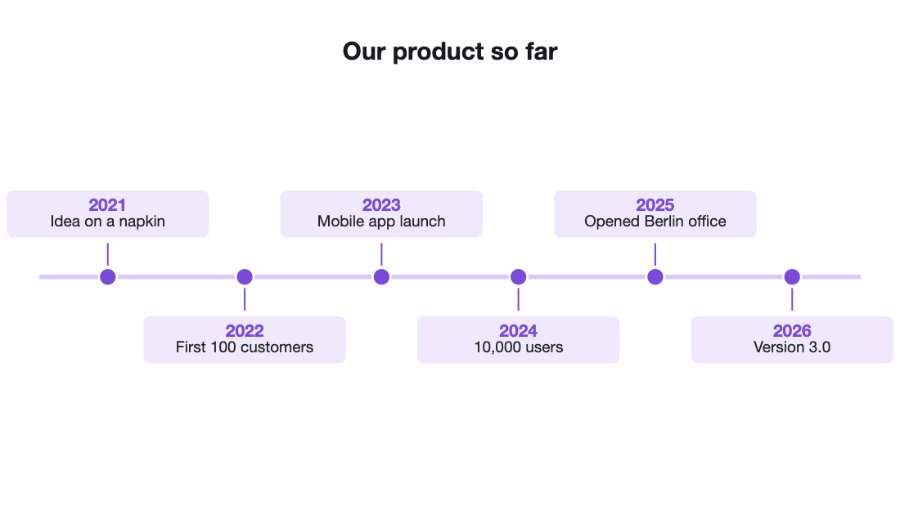
View schedule data (6 rows)
Events stay in input order and are spaced evenly; distance does not represent elapsed time.
| Date label | Event |
|---|---|
| 2021 | Idea on a napkin |
| 2022 | First 100 customers |
| 2023 | Mobile app launch |
| 2024 | 10,000 users |
| 2025 | Opened Berlin office |
| 2026 | Version 3.0 |
Ejemplos
Hecho con esta herramienta. Abre uno para partir de él y cambiar lo que quieras.
Cómo usar Timeline Maker
- 01
Type each event as "date: what happened", one per line.
- 02
Pick colors; the diagram redraws as you type.
- 03
Download it as a PNG.
Para qué lo usa la gente
History homework
Put events in order for a report or poster.
Project plans
Show milestones to a team or client.
Life events
A couple’s story, a baby’s first year, a trip.
Consejos para un mejor resultado
- Write each event as "date: what happened".
- Use vertical for more than 12 events; the vertical layout supports up to 40.
- Keep descriptions under about eight words.
- Any label works as a date: "Week 1", "Age 5", "Phase 2".
Preguntas frecuentes
How many events fit?
Up to 12 horizontally or 40 vertically. Keep date labels within 48 characters and descriptions within 240 characters.
Do events need exact dates?
No. Years, months or labels like "Phase 1" all work.
Are events spaced by time or sorted automatically?
No. Events stay in the order you enter them, with equal spacing. A one-day gap and a one-year gap have the same visual distance.
Can I enter full dates or times?
Yes. Use a separating colon followed by a space, such as 2027-03-01: Launch or 09:30: Stand-up. The full date or time label is preserved.
Is my diagram generated locally?
Your inputs are drawn in your browser, and the PNG is created locally. No diagram-generation API is used.
Más herramientas
Bracket Maker
Make a printable single-elimination bracket for 2 to 64 teams.
Comparison Chart Maker
Compare products or plans in a table with check marks.
Family Tree Maker
Draw a family tree from an indented list of names and dates.
Flowchart Maker
Turn a list of steps into a flowchart with decisions.
Gantt Chart Maker
Turn tasks with start and end dates into a Gantt chart.
Venn Diagram Maker
Make a two or three circle Venn diagram with items in each part.