
Overprint Zine Explainer
- Skill Lab
- v0.1.0
- Education
Turn one topic into a 16:9 zine-style explainer spread printed in two or three spot inks.
Exemple
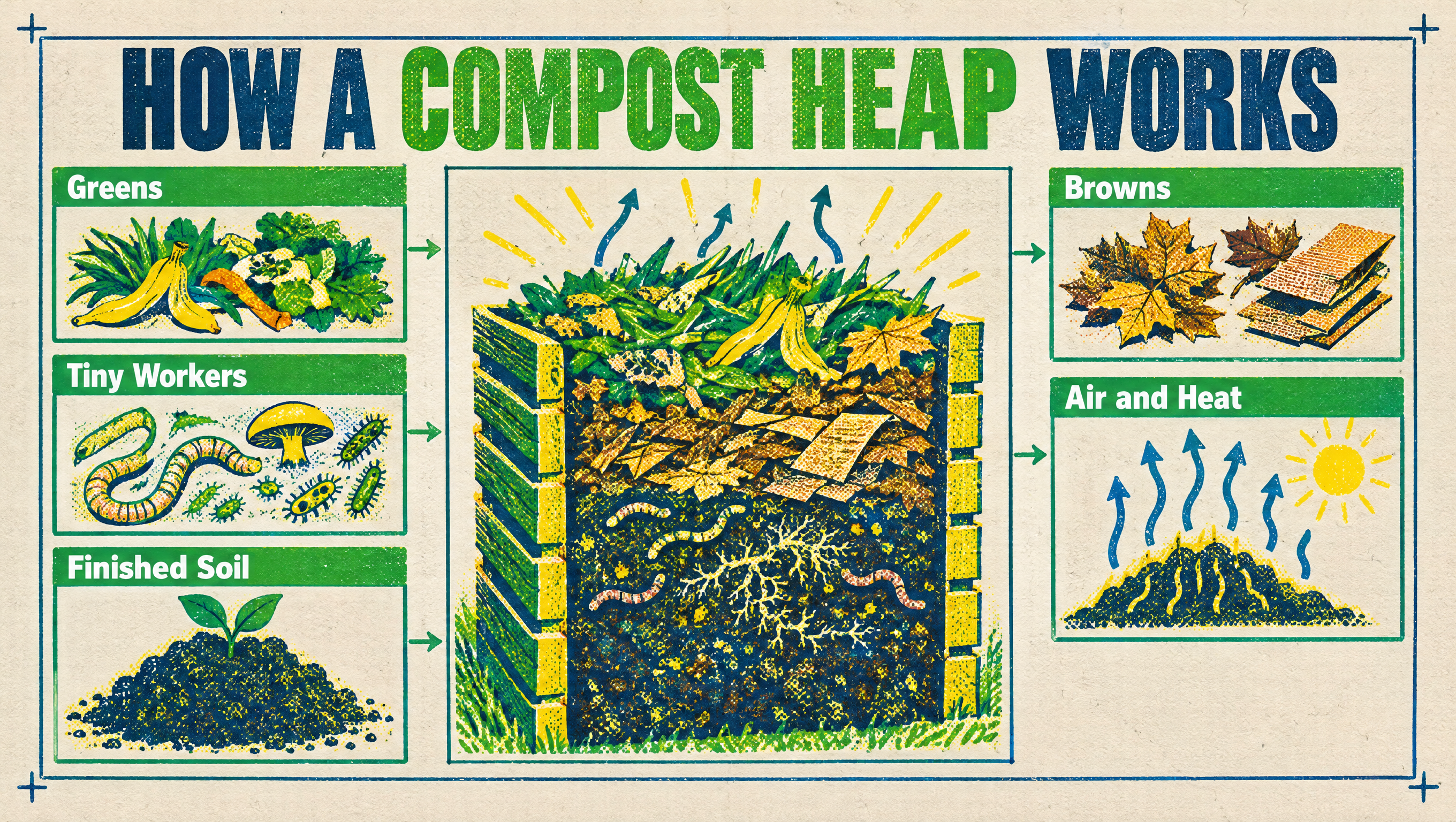
Overprint Zine Explainer
Exécuter en ligne
Exécutez-le dans un sandbox SandBase et consultez vos résultats dans Lab.
Ouvrir dans Lab ↗Ce que vous obtenez
Bring a title, a plain-language topic, three to five short headings and an ink set. The Skill returns one 16:9 PNG spread with a condensed title, a central picture and tabbed modules.
Fonctionnement
- 01
Write the brief
Overprint Zine Explainer reads a short JSON brief: a title drawn once across the top, a topic in plain sentences that only guides the pictures, three to five headings in reading order and an ink set. The bundled English and Chinese briefs explain a garden compost heap in five ideas. Headings stay short because each one sits on a solid ink tab.
- 02
Check the plan first
node scripts/generate.mjs plan writes the exact prompt and the request settings to a folder without any network call. The Agent shows you the plan and the preflight estimate, and you approve one submission. The run command takes a budget flag, and the Skill refuses to submit when the estimate is above it. One approved brief allows exactly one paid submission.
- 03
Render one spread
node scripts/generate.mjs run sends the approved prompt through SandBase to openai/gpt-image-2.5-flare at 16:9 and 2k, and image usage is billed to your own SandBase organization at the rates on sandbase.ai/pricing. The run state is saved, so an interrupted run resumes with node scripts/generate.mjs resume instead of buying a second image.
FAQ
What does Overprint Zine Explainer produce?
Overprint Zine Explainer produces one 16:9 PNG spread: a heavy condensed title across the top, a large central illustration and three to five boxed modules, each with its heading on a solid ink tab and one small picture. It also writes report.json and English and Chinese HTML reports with the dimensions, run ID and recorded cost.
Which ink sets can Overprint Zine Explainer use?
Overprint Zine Explainer offers three ink sets: green, navy and yellow on cream paper, pink and teal on off-white paper, or orange and blue on newsprint grey paper. Each set controls both the inks and the paper tone. Expect a little colour outside the named inks where they overprint, as on a real riso or screen print.
Does Overprint Zine Explainer call a paid model?
Yes. Overprint Zine Explainer calls openai/gpt-image-2.5-flare through SandBase, and that image usage is billed to your own SandBase organization. The plan command shows the preflight estimate before anything is sent, the run command refuses a brief whose estimate is above its budget flag, and the report records the settled cost. Current rates are on sandbase.ai/pricing.
Can Overprint Zine Explainer print body text or charts?
No. Overprint Zine Explainer prints only the title and the section headings; the topic guides the pictures and is never printed. It is not suited to numbers, charts, step-by-step instructions that need body copy, or claims nobody has checked. Use a slide or report Skill when the explainer needs paragraphs, data or exact figures.
Why might Overprint Zine Explainer misspell a heading?
Overprint Zine Explainer asks the image model to draw the lettering itself, and image models can swap or merge characters, more often in Chinese, where one stroke group can turn into another character. The report flags text accuracy for review. Compare each heading with the brief, and approve a fresh run with the same brief if one is wrong.
What happens if an Overprint Zine Explainer run is interrupted?
Overprint Zine Explainer saves its run state in the output folder. Running resume with the same brief and folder picks the existing run back up and never buys a second image. A changed brief, version or model is rejected for that folder. If a submission stopped before its ID was saved, reconcile it in SandBase before creating a new approved folder.
Plus de Skills
Tous les Skills Education →
Science MV
Explain science through visible causes, transformations and results.

Loop Story
Explain a cycle: build each stage, close the loop, then reveal the takeaway.

Flux Rotor: Cobalt Drive
Inspect an original motor with real winding groups, alternating magnet sectors and a keyed shaft. Balanced phase currents drive prescribed synchronous rotation, material colors and spatial harmonic markers. Open the actual cutaway and separate six components offline. This display does not solve torque, efficiency or magnetic finite elements.

Voxel Paddock: Mint Apex
Inspect an original open-wheel vehicle built from procedural cubes. Spin actual wheels on a stationary display, turn nominal geometric steering and separate twelve component groups. Edit bounded dimensions, voxel density and three palettes offline. This is not a driving or aerodynamics simulation.

River Era: Valley Years
Scrub an authored river settlement timeline from camp and farms to town, workshops and speculative towers. Actual seeded geometry changes reversibly; boats and vehicles follow the same river and bank equations. This is an illustrative sequence rather than predictive history.

3D Mechanical Watch Explorer
Inspect a kinematic mechanical watch with actual meshed tooth ratios, 54 components, axial explosion, material cutaway and bilingual mouse/touch controls. One offline HTML with optional synthesized tones.