
Scribble Project Slides
- Lab Skill
- v1.0.1
- Education
Make bright hand-drawn project decks for maker clubs, school and library programmes, workshops and community pitches: hand-lettered headlines, primary colour panels, cut-paper figures and objects, scribbled underlines, tape, sticky notes, a pinned idea board, a column chart and a native timetable.
उदाहरण · 2
आपको क्या मिलेगा
Bring the project, the audience, what you are asking for, the dates, counts and facts to use exactly and the page count; pictures optional. The Skill returns one offline HTML deck that edits in the browser and exports editable PowerPoint.
यह कैसे काम करता है
- 01
Brief the project and the ask
Scribble Project slides asks for the topic, audience, what people should do after the deck, the facts and figures the user stands behind, page count, language and owned pictures. Fourteen layouts in references/layouts.md can be chosen, reordered, repeated or skipped, with cover to open and close to ask for something. Planning figures, sample stories and composite characters are labelled in the folio, a note or speaker notes.
- 02
Draw doodles and apply the palette
Without user pictures, each picture is described in art.json and python3 scripts/doodle-art.py art.json --out art/ draws it locally with the Python 3 standard library, used once per page. plan.json fills brand, section and folio on every page, and two-colour headlines take two parts. kit.py compose builds deck.json, then python3 scripts/apply-palette.py deck.json --palette crayon-box sets the colours.
- 03
Build and check tape and notes
make-deck.py writes presentation.html and verify-deck.py --pages N reports every sample string still to replace. Each page is checked in a browser for headline wraps against pictures and notes, tape and sticky-note overlaps, column labels and values, table rows and the page counter. On request, verify-pptx.py, which needs python-pptx, checks presentation.pptx before you compare wraps in your presentation app.
FAQ
What projects is Scribble Project slides made for?
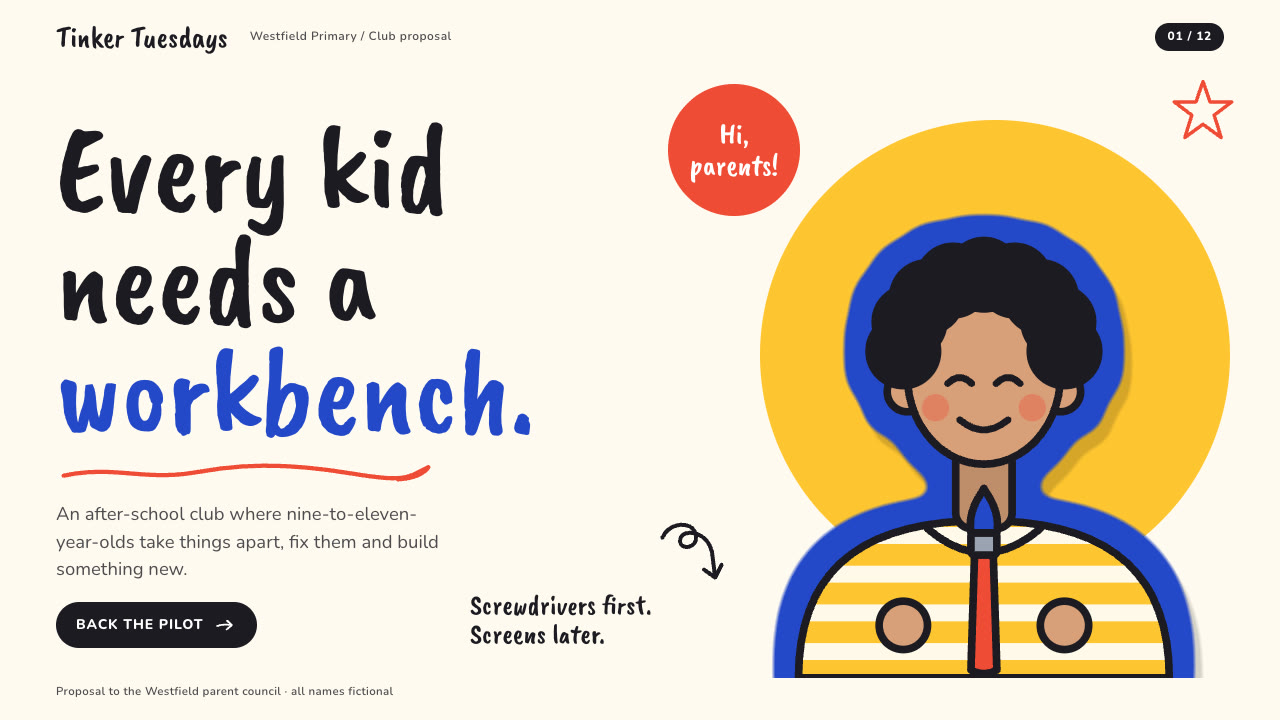
Scribble Project slides suits after-school club proposals, library or museum workshops, volunteer briefings, hackathon kick-offs, community repair days and small funding pitches. Its demos are Tinker Tuesdays, a 12-page maker club proposal to a parent council on Crayon Box, and Zine Lab, a 10-page library volunteer briefing on Seaside Club.
Does Scribble Project slides use an image model?
No. Scribble Project slides draws ink-outlined pictures with doodle-art.py, which is deterministic, refuses a repeated picture and calls no model or image service, so drawing is not billed. It makes anonymous figures with closed smiling eyes, 18 everyday making objects, table scenes and pinned boards. Real people, rooms or products need supplied photos.
Which palettes and fonts does Scribble Project slides use?
Scribble Project slides ships three palettes, Crayon Box, Seaside Club and Berry Studio, listed by apply-palette.py --list. Headlines are Caveat Brush and body text is Nunito at weights 400, 600 and 800, both embedded under the SIL Open Font License. Without them installed, the presentation app substitutes a plain face and hand-lettered headlines widen.
How much text fits on a Scribble Project page?
Scribble Project slides allows big cover and close headlines of three lines at about 12 letters, and other headlines of up to 8 words. Each page takes one supporting paragraph of up to 30 words and 60 words in total, with body text at 14 px or more. Copy far over budget runs into neighbouring blocks.
Is the Scribble Project PowerPoint export editable?
Yes. Scribble Project slides exports text boxes, cards, columns, panels and the timetable as native objects and tables, and no slide is a full-slide picture. Across the example and test decks the export held 394 native text boxes, 177 shapes and 2 tables. The grid-paper note, tape strips and scribble marks arrive as pictures behind native text.
What breaks a Scribble Project PowerPoint file?
Scribble Project slides writes document.company from settings.json into the PowerPoint unescaped, so an ampersand or angle bracket there stops the file from opening. In PowerPoint the dashed rules of the materials list also show as solid lines, and long Chinese chart titles take two lines. Blocks added in the editor start at the top-left.
और Skills
सभी Education Skills →
Science MV
Explain science through visible causes, transformations and results.

Loop Story
Explain a cycle: build each stage, close the loop, then reveal the takeaway.

Flux Rotor: Cobalt Drive
Inspect an original motor with real winding groups, alternating magnet sectors and a keyed shaft. Balanced phase currents drive prescribed synchronous rotation, material colors and spatial harmonic markers. Open the actual cutaway and separate six components offline. This display does not solve torque, efficiency or magnetic finite elements.

Voxel Paddock: Mint Apex
Inspect an original open-wheel vehicle built from procedural cubes. Spin actual wheels on a stationary display, turn nominal geometric steering and separate twelve component groups. Edit bounded dimensions, voxel density and three palettes offline. This is not a driving or aerodynamics simulation.

River Era: Valley Years
Scrub an authored river settlement timeline from camp and farms to town, workshops and speculative towers. Actual seeded geometry changes reversibly; boats and vehicles follow the same river and bank equations. This is an illustrative sequence rather than predictive history.

3D Mechanical Watch Explorer
Inspect a kinematic mechanical watch with actual meshed tooth ratios, 54 components, axial explosion, material cutaway and bilingual mouse/touch controls. One offline HTML with optional synthesized tones.