
Worksheet Maker
मुफ़्तवर्कशीट्सAdd your questions and answer choices, then download every page as a PDF. Long text wraps and continues onto new pages without being cut off. Choose 0–8 answer lines for written questions.
- प्रिंट के लिए तैयार PDF
- Letter या A4
- कुछ भी अपलोड नहीं किया गया
View worksheet text
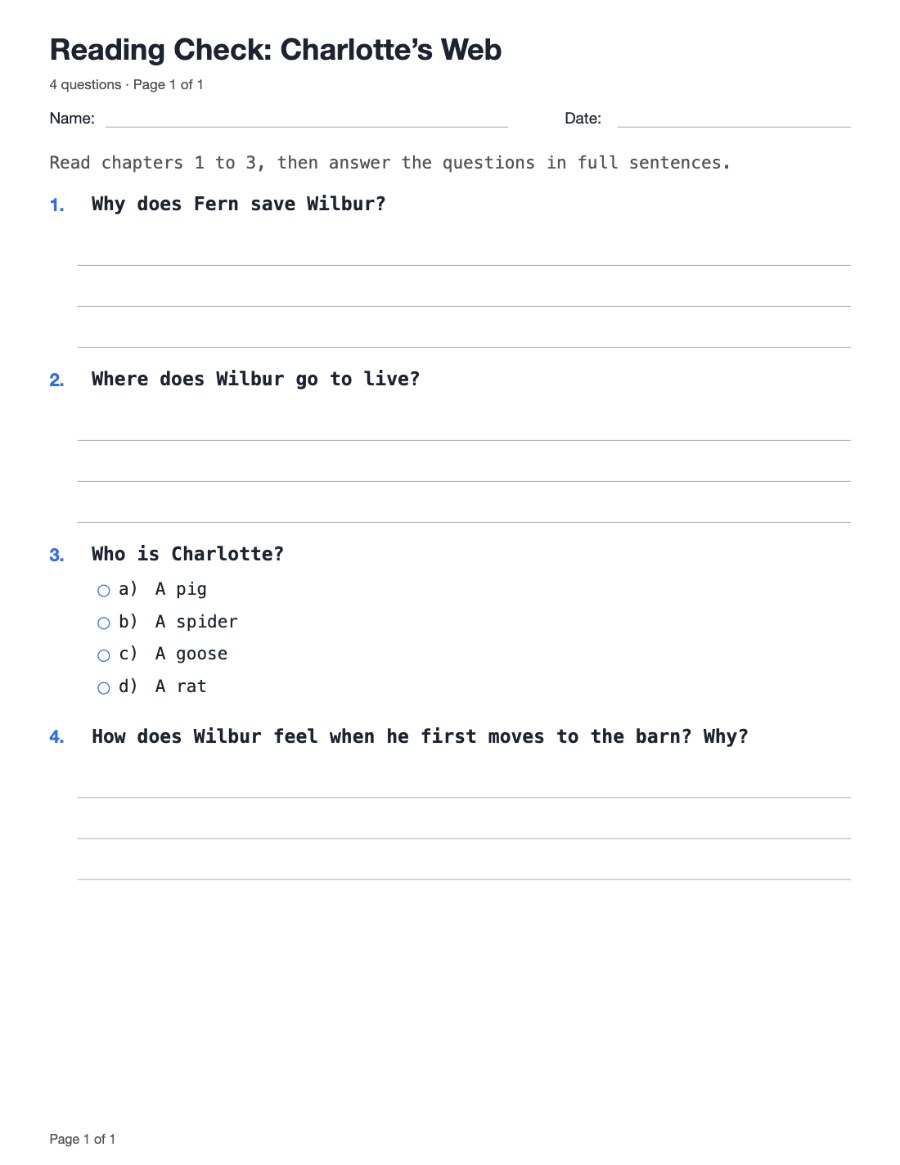
Read chapters 1 to 3, then answer the questions in full sentences.
Why does Fern save Wilbur?
Where does Wilbur go to live?
Who is Charlotte?
- A pig
- A spider
- A goose
- A rat
How does Wilbur feel when he first moves to the barn? Why?
All 4 questions are included. The PDF contains every page. This tool formats your text; it does not generate or grade answers.
उदाहरण
इस टूल से बनाए गए। किसी एक को खोलकर उससे शुरू करें और कुछ भी बदलें।

Worksheet Maker का उपयोग कैसे करें
- 01
Fill in the options; the worksheet redraws as you type.
- 02
Pick colors and Letter or A4.
- 03
Download a PDF to print, or a PNG.
लोग इसका उपयोग किस लिए करते हैं
Teachers
Quick quizzes and reading checks.
Tutors and parents
Practice sheets for any topic.
Trainers
Short knowledge checks after a session.
बेहतर परिणाम के लिए सुझाव
- Write one clear question per line.
- Put answer choices under the question, starting with a dash.
- Mix short answer and multiple choice.
- Leave enough answer lines for full sentences.
FAQ
How do I make multiple choice?
Put choices under their question, each starting with a dash and a space. Asterisk, bullet and letter markers such as a) followed by a space also work. Prefix a line with a backslash to keep the whole line as a question.
How much text can I use?
Use up to 50 questions of 1000 characters each, with up to 10 choices of 500 characters per question. The question list can contain at most 30000 characters; instructions can contain 2000. Long text continues on additional pages.
Can I remove the answer lines?
Yes. Set Answer lines to 0. Choice questions never add written-answer lines.
Can I make an answer key?
This tool formats the text you provide. It does not solve questions or mark correct choices. Prepare a separate teacher copy or write answers on a printed copy.
Does Worksheet Maker upload what I type?
No. Worksheet Maker draws the page in your browser from what you type, so it works offline once the page has loaded and nothing is sent anywhere.
और tools
Classroom Seating Chart
A printable classroom seating plan by table group or row.
Report Card Template
A printable report card with grades, comments and signatures.
Spelling Test Template
A numbered spelling test with bonus lines and a word list page.
Handwriting Worksheet
Make handwriting practice sheets from your own sentences.
Letter Tracing Worksheet
Dotted letter tracing rows with a solid example letter, A to Z.
Alphabet Chart
A printable ABC chart with pictures and words, A to Z.