
Whiteboard concept explainer
- Skill Lab
- v0.1.0
- Education
Turn a lesson into a text-free 16:9 whiteboard sketch: one central drawing, three to five empty callout boxes joined by arrows and an empty title area.
Contoh
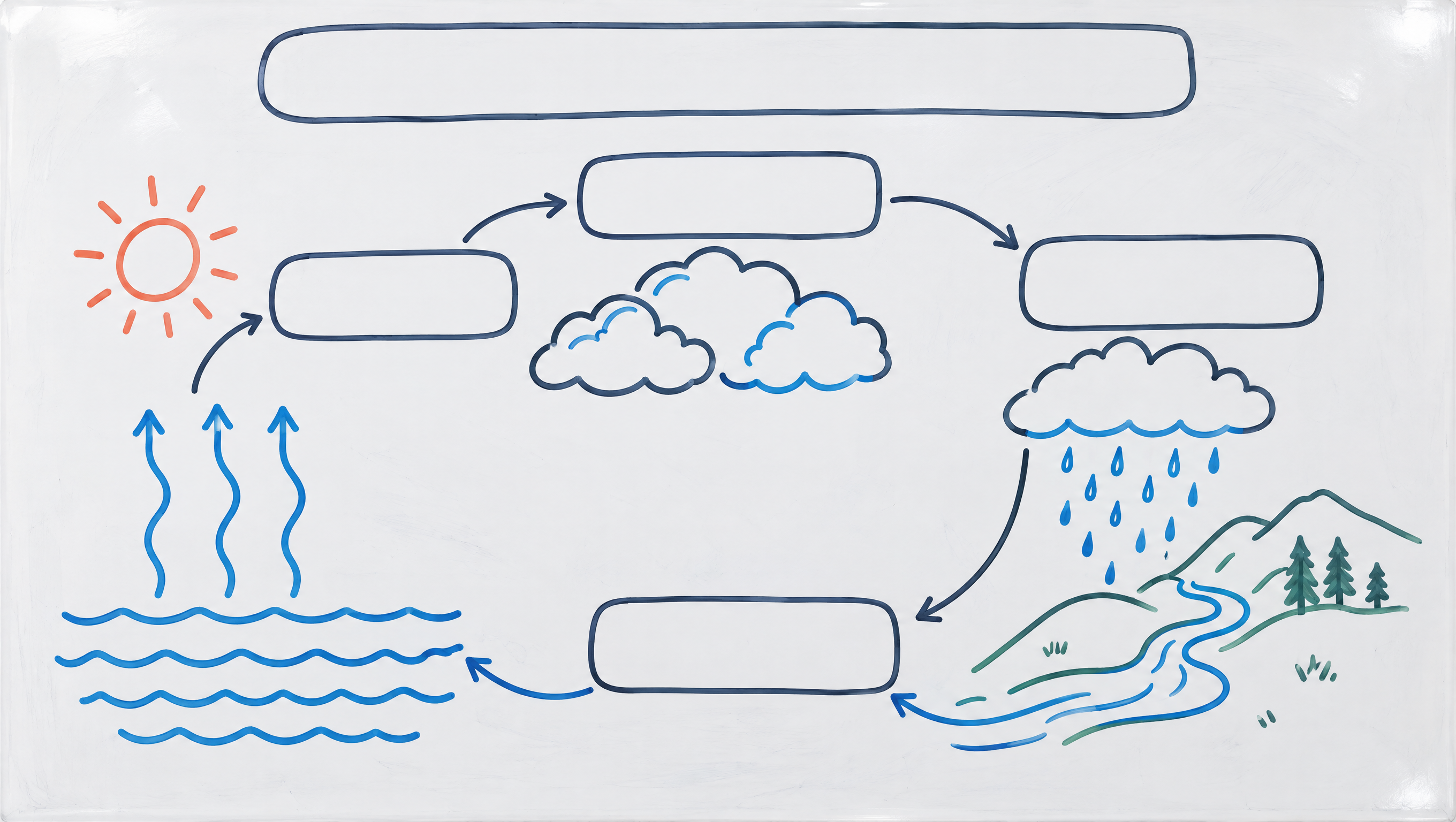
Whiteboard concept explainer
Jalankan online
Jalankan di sandbox SandBase dan lihat hasil Anda di Lab.
Buka di Lab ↗Apa yang Anda dapatkan
Bring a lesson and three to five callouts. The Skill returns one text-free 16:9 whiteboard image and a bilingual run report.
Cara kerjanya
- 01
Outline the lesson
Whiteboard Concept Explainer takes a lesson of up to 800 characters with its core idea and steps, and three to five zones in reading order, one per callout box, up to 80 characters each. The bundled brief explains the water cycle with the zones Evaporation, Clouds form, Rain falls and Water returns to the sea.
- 02
Sketch the whiteboard
On Node.js 18+ inside SandBase Sandbox, run plan offline and then node scripts/generate.mjs run --brief assets/sample-brief.en.json --out /tmp/whiteboard-run --budget. One openai/gpt-image-2.5-flare call draws a 2k 16:9 PNG with a central marker sketch, empty callout boxes joined by arrows along a clear reading path, and an empty title area.
- 03
Fill in your own text
Whiteboard Concept Explainer writes whiteboard.png with JSON and two HTML reports recording dimensions, execution ID and cost. Check that the board carries no readable text or pseudo-writing and that the number of empty boxes matches your zones. Then place the exact title and callouts in your layout tool, which keeps every word correct.
FAQ
What does Whiteboard Concept Explainer draw?
Whiteboard Concept Explainer draws one hand-drawn whiteboard image: a central marker sketch of the lesson, three to five empty callout boxes joined by arrows along a reading path, and an empty title area. It is a 16:9 base image for teachers, trainers and presenters.
Why is there no text on the Whiteboard Concept Explainer image?
Whiteboard Concept Explainer leaves the board blank on purpose, because image models misspell small text. Your zone lines plan the boxes but are never drawn. Add the exact title, callouts and citations in your own layout tool afterwards.
Can Whiteboard Concept Explainer write equations?
No. Whiteboard Concept Explainer keeps the board free of text and equations, and it is not for dense notes or unverified claims. Type equations over the empty boxes in a layout tool, where they will be exact.
What does Whiteboard Concept Explainer cost to run?
Whiteboard Concept Explainer makes one openai/gpt-image-2.5-flare call per approved brief through SandBase, billed to your account. Plan runs free without a network call; run checks the cap set with --budget first. Rates are at https://www.sandbase.ai/pricing.
How many boxes will Whiteboard Concept Explainer leave?
Whiteboard Concept Explainer aims for one empty callout box per zone line, three to five in total. The model can miss that count, so check it when you review the image. The report keeps the review open with text_accuracy: needs_review.
Lebih Banyak Skills
Semua Skills Education →
Science MV
Explain science through visible causes, transformations and results.

Loop Story
Explain a cycle: build each stage, close the loop, then reveal the takeaway.

Flux Rotor: Cobalt Drive
Inspect an original motor with real winding groups, alternating magnet sectors and a keyed shaft. Balanced phase currents drive prescribed synchronous rotation, material colors and spatial harmonic markers. Open the actual cutaway and separate six components offline. This display does not solve torque, efficiency or magnetic finite elements.

Voxel Paddock: Mint Apex
Inspect an original open-wheel vehicle built from procedural cubes. Spin actual wheels on a stationary display, turn nominal geometric steering and separate twelve component groups. Edit bounded dimensions, voxel density and three palettes offline. This is not a driving or aerodynamics simulation.

River Era: Valley Years
Scrub an authored river settlement timeline from camp and farms to town, workshops and speculative towers. Actual seeded geometry changes reversibly; boats and vehicles follow the same river and bank equations. This is an illustrative sequence rather than predictive history.

3D Mechanical Watch Explorer
Inspect a kinematic mechanical watch with actual meshed tooth ratios, 54 components, axial explosion, material cutaway and bilingual mouse/touch controls. One offline HTML with optional synthesized tones.