
Free motion blur effect
GratisImmagini AIAdd a sense of speed to cars, bikes, runners and dancers: the subject stays sharp while the background streaks in the direction of motion.
- 100% free
- No sign-up
- No watermark
- Works on phone
Risultato di esempio
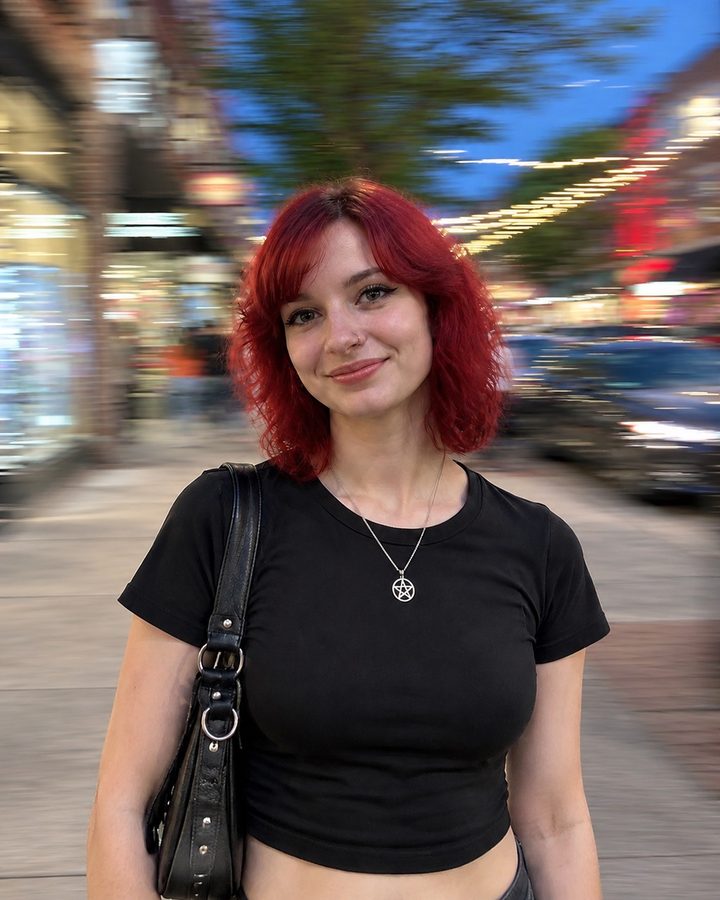
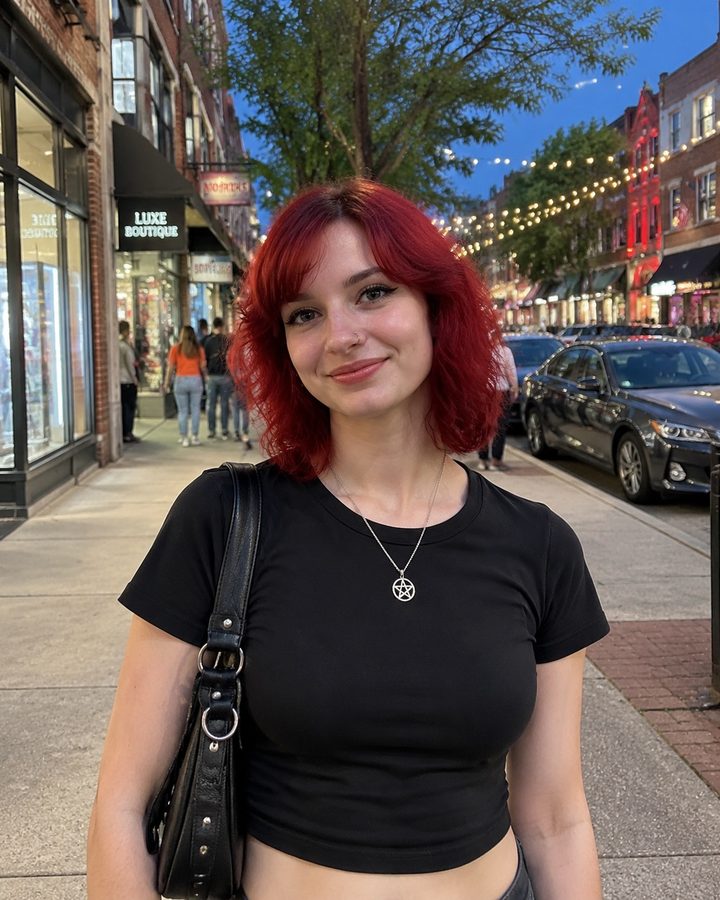 PrimaDopo
Add speed with motion blur behind the subject.
Come usare Motion Blur Effect
Tre passaggi, da computer o da telefono.
- 01
Upload a photo
Drop, paste or pick a JPG, PNG, WebP or HEIC image; on a phone you can take one with the camera. Then type your anything to add (optional) (optional), for example "e.g. a sunset behind me".
- 02
Choose direction
Pick Direction (Sideways, Zoom or Vertical), then select Apply. A result usually takes about 20 seconds.
- 03
Compare and download
Compare it with your original, then download a JPG. Example on this page: add speed with motion blur behind the subject.
Altri esempi
Lo stesso strumento su altre foto, senza modifiche manuali. Aprine una per provarlo tu stesso.
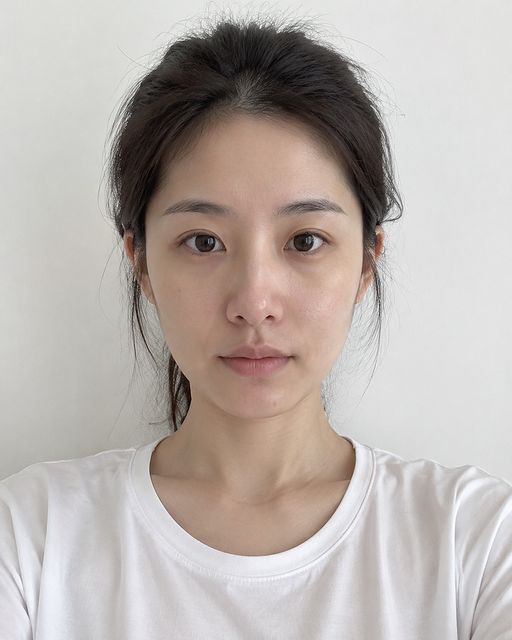
Prima 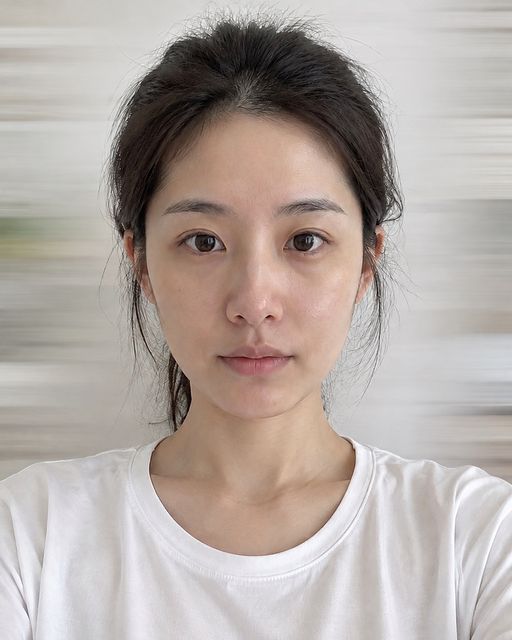
Dopo Provalo sulla tua foto
Carica una foto e ottieni il risultato in pochi secondi. Gratis, senza registrazione, senza watermark.
Carica una foto
Per cosa lo usano le persone
Car and bike photos
Make a parked car look fast.
Sports shots
Action feel for runners and players.
Posters and covers
Dynamic artwork.
Suggerimenti per ottenere un risultato migliore
- Side-on photos give the best streaks.
- Keep the subject in focus in the original.
- Pick the direction the subject moves.
Ti serve più controllo? Usa l'API
Questo strumento si basa sull'API immagini di SandBase. L'API ti offre tutte le impostazioni che lo strumento gratuito configura per te.
- Qualità e dimensioni superioriquality=high, dimensioni fino a 2K e sfondi trasparenti in un'unica chiamata.
- Il tuo promptModifica il template, aggiungi immagini di riferimento o elabora in batch centinaia di immagini dal tuo codice o da Agent.
- Paga per immagineUsa il saldo SandBase oltre il limite consentito dallo strumento gratuito. Disponibilità del modello e limiti di rate dell'API continuano ad applicarsi.
# Set SANDBASE_API_KEY and choose your local image file.
IMAGE_FILE="photo.jpg"
curl --fail-with-body https://api.sandbase.ai/v1/images/edits \
  -H "Authorization: Bearer $SANDBASE_API_KEY" \
  --form-string 'model=gpt-image-2.6-flare' \
  --form "image=@${IMAGE_FILE}" \
  --form-string 'quality=high' \
  --form-string 'size=2048x2048' \
--form-string 'prompt=Add a horizontal panning motion blur to this photo, like a slow shutter: the main subject stays sharp and the background streaks in the direction of movement. Keep the subject exactly as it is.'FAQ
Will my subject get blurry?
The prompt targets the background, but the subject can change too. Check its edges and details before saving.
Does it work on people?
Yes, on runners, skaters and dancers.
Will it change anything else?
The prompt keeps the rest of the photo as it is. Compare with the slider before you download.
Motion Blur Effect è gratuito?
Sì, senza watermark e senza registrazione. Un'esecuzione di Motion Blur Effect richiede circa 20 secondi e ti dà un JPG. Usa una esecuzione dell'allocazione giornaliera gratuita per le immagini AI, condivisa tra tutti gli strumenti immagini AI: 10 esecuzioni al giorno senza accesso e 30 con un account SandBase gratuito. Lo strumento mostra quante ne hai ancora, e il conteggio si azzera a mezzanotte UTC; possono inoltre applicarsi limiti di rete e a livello di sito.
Cosa succede alla foto che carico su Motion Blur Effect?
La tua foto e le tue impostazioni vengono elaborate da SandBase e dal fornitore di immagini per creare questo singolo risultato. Motion Blur Effect non pubblica nulla in una galleria pubblica. I risultati possono essere riutilizzati da una cache per un massimo di 24 ore, quindi una richiesta identica non usa un'altra esecuzione; scarica qualsiasi risultato che vuoi conservare.
SandBase APIs per questo lavoro
Gli stessi dati nel tuo codice o in un Agent: una sola API key, fatturazione per chiamata.
Altri strumenti
Bokeh Effect
Add portrait-lens bokeh and shallow depth of field, with round, heart or star highlights.
AI Photo Editor
Edit any photo by describing the change in plain words: weather, outfit, light, background. Review the rest of the image for unintended changes.
Add Smoke Effect to Photo
Add smoke effect to a photo, blended in naturally.
AI Photo Restoration
Restore old photos with AI: remove scratches, creases and fading, and colorize black and white pictures.
AI Image Upscaler
Generate a 2K or 4K version of a photo or artwork with AI. Compare the result carefully: fine details and text may change.
AI Object Remover
Erase people, cars, wires, text and other objects from a photo by painting over them or describing them.