
Free YouTube banner maker
GratisImmagini AIDescribe your channel, add its name, pick a style, and get wide channel art with the important parts in the central safe area that shows on every device.
- 100% free
- No sign-up
- No watermark
- Any shape
Risultato di esempio
 Esempio
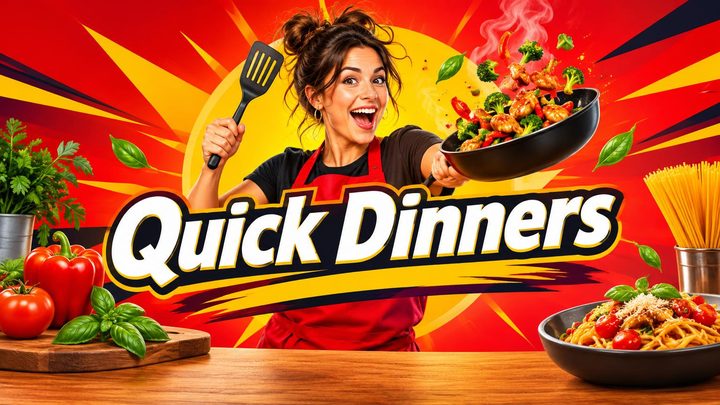
A cooking channel banner with the channel name in the center.
Come usare YouTube Banner Maker
Tre passaggi, da computer o da telefono.
- 01
Write your what is your channel about
Type your what is your channel about, for example "a cooking channel about quick weeknight dinners", or tap one of the examples.
- 02
Choose style
Pick Style (Bold, Clean, Photographic or Playful), then select Make banner. A result usually takes about 15 seconds.
- 03
Review and download
Check the picture and read every word, then download a JPG. Example on this page: a cooking channel banner with the channel name in the center.
Altri esempi
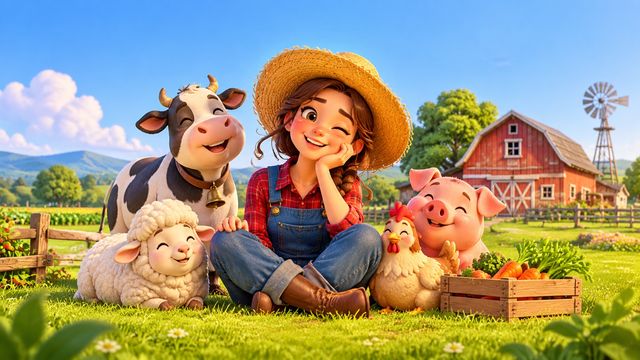
Creati con questo strumento, senza modifiche manuali. Aprine uno per partire dalle sue impostazioni.
Esempio Crea il tuo
Descrivi ciò che vuoi e ottieni un risultato in pochi secondi. Gratis, senza registrazione, senza watermark.
Apri lo strumento
Per cosa lo usano le persone
New channels
A first banner without a designer.
Rebrands
Test new looks before you commit.
Streamers
Matching art for Twitch and YouTube.
Suggerimenti per ottenere un risultato migliore
- Keep the channel name in the middle; edges are cut off on phones.
- Say what the channel is about in a few words.
- Clean suits tutorials; Playful suits kids and gaming.
Ti serve più controllo? Usa l'API
Questo strumento si basa sull'API immagini di SandBase. L'API ti offre tutte le impostazioni che lo strumento gratuito configura per te.
- Qualità e dimensioni superioriquality=high, dimensioni fino a 2K e sfondi trasparenti in un'unica chiamata.
- Il tuo promptModifica il template, aggiungi immagini di riferimento o elabora in batch centinaia di immagini dal tuo codice o da Agent.
- Paga per immagineUsa il saldo SandBase oltre il limite consentito dallo strumento gratuito. Disponibilità del modello e limiti di rate dell'API continuano ad applicarsi.
# Set SANDBASE_API_KEY first.
curl --fail-with-body https://api.sandbase.ai/v1/images/generations \
  -H "Authorization: Bearer $SANDBASE_API_KEY" \
  -H "Content-Type: application/json" \
  --data-binary @- <<'SANDBASE_JSON'
{
  "model": "gpt-image-2.6-flare",
  "prompt": "A YouTube channel banner for a cooking channel about quick weeknight dinners. Bold colors, strong shapes and a high-energy look. Wide composition with the key subject and any text inside the central safe area, extra background to the sides, Include the channel name \"Quick Dinners\" once, large and perfectly spelled, in the center. no other text, no watermark. Keep all lettering and the main subject inside the central 80% of the frame, with a wide empty margin on every side, because the image may be resized or cropped: no letter may touch or cross an edge.",
  "size": "1536x1024",
  "quality": "high"
}
SANDBASE_JSONFAQ
What size should my banner be?
YouTube asks for 2560 by 1440 pixels with a central safe area of 1546 by 423. Crop or resize the result to that size.
YouTube Banner Maker è gratuito?
Sì, senza watermark e senza registrazione. Un'esecuzione di YouTube Banner Maker richiede circa 15 secondi e ti dà un JPG. Usa una esecuzione dell'allocazione giornaliera gratuita per le immagini AI, condivisa tra tutti gli strumenti immagini AI: 10 esecuzioni al giorno senza accesso e 30 con un account SandBase gratuito. Lo strumento mostra quante ne hai ancora, e il conteggio si azzera a mezzanotte UTC; possono inoltre applicarsi limiti di rete e a livello di sito.
Che cosa invia YouTube Banner Maker quando lo eseguo?
Solo il testo e le opzioni che scegli vengono elaborati da SandBase e dal fornitore di immagini per creare questo singolo risultato. YouTube Banner Maker non pubblica nulla in una galleria pubblica. I risultati possono essere riutilizzati da una cache per un massimo di 24 ore, quindi una richiesta identica non usa un'altra esecuzione; scarica qualsiasi risultato che vuoi conservare.
SandBase APIs per questo lavoro
Gli stessi dati nel tuo codice o in un Agent: una sola API key, fatturazione per chiamata.
Altri strumenti
YouTube Thumbnail Maker
Make a YouTube thumbnail from an idea or your own photo: big readable text, bold colors, 16:9.
AI iPhone Wallpaper Generator
Make iPhone lock screen wallpaper images from a description.
Zoom Background Generator
Make 16:9 virtual backgrounds for Zoom, Teams and Meet from a description.
AI Desktop Wallpaper Generator
Make desktop wallpaper images from a description.
Mothers Day Card Maker
Design a Mother's Day card in four themes and four styles.
Fathers Day Card Maker
Design a Father's Day card in four themes and four styles.