
Free AI makeup try on
無料AI画像Upload a photo and try a makeup look on it: natural, glam, a bold lip, soft pink, bare-faced or dewy, with your face shape and features kept.
- 100% free
- No sign-up
- No watermark
- Works on phone
サンプル結果
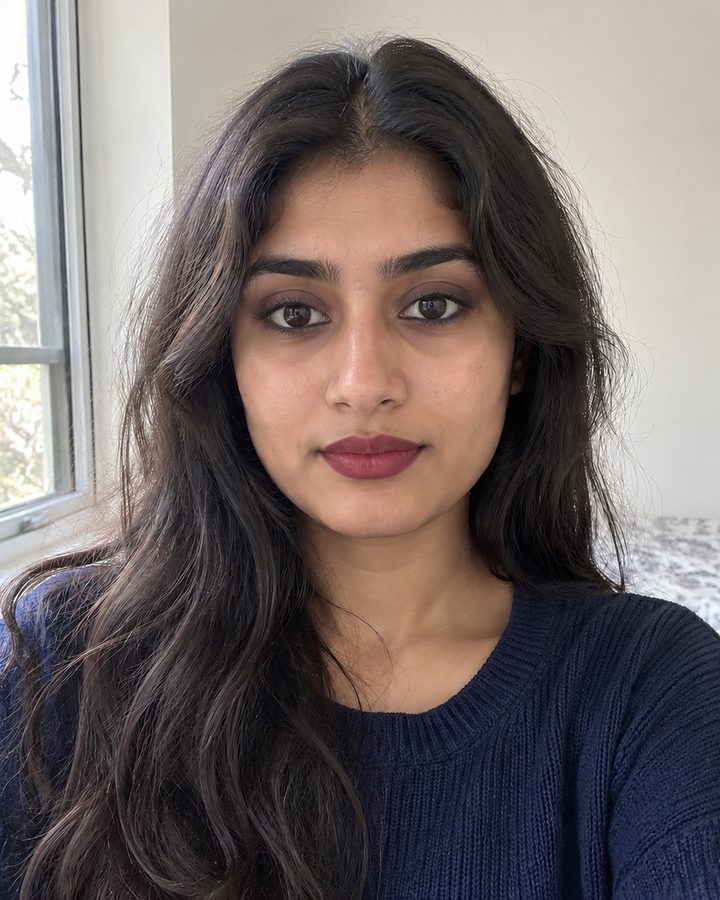
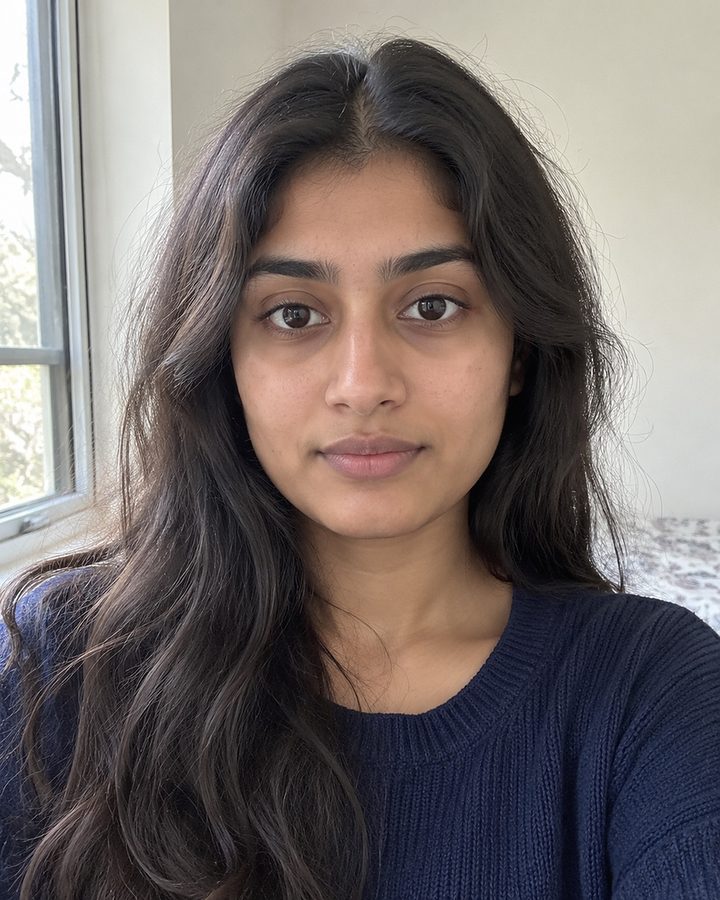 編集前編集後
A bare face with a glam evening makeup look.
AI Makeup Try Onの使い方
3ステップで、パソコンでもスマートフォンでも使えます。
- 01
Upload a photo
Drop, paste or pick a JPG, PNG, WebP or HEIC image; on a phone you can take one with the camera.
- 02
Choose makeup look
Pick Makeup look (Natural, Glam, Bold lip, Soft pink or Bare-faced and 1 more), then select Try makeup. A result usually takes about 20 seconds.
- 03
Compare and download
Compare it with your original, then download a JPG. Example on this page: a bare face with a glam evening makeup look.
何に使うか
Shopping
Preview a look before you buy products.
Events and weddings
Compare looks before a trial.
Beauty pros
Show clients ideas.
より良い結果を得るためのヒント
- Use a photo with no makeup and even daylight.
- Natural and Dewy suit daytime; Glam and Bold lip suit evenings.
- Pull hair back from the face so the eyes and cheeks show.
もっと細かく制御したいですか? APIを使いましょう
このツールは SandBase の画像 API 上で動作しています。API なら、無料ツールが自動で固定している各設定をすべて指定できます。
- より高品質・高解像度quality=high、最大 2K のサイズ、透明背景を 1 回の呼び出しで利用できます。
- 独自のプロンプトテンプレートを変更したり、参照画像を追加したり、コードや Agent から数百枚を一括処理したりできます。
- 画像ごとの従量課金無料ツールの利用枠を超えて SandBase 残高を使えます。モデルの提供状況と API レート制限は引き続き適用されます。
# Set SANDBASE_API_KEY and choose your local image file.
IMAGE_FILE="photo.jpg"
curl --fail-with-body https://api.sandbase.ai/v1/images/edits \
  -H "Authorization: Bearer $SANDBASE_API_KEY" \
  --form-string 'model=gpt-image-2.6-flare' \
  --form "image=@${IMAGE_FILE}" \
  --form-string 'quality=high' \
  --form-string 'size=2048x2048' \
--form-string 'prompt=Apply a glam evening look with smoky eyes, defined brows and a bold lip makeup to the person in this photo. Keep the face, identity, age, skin tone and facial features exactly the same; do not beautify, slim or change any feature. Realistic, skin-friendly application that follows the natural face shape; do not change the hair, the clothes or the background.'FAQ
Will the result match real products?
It is a preview of the look, not of a shade. Real results depend on products, skin and lighting.
AI Makeup Try On は無料ですか?
はい、ウォーターマークなし、登録不要です。AI Makeup Try On の 1 回の実行には約 20 秒かかり、JPG が得られます。これは、すべての AI 画像ツールで共有される無料の 1 日分 AI 画像利用枠を 1 回消費します。ログインなしでは 1 日 10 回、無料の SandBase アカウントでは 30 回まで利用できます。ツールには残り回数が表示され、カウントは UTC の深夜にリセットされます。ネットワークやサイト全体の制限が適用される場合もあります。
AI Makeup Try On にアップロードした写真はどうなりますか?
写真と設定が、SandBase と画像プロバイダーによって処理され、この 1 つの結果が作成されます。AI Makeup Try On は公開ギャラリーに何も公開しません。結果は最大 24 時間キャッシュから再利用される場合があり、同一リクエストでは追加の実行回数は消費しません。保存したい結果はダウンロードしてください。
この用途に合うSandBase APIs
同じ種類のデータを、自分のコードやAgentで扱えます。APIキー1つで、呼び出しごとに課金されます。
その他のツール
Lipstick Try-On
Try lipstick shades on your own photo: nude, red, berry, coral and more, matte or gloss.
Wedding Dress Try On
Try on wedding dress styles on your own photo.
Glasses Try On
Try glasses and sunglasses on your photo in six frame styles.
Tattoo Try On
Preview a tattoo on your own skin, with the rest of the photo unchanged.
AI Hairstyle Changer
Try new hairstyles and colors on your own photo: bob, pixie, fade, curls, braids and more.
AI Nail Design Generator
Try nail art on a photo of your hands: seven designs in four shapes.