
Primeform Workshop Slides
- Lab 스킬
- v0.1.0
- Education
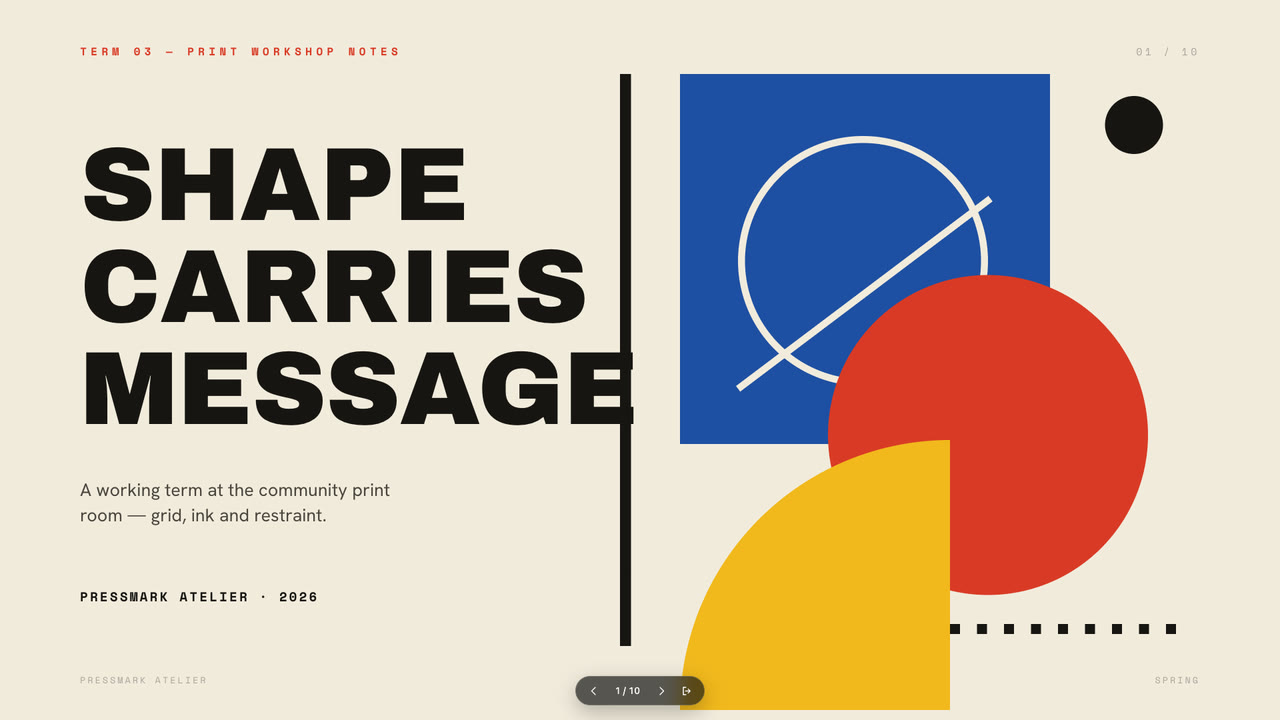
Make decks that read as Bauhaus workshop manuals: warm cream paper under near-black ink with flat red, blue and yellow circles, squares, triangles, quarter-discs, rings and dot-grids, Archivo Black caps, Hanken Grotesk body and Space Mono spaced-caps chrome.
예시 · 2
얻을 수 있는 것
Bring the workshop subject, the audience, the facts and figures to use exactly, the page count and content language. The Skill returns one offline HTML deck that edits in the browser and exports editable PowerPoint.
작동 방식
- 01
Brief the workshop and outline pages
Primeform Workshop slides asks what is presented, such as a workshop term, course or programme, the one point to land, the audience, the figures the user stands behind, page count and language. The default arc runs cover, index, quote, principles, divider, metrics, process, compare, case and close. Invented figures are marked illustrative. Index, metrics, process, compare and case carry the working detail.
- 02
Set primaries and draw plates
A preset from references/palettes.md, such as Prime Originals or Letterpress Cool, goes into the plan's swatch, and the same red, blue and yellow triple goes into art.json. scripts/primeform-art.py draws the plates: sign wall, press bed, dot-map, bar tally and triptych. Then python3 scripts/kit.py compose --kit references/kit.json --plan plan.json --out deck.json builds the deck, and every sampleLeft slot is rewritten.
- 03
Build locally and check the geometry
make-deck.py writes presentation.html and verify-deck.py checks it, all with local paths and no network calls. Viewing each page over python3 -m http.server confirms the cream ground, Archivo Black caps wordmark, shape-glyph index rows, yellow quote field, colour-block metrics wall and VS badge on the compare seam. On request, verify-pptx.py checks presentation.pptx against deck.json, and it needs python-pptx.
FAQ
What does Primeform Workshop slides look like?
Primeform Workshop slides prints near-black ink on warm cream paper with flat red, blue and yellow circles, squares, triangles, quarter-discs, rings and dot-grids. Headlines are Archivo Black caps, body text is Hanken Grotesk, and chrome is Space Mono spaced caps. There are no gradients, shadows or photography on the field, and each page allows one red circle at most.
What palettes come with Primeform Workshop slides?
Primeform Workshop slides ships four presets in references/palettes.md: Prime Originals, Letterpress Cool, Riso Duet and Slate Primaries. Each retunes paper, ink and the three primaries together, never one primary alone. The demos use Prime Originals for Pressmark Workshop term notes and Letterpress Cool for an Ironpress Studio spring schedule, both 10 pages.
Can Primeform Workshop slides handle Chinese text?
No. Primeform Workshop slides is Latin-script only in this release, because Archivo Black, Hanken Grotesk and Space Mono cover Latin. CJK text would need a bundled face before the look survives translation. Archivo Black also fills in below about 30px, so display type stays at 38px or larger and body copy never uses it.
Does Primeform Workshop slides cost anything to run?
No. Primeform Workshop slides draws its geometry plates with primeform-art.py and builds the deck from local files, and its engine makes no network calls, so nothing is billed. The generated plates are 1 to 2 KB each, inside the 6 KB ceiling the SKILL.md sets, which keeps the single HTML file lean.
Can I add rows to a Primeform Workshop page?
No. Primeform Workshop slides sizes its geometry to the page: index holds five rows, principles three columns, process four steps, compare four rows a side and metrics four blocks. Rewrite the text inside these slots, and drop nodes you do not need. The NN / TT counter is renumbered only when the plan's page count matches the kit.
Can I use my own photos in Primeform Workshop slides?
Yes, but only inside the case plate frame with a FIG. caption, and only pictures the user has the right to use. Primeform Workshop slides prefers its generated plates first, then geometry-only spreads. The look is meant for craft and workshop material, so it does not suit corporate, financial, photography-heavy or muted decks.
더 많은 Skills
모든 Education Skills →
Science MV
Explain science through visible causes, transformations and results.

Loop Story
Explain a cycle: build each stage, close the loop, then reveal the takeaway.

Flux Rotor: Cobalt Drive
Inspect an original motor with real winding groups, alternating magnet sectors and a keyed shaft. Balanced phase currents drive prescribed synchronous rotation, material colors and spatial harmonic markers. Open the actual cutaway and separate six components offline. This display does not solve torque, efficiency or magnetic finite elements.

Voxel Paddock: Mint Apex
Inspect an original open-wheel vehicle built from procedural cubes. Spin actual wheels on a stationary display, turn nominal geometric steering and separate twelve component groups. Edit bounded dimensions, voxel density and three palettes offline. This is not a driving or aerodynamics simulation.

River Era: Valley Years
Scrub an authored river settlement timeline from camp and farms to town, workshops and speculative towers. Actual seeded geometry changes reversibly; boats and vehicles follow the same river and bank equations. This is an illustrative sequence rather than predictive history.

3D Mechanical Watch Explorer
Inspect a kinematic mechanical watch with actual meshed tooth ratios, 54 components, axial explosion, material cutaway and bilingual mouse/touch controls. One offline HTML with optional synthesized tones.