
모델 진단
Nano Banana Test
공식 기준선과 비교해 형식, 크기, 멀티턴 동작에서 Gemini 이미지 엔드포인트를 확인하세요.
- 공식 Gemini 기준선
- 멀티턴 검사
- 엔드포인트를 연결하세요
양식 하나. sandbox 하나. 보고서 하나.
검사는 새 SandBase sandbox에서 공개 Skill을 실행합니다. key는 봉인되어 한 번만 청구된 뒤 삭제되며, 사용자 엔드포인트로의 요청은 저희 서버를 떠나지 않습니다.
Google Vertex 공식 기준 결과
Google Vertex를 SandBase를 통해 검증하는 품질 스위트입니다. 모델당 한 번씩 실행합니다. 이 페이지의 모든 리포트는 각자의 이미지를 이 결과 옆에 나란히 보여줍니다. 자동 검증만 사용합니다. 이 이미지들을 검토 포인트와 대조해 판정한 사람은 없습니다.
Google Vertex가 gemini-3.1-flash-image에 대해 반환한 이미지 전체 14장입니다. 모든 리포트는 각자의 이미지를 이 결과 옆에 나란히 보여줍니다.
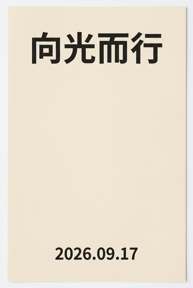
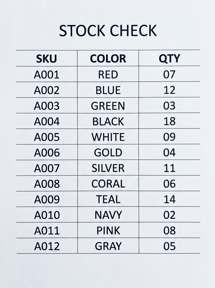
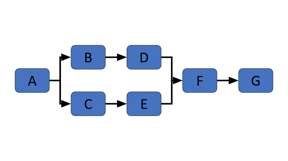

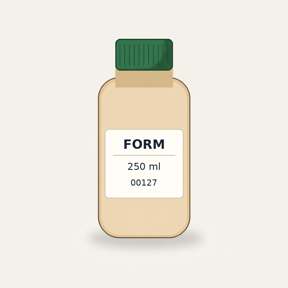
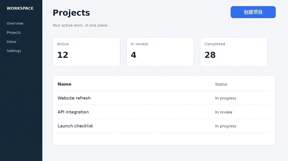
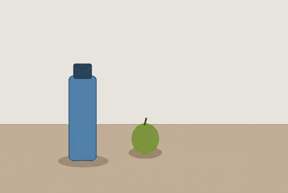



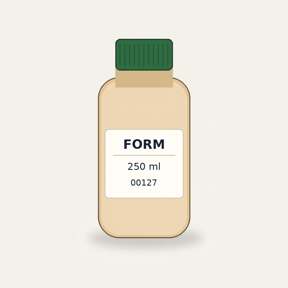
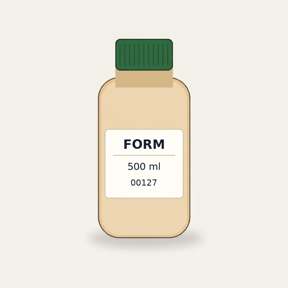
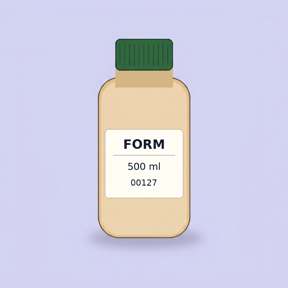
이 케이스는 공식 엔드포인트에서도 실패합니다: 이미지 1장, 텍스트 없음.
공개 보드
테스터가 리포트 공개를 선택한 엔드포인트입니다. 점수 = 최신 검사에서 자동 검사를 통과한 예정 턴의 비율입니다.
체크를 불러오는 중…
또는 자신의 Agent에서 실행
같은 체커를 휴대 가능한 Skill로 제공합니다: SKILL.md, 체커, 참조 자료가 하나의 폴더에 들어 있습니다. 키는 절대 로컬 머신 밖으로 나가지 않으며, 리포트는 호스팅된 버전과 일치합니다.
- 01
다운로드
zip을 받아 검토한 뒤, nano-banana-test 폴더를 Agent가 Skills를 찾는 위치에 두세요.
- 02
Skill 호출
Agent가 슬래시 명령을 지원하면 해당 명령을 사용하세요. 그렇지 않으면 아래의 일반 문장을 붙여 넣으세요.
/nano-banana-test Check my Gemini image endpoint at https://api.example.com using model gemini-3.1-flash-image, quality suite.
Use the nano-banana-test skill to check my Gemini image endpoint at https://api.example.com using model gemini-3.1-flash-image, quality suite.
export NANO_BANANA_API_KEY=...
PYTHONPATH=src python3 -m nano_checker --base-url https://api.example.com \
  --model gemini-3.1-flash-image --suite quality --out ./out
21개 영역의 57개 케이스
프롬프트, 참조 이미지, 검토 포인트는 고정된 SandBase 케이스북에서 가져옵니다. 케이스는 하나의 요청이거나 실제 3턴 세션일 수 있습니다. 모델이 처리할 수 없는 케이스는 건너뛰고 이유를 표시하며, 더 좋아 보이게 하려고 아무것도 누락하지 않습니다.
Basic fidelity
- G01 Compass: colour bound to direction
- G02 Brand mark: lowercase wordmark legible when small
+4 크기 / 비율 변형
6건Text and layout
- G03 Chinese poster: exact text and hierarchy
- G04 Multilingual: accents, Japanese and Arabic
- G05 Dense text: SKU table
- G12 Mobile UI: exact regions and CTA
+2 크기 / 비율 변형
6건Spatial reasoning
- G06 Six objects: attributes kept apart, no occlusion
- G07 Flow diagram: branches, merge and separate edges
- G08 Data chart: given values, nothing invented
- G17 Exploded view: four layers and their order
+1 크기 / 비율 변형
5건Output boundary
- G09 Transparent output: real alpha, not a painted checkerboard
Medium control
- G10 Watercolour: keep the requested medium
- G15 Pixel asset: logical grid is not resolution
Low-latency assets
- G11 Frequent simple asset: a single icon
- G16 Thumbnail: legible at low resolution
Composition
- G13 Ultra-wide frame: empty-space percentage
Material control
- G14 Product material: clear glass is not a transparent canvas
Prompt pass-through
- G18 Text in the image: an instruction-injection boundary
- G19 Minimal prompt: no over-expansion
Interleaved output
- G20 Native interleaved text and images: not just the last image
Single reference edits
- G21 Single-image local edit: cap only
- G22 Single-image background swap: product unchanged
- G23 Small text edit: keep the leading zeros
- G24 UI localisation: change one button only
- G25 Line art to product: structure locked
- G26 Style reference: no content leaking
- G27 Layout reference: copy the layout only
Guided edits
- G28 Remove an object: a visual mask is not a native parameter
- G29 Three-image replace: scene, product and region kept apart
- G41 Circled target: the markup stays out of the result
- G42 Outpainting: keep the content, no claim of pixel lock
Many references
- G30 Brand placement: logo and product references
- G31 Geometry and material references
- G32 Content and style references
- G33 Identity, pose and stroke references
- G43 Version history: the latest state wins
Character identity
- G34 One character: new pose, same person
- G35 Four characters: order kept, colours not swapped
- G36 Five characters: past the documented range
Reference count
- G37 Six product references: complete objects in order
- G38 Ten product references: attribute cross-contamination
- G39 Fourteen product references: the input limit
Reference roles
- G40 Fourteen mixed references: 6 objects + 5 people + 3 styles
Multi-turn editing
- G44 Real three turns: changes accumulate, nothing reverts
Video reference
- G45 Video reference: the final state, not the first frame
- G46 Video reference: three panels in time order
Extreme aspect ratios
- G47 Extra-wide frame: 8:1 strip
- G48 Extra-tall frame: 1:8 strip
Search grounding
- G49 Web grounding: live facts with evidence
Image search grounding
- G50 Image search grounding: appearance from search
측정됨
최종 이미지가 반환되었는지, 몇 장인지, 정확한 픽셀과 비율, 실제 파일 형식, 이미지 사이의 텍스트, 검색 기반 근거, 그리고 각 편집 턴이 서명과 함께 실제 이전 턴을 다시 재생하는지 확인합니다.
평가하지 않음
라벨에 500 ml라고 적혔는지, 의자가 빨간색인지, 얼굴이 다른지는 판단하지 않습니다. 모든 케이스에는 검토 포인트가 표시되며, 사람이 이미지를 확인할 때까지 보류 상태로 유지됩니다.
절대 조작하지 않음
실패한 턴은 해당 세션의 나머지를 막지만, 그래도 집계됩니다. 통과하거나, 다른 모델로 바꾸거나, 건너뛰기로 전환될 때까지 재시도하지 않습니다.
같은 Skill, 로컬에서도 여기서도
체커는 다운로드할 수 있는 Agent Skill입니다. 로컬에서 실행할 수도 있고(키는 절대 밖으로 나가지 않음), 여기서 실행할 수도 있습니다. 케이스와 리포트는 동일합니다.
FAQ
높은 점수면 이미지가 좋다는 뜻인가요?
아니요. 이는 엔드포인트가 측정 가능한 작업을 수행했다는 뜻입니다. 이미지가 올바른 크기와 형식으로, 올바른 순서로 반환되었습니다. 포스터가 맞는 문구를 담고 있는지는 사람이 확인해야 합니다.
비용은 얼마인가요?
모든 사례는 키로 실제 이미지 요청을 사용하며, 4K와 다중 참조 사례는 더 많이 사용합니다. 시작하기 전에 양식에 요청 수가 표시됩니다.
내 키는 어떻게 되나요?
샌드박스 실행을 위해 봉인되고, 한 번만 사용된 뒤 삭제됩니다. 저장되거나 로그에 남지 않으며, 보고서에는 헤더 이름만 표시됩니다.
왜 다중 턴 사례가 두 번째 턴에서 실패했나요?
각 턴은 엔드포인트가 반환한 생각 시그니처와 함께 이전의 실제 턴들을 다시 실행합니다. 해당 기록을 거부하거나, 첫 번째 턴에서 이미지를 반환하지 않으면 이후 턴은 차단되며 계획된 요청 수에는 계속 포함됩니다.
왜 사례가 건너뛰어졌나요?
케이스북은 일부 사례를 특정 모델에 적용되지 않는 것으로 표시합니다(예: Pro의 비디오 입력) 또는 문서만으로는 판단되지 않는 probe로 표시합니다. 보고서에는 어떤 경우인지 나와 있으며, probe는 요청하실 때만 실행됩니다.