
Gouache Chapter Slides
- Skill z Lab
- v1.0.2
- Education
Make calm, picture-book style decks that move in chapters, for workshops, reading and family programmes, community projects and volunteer briefings: warm paper pages, painted gouache-like pictures, very large chapter numerals with a small italic tag, upright stacked spine labels and narrow islands of serif copy.
Przykłady · 2
Co otrzymasz
Bring the topic, the audience, the facts and times to use exactly and the page count; your own pictures are optional. The Skill returns one offline HTML deck that edits in the browser and exports editable PowerPoint.
Jak to działa
- 01
Agree the audience and chapters
Gouache Chapter Slides asks who the deck is for, what they should do afterwards, the dates, times and numbers you stand behind, the language and the page count. The Agent then sequences its ten layouts: cover, chapter and chapter-right alternating, margin, islands, vignette, trio, sessions, duet and farewell. It never invents outcomes, quotes or partners.
- 02
Paint pictures and compose
Without your own pictures, the Agent lists every slot in art.json and runs python3 scripts/gouache-art.py art.json to paint flat gouache-like figures, pairs, hands, landscapes and still lifes. For figure and pair slots the seed is the person. It writes plan.json, with spine labels one character per line, and runs kit.py compose, make-deck.py and verify-deck.py locally.
- 03
Check numerals, spines and wraps
Every page is viewed over local HTTP to confirm numerals clear the islands, spine labels stay inside the page and bars do not cut faces. A chapter tag is edited and undone, then the file is saved, reopened and presented. The result is presentation.html; an exported PowerPoint is checked with verify-pptx.py and opened in your presentation app to compare wraps.
FAQ
What is Gouache Chapter Slides for?
Gouache Chapter Slides is for quiet talks that move in chapters: workshops, reading and family programmes, museum and library sessions, volunteer briefings and community projects. Pages are warm paper with one painting each, a two-digit chapter numeral up to 230 px tall, upright spine labels and small islands of serif copy. It has no charts, only a sessions schedule.
Where do the paintings in Gouache Chapter Slides come from?
Gouache Chapter Slides uses your own pictures first. Otherwise its bundled gouache-art.py paints flat gouache-like SVG pictures using only the Python standard library, with no model or image service. It cannot show a specific real person or place, so use photographs for likenesses.
Does Gouache Chapter Slides cost anything to run?
No. Gouache Chapter Slides paints its pictures with a standard-library script and builds the deck with local Python, so no paid model or API is called. Only the optional checks add dependencies: verify-pptx.py needs python-pptx and shrink-images.py needs Pillow.
Is the Gouache Chapter Slides PowerPoint editable?
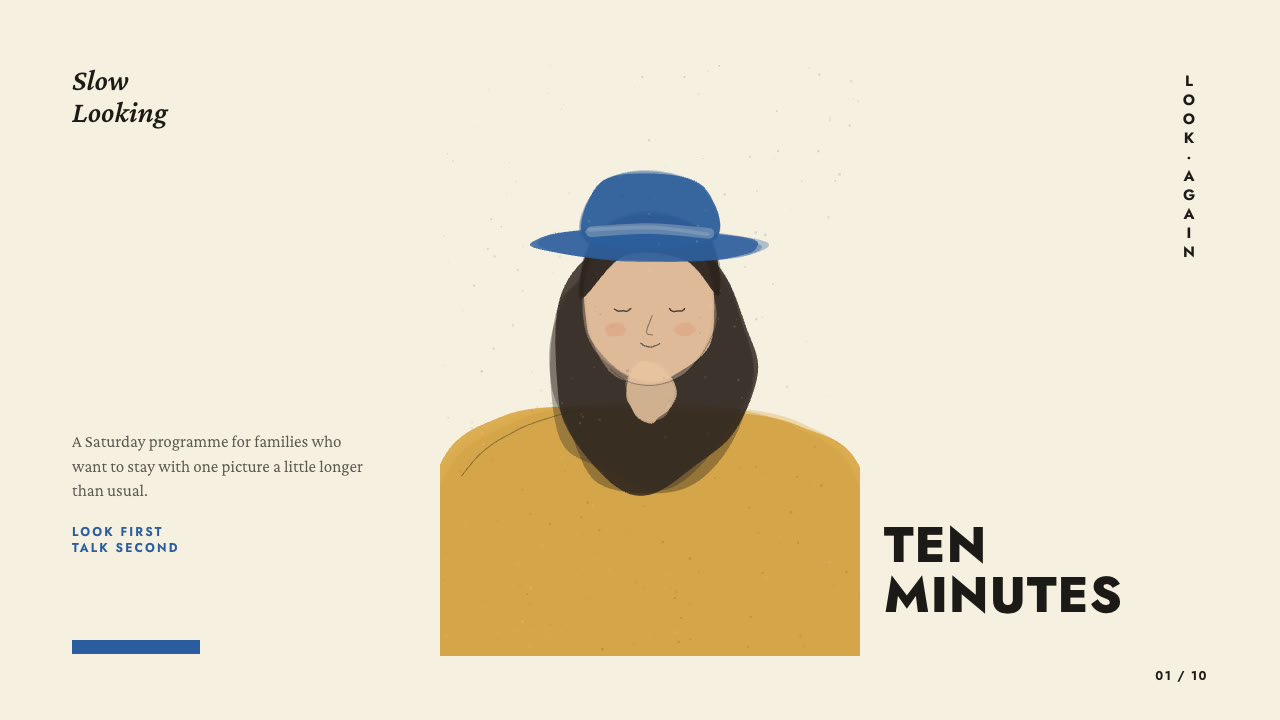
Yes. Gouache Chapter Slides exports every numeral, tag, spine label, heading, paragraph and bar as its own native object with speaker notes, and each painting as its own picture. The two example decks, Slow Looking and The Seed Drawer, have 81 and 67 text boxes.
Which fonts does Gouache Chapter Slides need in PowerPoint?
Gouache Chapter Slides names Jost and Crimson Pro, both under the SIL Open Font License. Install the desktop fonts on the presenting machine for matching wraps. PowerPoint has only regular and bold, so Jost 700 and 800 both export as bold. Chinese, Japanese and Korean text uses the system face with smaller display sizes.
Why are Gouache Chapter Slides spine labels stacked letters?
Gouache Chapter Slides writes spine labels as upright characters stacked one per line, not rotated text, so they stay editable in PowerPoint. Keep them under about 14 characters and write them with line breaks, for example "N\no\nt\ni\nc\ne".
Więcej Skills
Wszystkie Skills dla Education →
Science MV
Explain science through visible causes, transformations and results.

Loop Story
Explain a cycle: build each stage, close the loop, then reveal the takeaway.

Flux Rotor: Cobalt Drive
Inspect an original motor with real winding groups, alternating magnet sectors and a keyed shaft. Balanced phase currents drive prescribed synchronous rotation, material colors and spatial harmonic markers. Open the actual cutaway and separate six components offline. This display does not solve torque, efficiency or magnetic finite elements.

Voxel Paddock: Mint Apex
Inspect an original open-wheel vehicle built from procedural cubes. Spin actual wheels on a stationary display, turn nominal geometric steering and separate twelve component groups. Edit bounded dimensions, voxel density and three palettes offline. This is not a driving or aerodynamics simulation.

River Era: Valley Years
Scrub an authored river settlement timeline from camp and farms to town, workshops and speculative towers. Actual seeded geometry changes reversibly; boats and vehicles follow the same river and bank equations. This is an illustrative sequence rather than predictive history.

3D Mechanical Watch Explorer
Inspect a kinematic mechanical watch with actual meshed tooth ratios, 54 components, axial explosion, material cutaway and bilingual mouse/touch controls. One offline HTML with optional synthesized tones.