
Slide Companion
- Skill z Lab
- v1.0.1
- Education
Compose a photographic three-page lesson beside a continuous human presenter, then reveal the surrounding deck workspace.
Przykłady · 2
Uruchom online
Uruchom przykład Slide Companion w sandboxie SandBase i zobacz wynik tutaj.
Co otrzymasz
Bring explore two recorded examples. The Skill returns two films, measured scope reports and retained material notices.
Jak to działa
- 01
Write three pages
Slide Companion reads a JSON brief with workspace (60 characters), palette of harbor, plum, moss or graphite, presenter, crop and exactly three pages. Each page has a heading of 36 characters, a sentence of 100 and a picture. Supply three meaningful photographs and one licensed continuous presenter take of at least 8.4 seconds; a shorter clip is rejected rather than repeated.
- 02
Set the crop and compose
Set crop as a horizontal and vertical percentage pair, for example 75% 35%, and check the face throughout the take. With Node.js 22 and FFmpeg and ffprobe on PATH, run node compose.mjs /absolute/brief.json /absolute/project. English uses Manrope Variable and CJK uses Noto Sans SC, both copied locally. The first dependency install needs a network connection.
- 03
Render the pullback
Render with HyperFrames at 30 fps, strict mode, one worker, --no-browser-gpu and fast capture off. Pages switch at 2.1 and 4.1 seconds, then the deck shrinks between 5.9 and 6.9 seconds to reveal the workspace name and three navigation thumbnails, with the presenter fixed in place. Check joins for blank pages or overlapping headings, and use window.scSeek between 0 and 8.4.
FAQ
What does Slide Companion make?
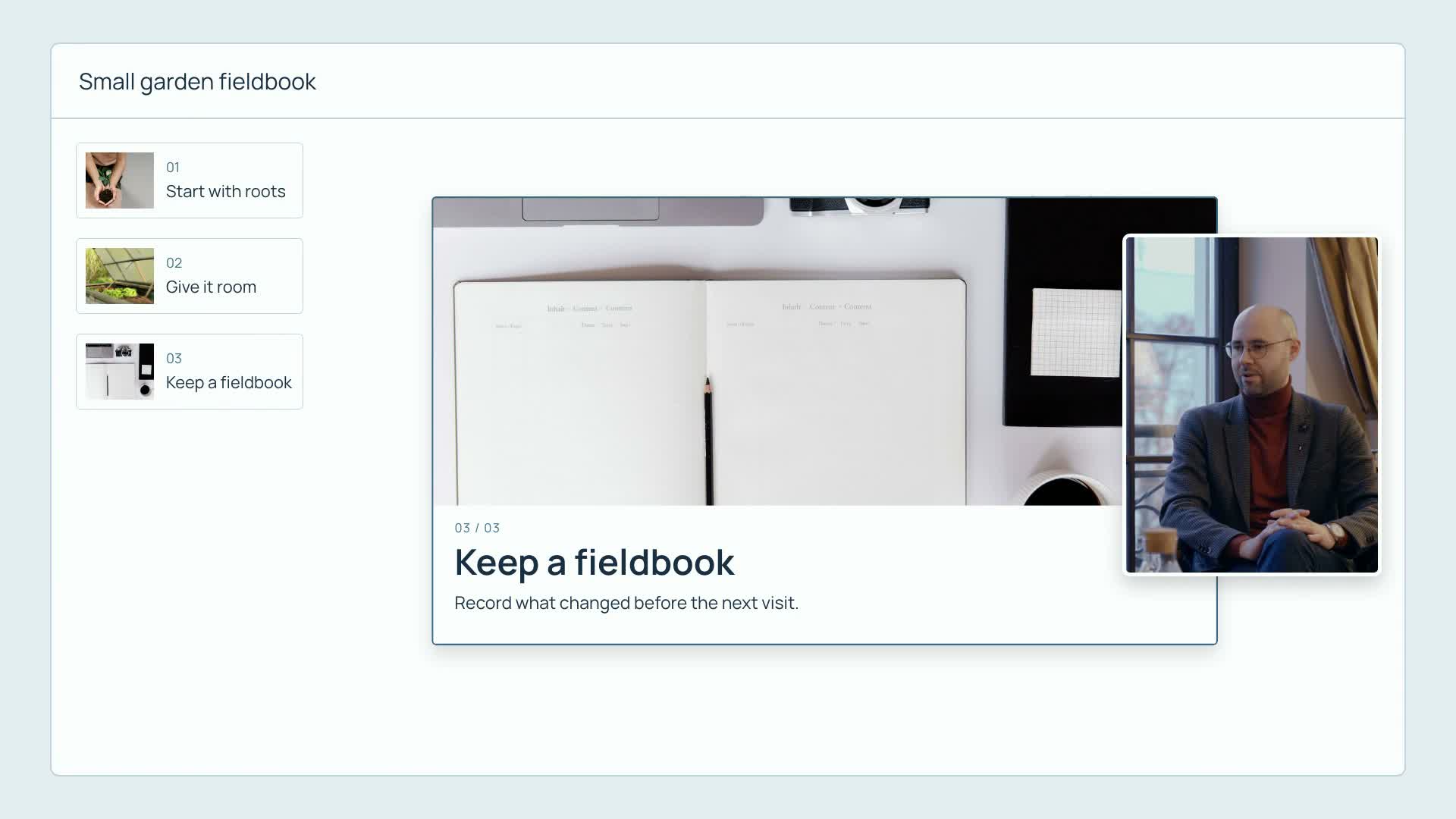
Slide Companion makes an 8.4-second lesson film with three photographic slide pages beside a continuous presenter, ending in a pullback to the deck workspace. The demos are a small garden fieldbook and a slower gallery visit.
Can Slide Companion use more than three slides?
No. Slide Companion requires exactly three pages, each with a heading, a sentence and a picture. Other structures fall outside this renderer, which does not generate arbitrary story shapes.
Does Slide Companion generate the presenter or photos?
No. Slide Companion does not generate footage, photographs or narration. You supply three photographs and a licensed take; it is a rectangular video window with no alpha segmentation.
Is there a charge for Slide Companion renders?
No. Slide Companion lays out your local media with GSAP and encodes it through HyperFrames, without a model in the loop. HyperFrames may fetch its supported browser or media tooling during setup.
Why is Slide Companion silent?
Slide Companion mutes footage on purpose and creates a silent film. It has no narration synchronization, soundtrack editor or audio mix, so add sound in a separate editor.
Więcej Skills
Wszystkie Skills dla Education →
Science MV
Explain science through visible causes, transformations and results.

Loop Story
Explain a cycle: build each stage, close the loop, then reveal the takeaway.

Flux Rotor: Cobalt Drive
Inspect an original motor with real winding groups, alternating magnet sectors and a keyed shaft. Balanced phase currents drive prescribed synchronous rotation, material colors and spatial harmonic markers. Open the actual cutaway and separate six components offline. This display does not solve torque, efficiency or magnetic finite elements.

Voxel Paddock: Mint Apex
Inspect an original open-wheel vehicle built from procedural cubes. Spin actual wheels on a stationary display, turn nominal geometric steering and separate twelve component groups. Edit bounded dimensions, voxel density and three palettes offline. This is not a driving or aerodynamics simulation.

River Era: Valley Years
Scrub an authored river settlement timeline from camp and farms to town, workshops and speculative towers. Actual seeded geometry changes reversibly; boats and vehicles follow the same river and bank equations. This is an illustrative sequence rather than predictive history.

3D Mechanical Watch Explorer
Inspect a kinematic mechanical watch with actual meshed tooth ratios, 54 components, axial explosion, material cutaway and bilingual mouse/touch controls. One offline HTML with optional synthesized tones.