
Free add smoke effect to photo
DarmoweObraz AIAdd color smoke or white smoke around the subject, for dramatic portraits, music art and sports photos.
- 100% free
- No sign-up
- No watermark
- Works on phone
Przykładowy wynik
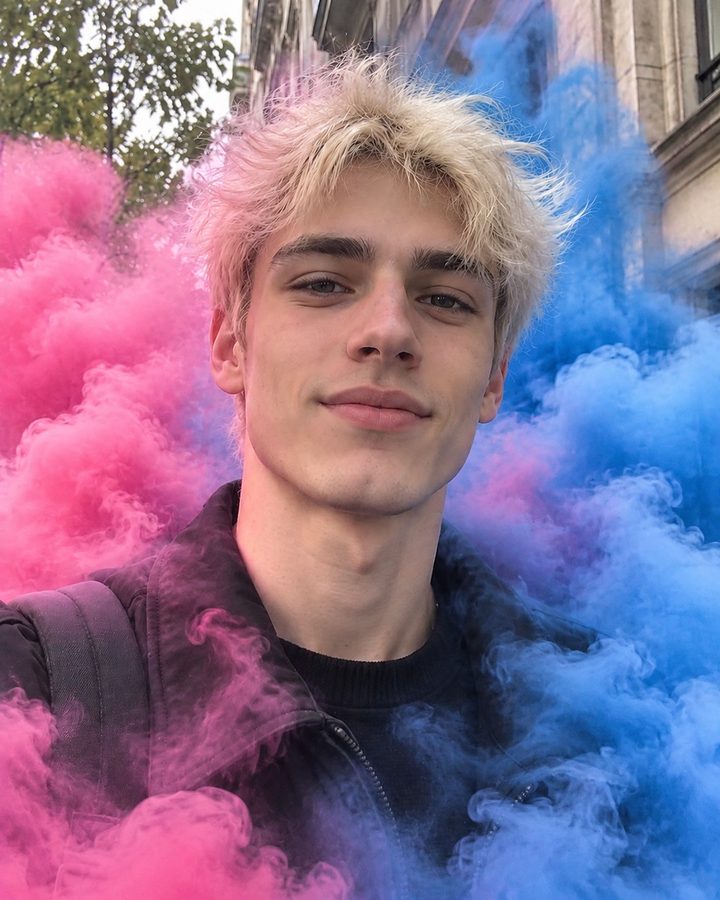
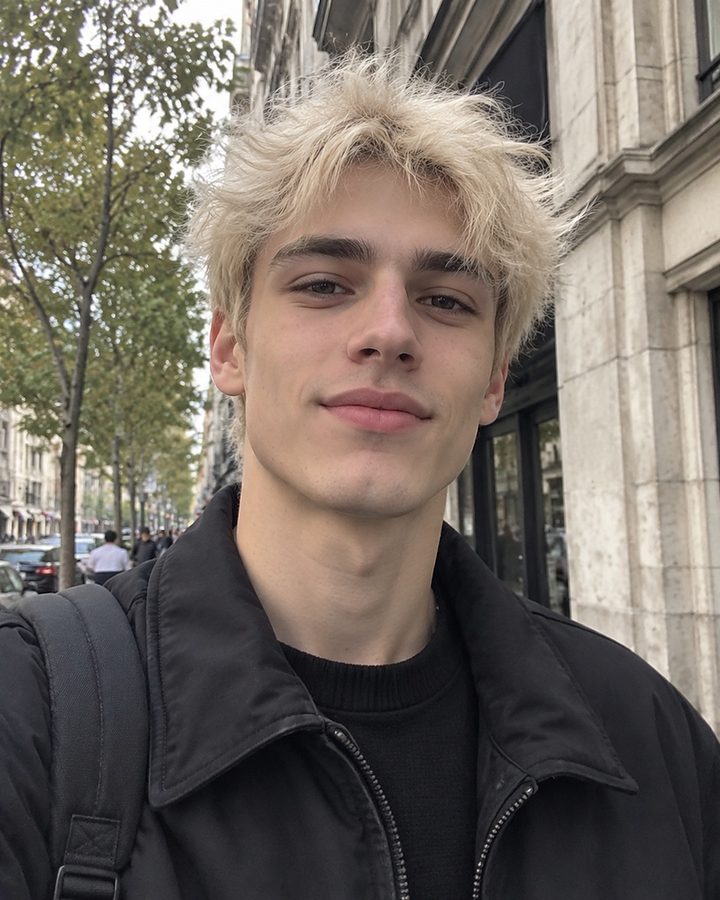 PrzedPo
A photo with big colorful smoke bomb clouds in pink and blue swirling around the subject.
Jak używać Add Smoke Effect to Photo
Trzy kroki, na komputerze lub telefonie.
- 01
Upload a photo
Drop, paste or pick a JPG, PNG, WebP or HEIC image; on a phone you can take one with the camera.
- 02
Choose what to add
Pick What to add (Color smoke or White smoke), then select Add to photo. A result usually takes about 20 seconds.
- 03
Compare and download
Compare it with your original, then download a JPG. Example on this page: a photo with big colorful smoke bomb clouds in pink and blue swirling around the subject.
Więcej przykładów
To samo narzędzie na innych zdjęciach, bez ręcznej edycji. Otwórz jedno, aby wypróbować samodzielnie.
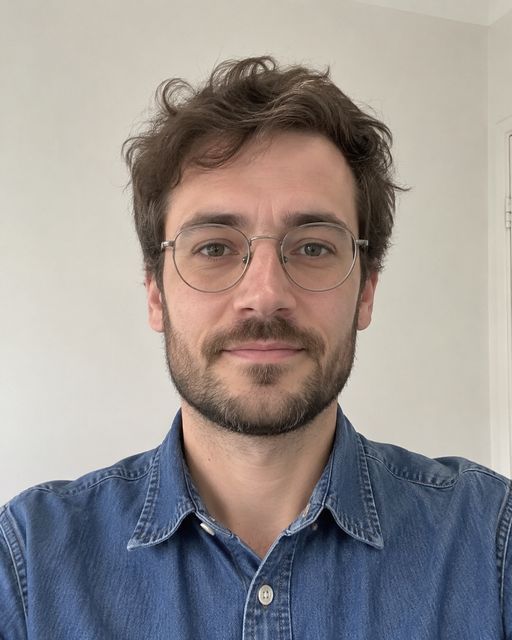
Przed 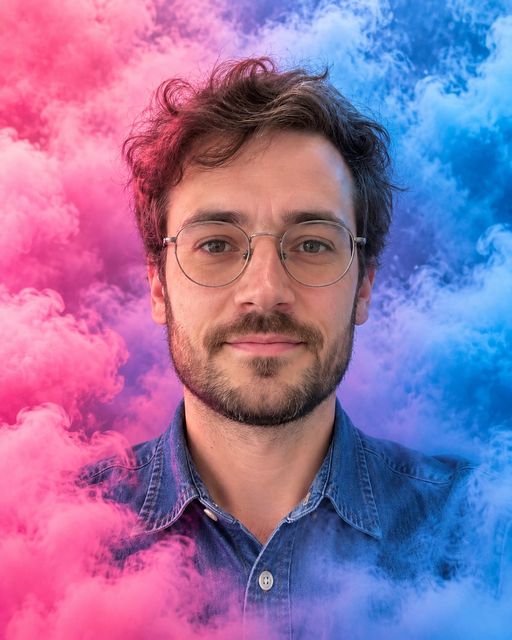
Po Wypróbuj na swoim zdjęciu
Prześlij zdjęcie i uzyskaj wynik w kilka sekund. Za darmo, bez rejestracji, bez znaku wodnego.
Prześlij zdjęcie
Do czego ludzie tego używają
Dramatic portraits
Moody senior or band photos.
Gender reveals
Pink or blue smoke.
Album covers
Atmosphere for music art.
Wskazówki, jak uzyskać lepszy wynik
- Dark backgrounds make smoke stand out.
- Pick white smoke for a moody look, color smoke for a fun one.
- Keep the face clear of smoke.
Potrzebujesz większej kontroli? Użyj API
To narzędzie działa na SandBase image API. API daje Ci każde ustawienie, które darmowe narzędzie ustawia za Ciebie.
- Wyższa jakość i rozmiarquality=high, rozmiary do 2K i przezroczyste tła w jednym wywołaniu.
- Twój własny promptZmień szablon, dodaj obrazy referencyjne albo przetwarzaj hurtowo setki obrazów z kodu lub Agent.
- Płać za obrazKorzystaj ze środków SandBase poza limitem darmowego narzędzia. Dostępność modelu i limity API nadal obowiązują.
# Set SANDBASE_API_KEY and choose your local image file.
IMAGE_FILE="photo.jpg"
curl --fail-with-body https://api.sandbase.ai/v1/images/edits \
  -H "Authorization: Bearer $SANDBASE_API_KEY" \
  --form-string 'model=gpt-image-2.6-flare' \
  --form "image=@${IMAGE_FILE}" \
  --form-string 'quality=high' \
  --form-string 'size=2048x2048' \
--form-string 'prompt=Add big colorful smoke bomb clouds in pink and blue swirling around the subject to this photo, blended in naturally with matching light, shadows, perspective and color. Keep the people, faces, identity and everything else exactly as they are.'FAQ
Can I use it for a gender reveal?
Use the gender reveal photo tool, which lets you pick pink or blue.
Will it hide the subject?
The smoke stays around the subject, not over the face.
Will it change my face?
No. The prompt keeps faces and everything else as they are; only the new element is added.
Czy Add Smoke Effect to Photo jest darmowe?
Tak, bez znaku wodnego i bez rejestracji. Jedno uruchomienie Add Smoke Effect to Photo trwa około 20 sekund i daje JPG. Zużywa jedno uruchomienie z darmowego dziennego limitu obrazów AI, wspólnego dla wszystkich narzędzi obrazowych AI: 10 uruchomień dziennie bez logowania i 30 z darmowym kontem SandBase. Narzędzie pokazuje, ile pozostało Ci uruchomień, a licznik resetuje się o północy UTC; mogą też obowiązywać ograniczenia sieciowe i ogólnosystemowe.
Co dzieje się ze zdjęciem, które przesyłam do Add Smoke Effect to Photo?
Twoje zdjęcie oraz Twoje ustawienia są przetwarzane przez SandBase i dostawcę obrazów, aby utworzyć ten jeden wynik. Add Smoke Effect to Photo nie publikuje niczego w publicznej galerii. Wyniki mogą być ponownie użyte z pamięci podręcznej przez maksymalnie 24 godziny, więc identyczne żądanie nie zużywa kolejnego uruchomienia; pobierz każdy wynik, który chcesz zachować.
API SandBase do tego zadania
Te same dane we własnym kodzie lub Agent: jeden klucz API, rozliczanie za wywołanie.
Więcej narzędzi
Bokeh Effect
Add portrait-lens bokeh and shallow depth of field, with round, heart or star highlights.
Motion Blur Effect
Add speed with motion blur behind the subject, with the rest of the photo unchanged.
AI Photo Editor
Edit any photo by describing the change in plain words: weather, outfit, light, background. Review the rest of the image for unintended changes.
Add Santa Hat to Photo
Add santa hat to a photo, blended in naturally.
Add Sparkles to Photo
Add sparkles to a photo, blended in naturally.
Add Sunglasses to Photo
Add sunglasses to a photo, blended in naturally.