
Free AI calendar maker
DarmoweObraz AIPick a month and a theme and get a printable calendar page with a clean grid and an illustration that fits.
- 100% free
- No sign-up
- No watermark
- Any shape
Przykładowy wynik
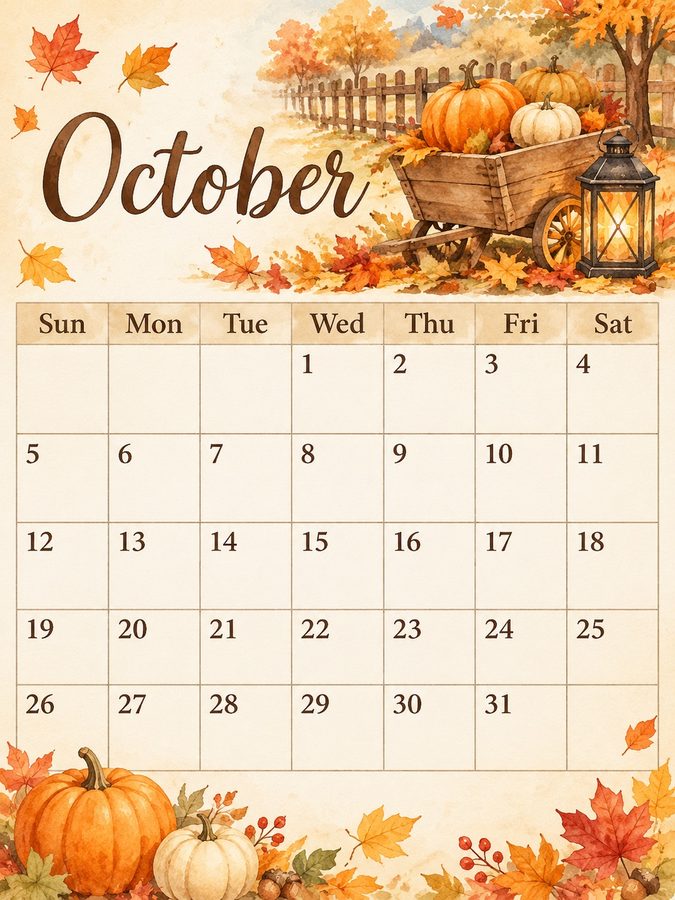 Przykład
A watercolor October calendar page with an autumn theme.
Jak używać AI Calendar Maker
Trzy kroki, na komputerze lub telefonie.
- 01
Write your theme
Type your theme, for example "cozy autumn with pumpkins and leaves", or tap one of the examples.
- 02
Choose month, layout and style
Pick Month (January, February, March, April or May and 7 more), Layout (Monthly grid or Wall calendar with picture), Style (Watercolor, Minimal or Bold) and a shape, from square to 16:9, then select Make calendar. A result usually takes about 15 seconds.
- 03
Review and download
Check the picture, then download a JPG. Example on this page: a watercolor October calendar page with an autumn theme.
Więcej przykładów
Wykonane tym narzędziem, bez ręcznych poprawek. Otwórz jedno, aby zacząć od jego ustawień.
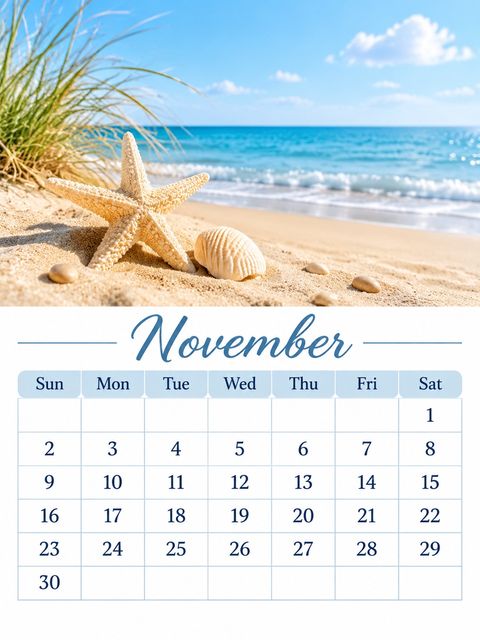
Przykład “a calm beach in summer” · November · Wall calendar with picture · Minimal
Miesiąc: Listopad · Układ: Kalendarz ścienny ze zdjęciem · Styl: Minimalistyczny · Kształt: 3:4
Użyj tego przykładuStwórz własne
Opisz, czego potrzebujesz, i uzyskaj wynik w kilka sekund. Za darmo, bez rejestracji, bez znaku wodnego.
Otwórz narzędzie
Do czego ludzie tego używają
Gifts
A themed calendar page for family and friends.
Classrooms and offices
Monthly planners to print.
Small shops
Branded calendars for customers.
Wskazówki, jak uzyskać lepszy wynik
- Pick the Month first, then a matching theme.
- Check that the dates line up with the real calendar before you print.
- Make all twelve months with one theme for a set.
Potrzebujesz większej kontroli? Użyj API
To narzędzie działa na SandBase image API. API daje Ci każde ustawienie, które darmowe narzędzie ustawia za Ciebie.
- Wyższa jakość i rozmiarquality=high, rozmiary do 2K i przezroczyste tła w jednym wywołaniu.
- Twój własny promptZmień szablon, dodaj obrazy referencyjne albo przetwarzaj hurtowo setki obrazów z kodu lub Agent.
- Płać za obrazKorzystaj ze środków SandBase poza limitem darmowego narzędzia. Dostępność modelu i limity API nadal obowiązują.
# Set SANDBASE_API_KEY first.
curl --fail-with-body https://api.sandbase.ai/v1/images/generations \
  -H "Authorization: Bearer $SANDBASE_API_KEY" \
  -H "Content-Type: application/json" \
  --data-binary @- <<'SANDBASE_JSON'
{
  "model": "gpt-image-2.6-flare",
  "prompt": "A printable monthly grid calendar page design for October, themed cozy autumn with pumpkins and leaves. A soft watercolor look. A clean grid with the weekday names, neatly numbered days and a decorative illustration. Perfectly spelled text, no other text.",
  "size": "1536x1024",
  "quality": "high"
}
SANDBASE_JSONFAQ
Are the dates correct?
Check the day numbers and weekdays before you print. For exact dates, use the result as the artwork and add a date grid in a calendar tool.
Czy AI Calendar Maker jest darmowe?
Tak, bez znaku wodnego i bez rejestracji. Jedno uruchomienie AI Calendar Maker trwa około 15 sekund i daje JPG. Zużywa jedno uruchomienie z darmowego dziennego limitu obrazów AI, wspólnego dla wszystkich narzędzi obrazowych AI: 10 uruchomień dziennie bez logowania i 30 z darmowym kontem SandBase. Narzędzie pokazuje, ile pozostało Ci uruchomień, a licznik resetuje się o północy UTC; mogą też obowiązywać ograniczenia sieciowe i ogólnosystemowe.
Co AI Calendar Maker wysyła, gdy je uruchamiam?
Tylko tekst i wybrane opcje są przetwarzane przez SandBase i dostawcę obrazów, aby utworzyć ten jeden wynik. AI Calendar Maker nie publikuje niczego w publicznej galerii. Wyniki mogą być ponownie użyte z pamięci podręcznej przez maksymalnie 24 godziny, więc identyczne żądanie nie zużywa kolejnego uruchomienia; pobierz każdy wynik, który chcesz zachować.
API SandBase do tego zadania
Te same dane we własnym kodzie lub Agent: jeden klucz API, rozliczanie za wywołanie.
Więcej narzędzi
AI iPhone Wallpaper Generator
Make iPhone lock screen wallpaper images from a description.
Zoom Background Generator
Make 16:9 virtual backgrounds for Zoom, Teams and Meet from a description.
AI Desktop Wallpaper Generator
Make desktop wallpaper images from a description.
Mothers Day Card Maker
Design a Mother's Day card in four themes and four styles.
Fathers Day Card Maker
Design a Father's Day card in four themes and four styles.
Car Wrap Design Generator
Make car wrap design images from a description, in several styles.