
Free photo background blur
DarmoweObraz AIMake any photo look like portrait mode: the subject stays sharp while the background melts into a soft blur. Works on people, pets and products, even from a phone photo.
- 100% free
- No sign-up
- No watermark
- Works on phone
Przykładowy wynik
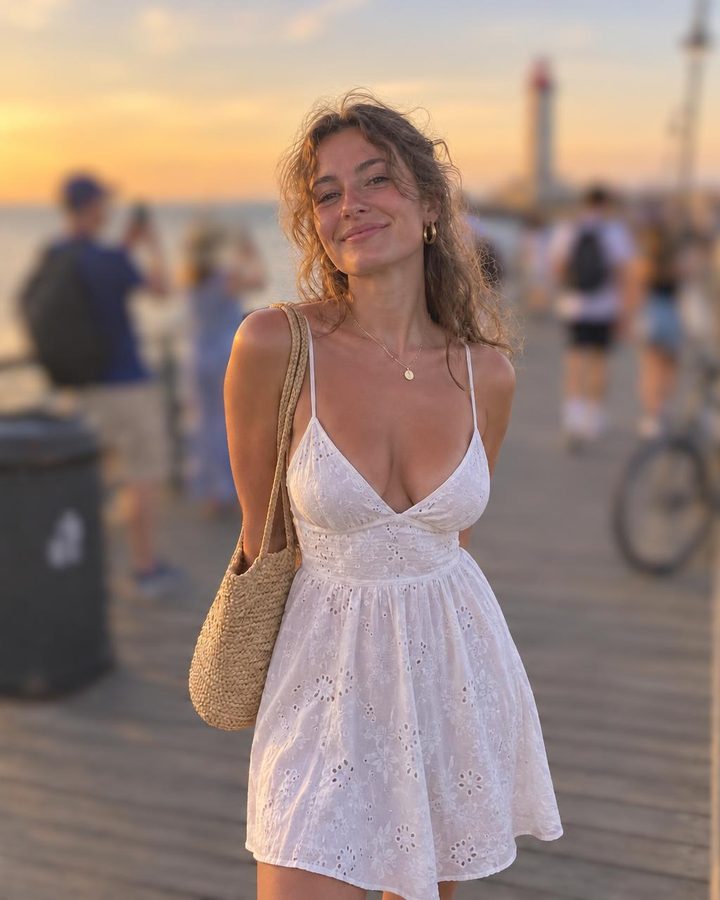
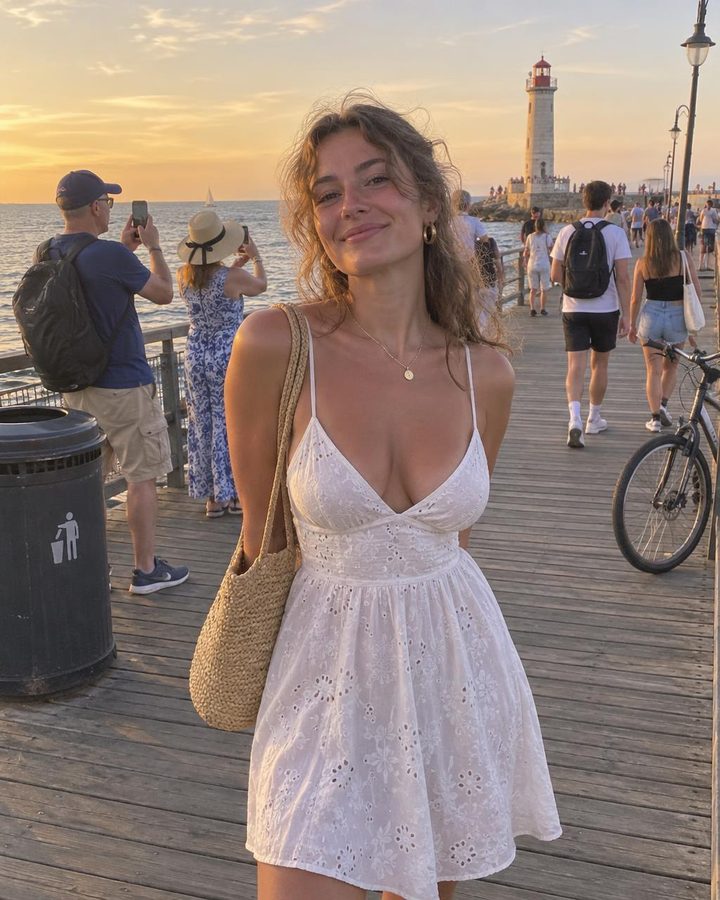 PrzedPo
A busy pier blurred behind the subject.
Jak używać Blur Background
Trzy kroki, na komputerze lub telefonie.
- 01
Upload a photo
Drop, paste or pick a JPG, PNG, WebP or HEIC image; on a phone you can take one with the camera.
- 02
Choose blur strength
Pick Blur strength (Soft, Medium or Strong), then select Blur background. A result usually takes about 20 seconds.
- 03
Compare and download
Compare it with your original, then download a JPG. Example on this page: a busy pier blurred behind the subject.
Więcej przykładów
To samo narzędzie na innych zdjęciach, bez ręcznej edycji. Otwórz jedno, aby wypróbować samodzielnie.
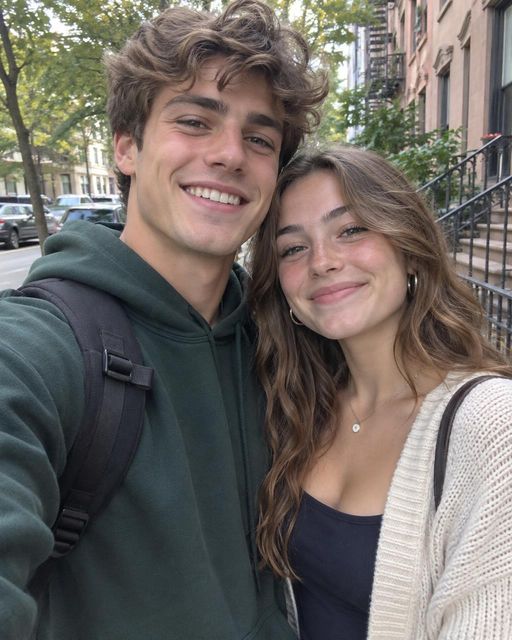
Przed 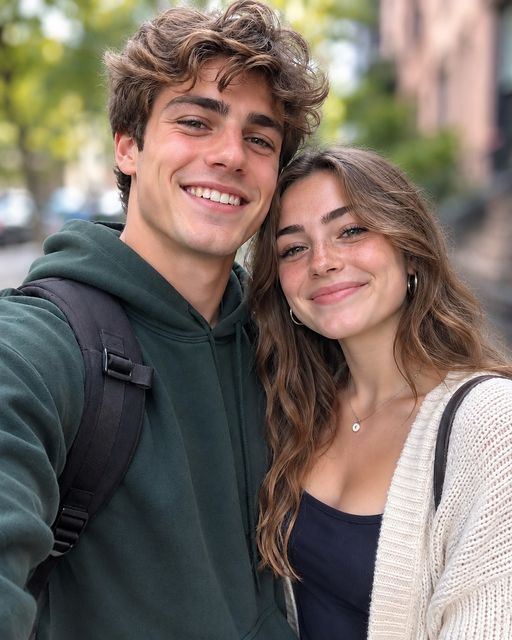
Po Wypróbuj na swoim zdjęciu
Prześlij zdjęcie i uzyskaj wynik w kilka sekund. Za darmo, bez rejestracji, bez znaku wodnego.
Prześlij zdjęcie
Do czego ludzie tego używają
Portraits
Hide a busy street or a messy room behind you.
Product photos
Make a product stand out from its surroundings.
Social posts
A shallow-focus look without a big camera.
Wskazówki, jak uzyskać lepszy wynik
- Start with Medium; Strong works best when the subject is close to the camera.
- Soft keeps some of the place readable, good for travel photos.
- Hair and glasses edges come out cleaner on a sharp, well-lit photo.
Potrzebujesz większej kontroli? Użyj API
To narzędzie działa na SandBase image API. API daje Ci każde ustawienie, które darmowe narzędzie ustawia za Ciebie.
- Wyższa jakość i rozmiarquality=high, rozmiary do 2K i przezroczyste tła w jednym wywołaniu.
- Twój własny promptZmień szablon, dodaj obrazy referencyjne albo przetwarzaj hurtowo setki obrazów z kodu lub Agent.
- Płać za obrazKorzystaj ze środków SandBase poza limitem darmowego narzędzia. Dostępność modelu i limity API nadal obowiązują.
# Set SANDBASE_API_KEY and choose your local image file.
IMAGE_FILE="photo.jpg"
curl --fail-with-body https://api.sandbase.ai/v1/images/edits \
  -H "Authorization: Bearer $SANDBASE_API_KEY" \
  --form-string 'model=gpt-image-2.6-flare' \
  --form "image=@${IMAGE_FILE}" \
  --form-string 'quality=high' \
  --form-string 'size=2048x2048' \
--form-string 'prompt=Blur the background like a portrait-mode photo with a strong, creamy blur like a fast f/1.4 lens. Keep the main subject perfectly sharp and exactly as it is: same edges, hair, clothing, colors and position. Keep the background'\''s colors and layout, only blurred. Do not add or remove anything.'FAQ
Is it a real lens blur?
It is an AI-made depth-of-field effect: the subject stays sharp and the background gets a smooth, lens-like blur with the same colors and layout.
Czy Blur Background jest darmowe?
Tak, bez znaku wodnego i bez rejestracji. Jedno uruchomienie Blur Background trwa około 20 sekund i daje JPG. Zużywa jedno uruchomienie z darmowego dziennego limitu obrazów AI, wspólnego dla wszystkich narzędzi obrazowych AI: 10 uruchomień dziennie bez logowania i 30 z darmowym kontem SandBase. Narzędzie pokazuje, ile pozostało Ci uruchomień, a licznik resetuje się o północy UTC; mogą też obowiązywać ograniczenia sieciowe i ogólnosystemowe.
Co dzieje się ze zdjęciem, które przesyłam do Blur Background?
Twoje zdjęcie oraz Twoje ustawienia są przetwarzane przez SandBase i dostawcę obrazów, aby utworzyć ten jeden wynik. Blur Background nie publikuje niczego w publicznej galerii. Wyniki mogą być ponownie użyte z pamięci podręcznej przez maksymalnie 24 godziny, więc identyczne żądanie nie zużywa kolejnego uruchomienia; pobierz każdy wynik, który chcesz zachować.
API SandBase do tego zadania
Te same dane we własnym kodzie lub Agent: jeden klucz API, rozliczanie za wywołanie.
Więcej narzędzi
AI Background Remover
Remove the background from any photo with AI and download a transparent PNG, or put the subject on white or any color.
White Background Maker
Put any product or portrait photo on a pure white background, with a soft shadow or none. Ready for marketplaces and forms.
Change Background
Change the background of any photo to a scene you describe, while the subject keeps its edges and lighting.
Product Photo Background
Put a product photo on a studio, marble, wood or outdoor background with realistic light and shadow.
Change Background Color of Photo
Put the subject on a plain color background, with the rest of the photo unchanged.
Bokeh Effect
Add portrait-lens bokeh and shallow depth of field, with round, heart or star highlights.