
Flashcard Maker
DarmoweKarty pracyType each card as "front: back". Only the first chosen separator splits a card; punctuation in the answer is kept. Numbered fronts and backs alternate in the PDF, with back columns reversed for portrait, long-edge duplex printing.
- PDF gotowy do druku
- Letter lub A4
- Nic nie zostało przesłane
View flashcard content
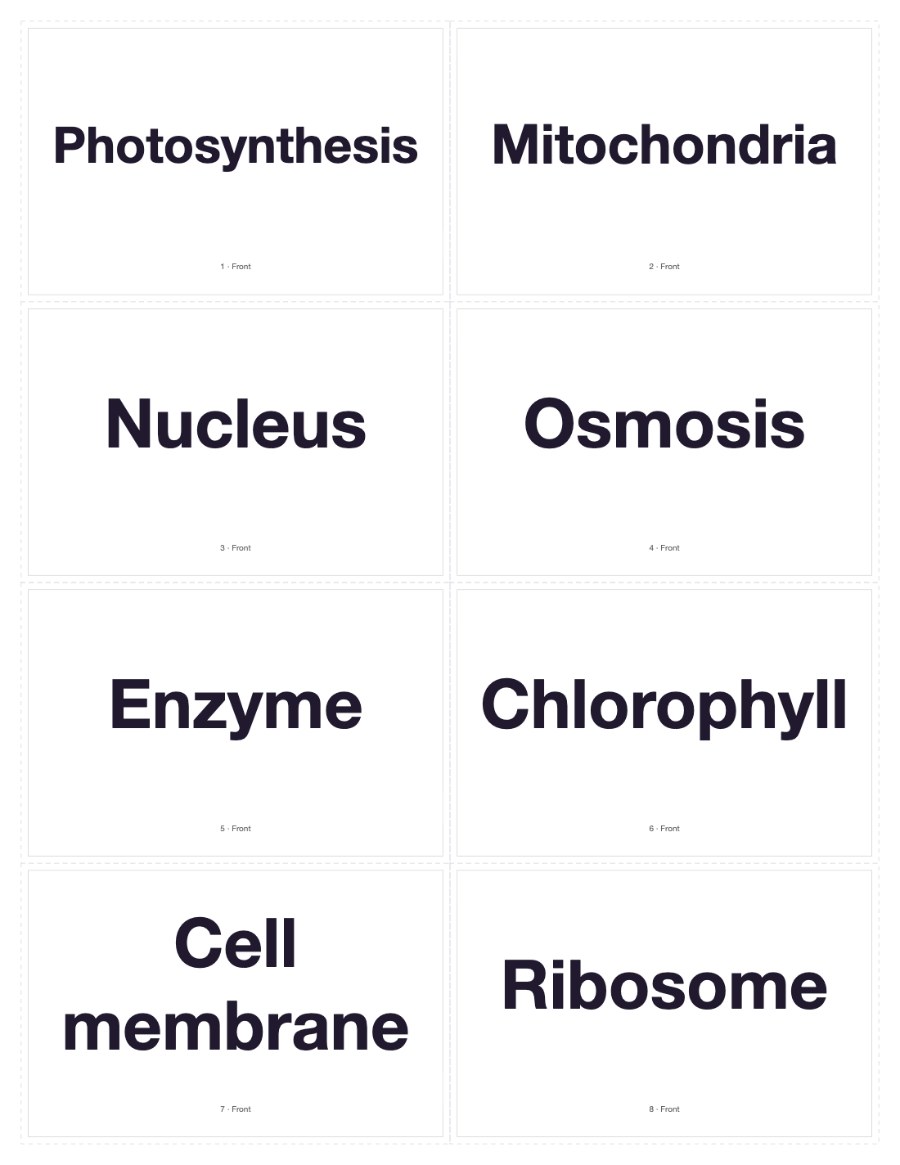
8 cards · Print the PDF double-sided, flip on long edge, at 100% / actual size. Test one sheet first. Cards without answers have a blank back.
| Card | Position | Front | Back |
|---|---|---|---|
| 1 | Row 1, left | Photosynthesis | How plants turn light into food |
| 2 | Row 1, right | Mitochondria | The cell’s power plant |
| 3 | Row 2, left | Nucleus | Holds the cell’s DNA |
| 4 | Row 2, right | Osmosis | Water moving across a membrane |
| 5 | Row 3, left | Enzyme | A protein that speeds up reactions |
| 6 | Row 3, right | Chlorophyll | The green pigment in plants |
| 7 | Row 4, left | Cell membrane | Controls what enters and leaves a cell |
| 8 | Row 4, right | Ribosome | Makes proteins |
Przykłady
Stworzone za pomocą tego narzędzia. Otwórz jeden, aby zacząć od niego i zmienić wszystko.

Jak używać Flashcard Maker
- 01
Type one card per line as "front: back", or choose a different separator.
- 02
Pick cards per page, a style and colors.
- 03
Download the PDF and print at actual size, double-sided with long-edge flipping. Test one sheet before printing the set.
Do czego ludzie go używają
Exam revision
Test yourself instead of rereading.
Languages
Words and phrases with meanings.
Teaching
Cards for class games and drills.
Wskazówki dla lepszego wyniku
- Print double-sided, flipping on the long edge.
- Keep one fact per card.
- Shuffle the stack each time.
- Put cards you miss in a separate pile to review.
FAQ
How do I print double-sided?
Use actual size / 100% and flip on the long edge. Fronts and backs alternate, with back columns reversed. Test one sheet because printers vary in alignment.
Can I make one-sided cards?
Select None as the separator to keep each complete line, including punctuation, on one front. With no answers, back pages are omitted.
How much text can I enter?
Use up to 100 cards with 300 characters per side. Text shrinks and wraps to fit; if it cannot fit readably, choose fewer cards per page or shorten it.
How do I keep colons or equations on the front?
Choose a separator that is not in the front text, such as Tab or Pipe. Only its first occurrence splits the line. Choose None for front-only cards.
Does Flashcard Maker upload what I type?
No. Flashcard Maker draws the page in your browser from what you type, so it works offline once the page has loaded and nothing is sent anywhere.
Więcej narzędzi
Alphabet Chart
A printable ABC chart with pictures and words, A to Z.
Sight Word Flashcards
Print big sight word flashcards from any word list.
Classroom Seating Chart
A printable classroom seating plan by table group or row.
Crossword Maker
Make a crossword from your words and clues, with an answer key.
Dot Grid Paper
Printable dot grid paper, 3 mm to 1 cm, Letter or A4.
Graph Paper Generator
Printable graph paper with your square size and bold lines.