Chalkboard infographic
Turn a topic and a few verified facts into a hand-drawn visual explanation.
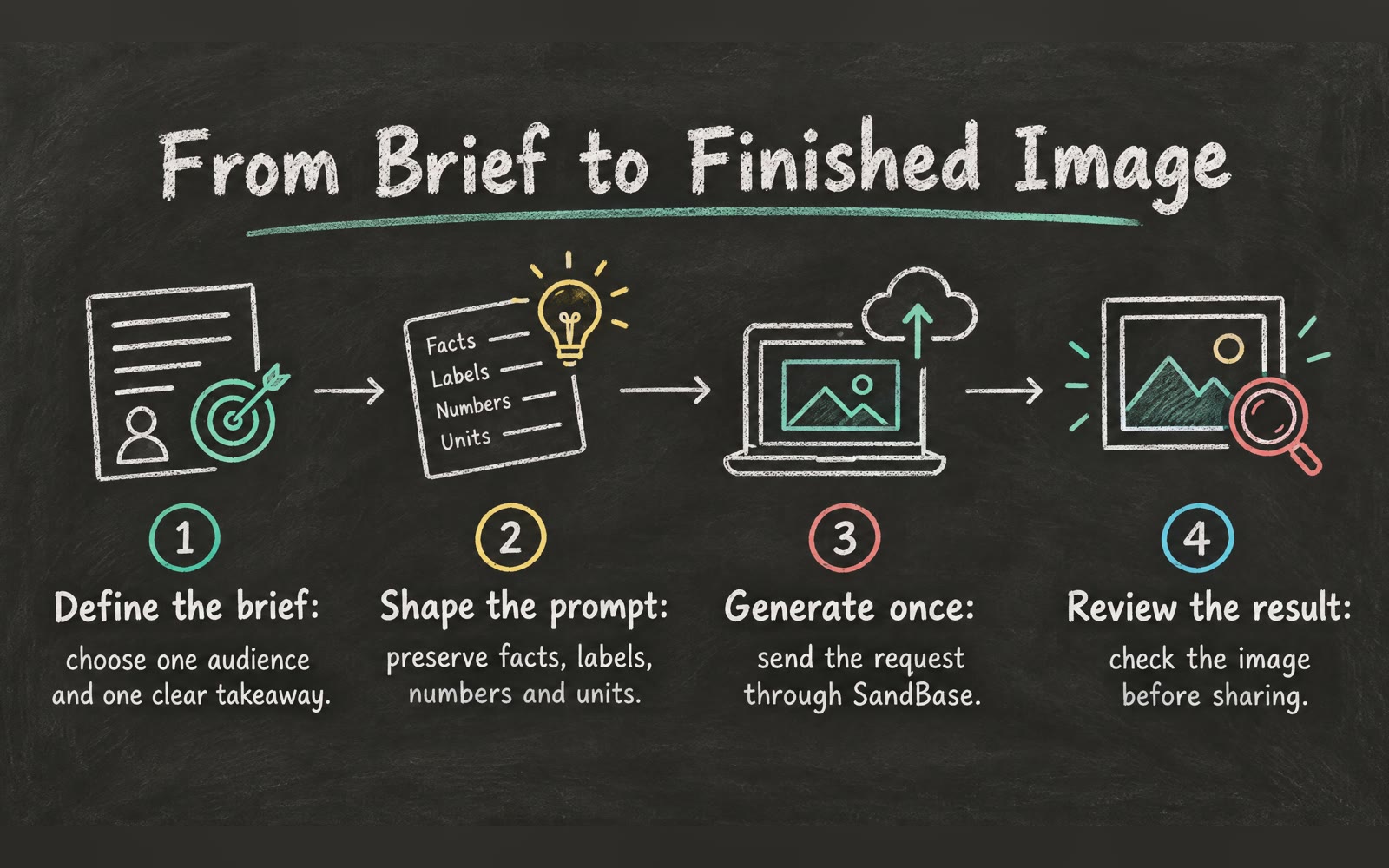
Bring a topic, title and 3–5 short facts. The Skill returns a 16:9 image and a bilingual run report.
How it works
Set the facts
The Skill checks your brief and selects a reading structure. Your input supplies the content.
Draw the board
A SandBase image model creates the chalk texture, illustrations and layout from the Skill’s visual rules.
Return the evidence
The Skill checks the image file and returns the artifact with its model, timing, cost and review notes.
Frequently asked questions
Can I edit or export the result?
Download the generated image for slides, lessons and posts. This version returns a raster image; editable diagram layers are not included.
Is the text guaranteed to be correct?
No. Image models may misspell text or alter a number. Keep each fact short and review every label before publishing. The report marks text accuracy as needing review.
Are my brief and result public?
Online runs are private. The image and reports require your SandBase session, and they are not added to a public wall.
Does the local Skill use the same workflow?
Yes. The downloaded package contains the same pipeline that runs in Sandbox. Local runs use SANDBASE_API_KEY and produce an image, report JSON and English and Chinese reports.