Launch Physics Lab: Rocket Series
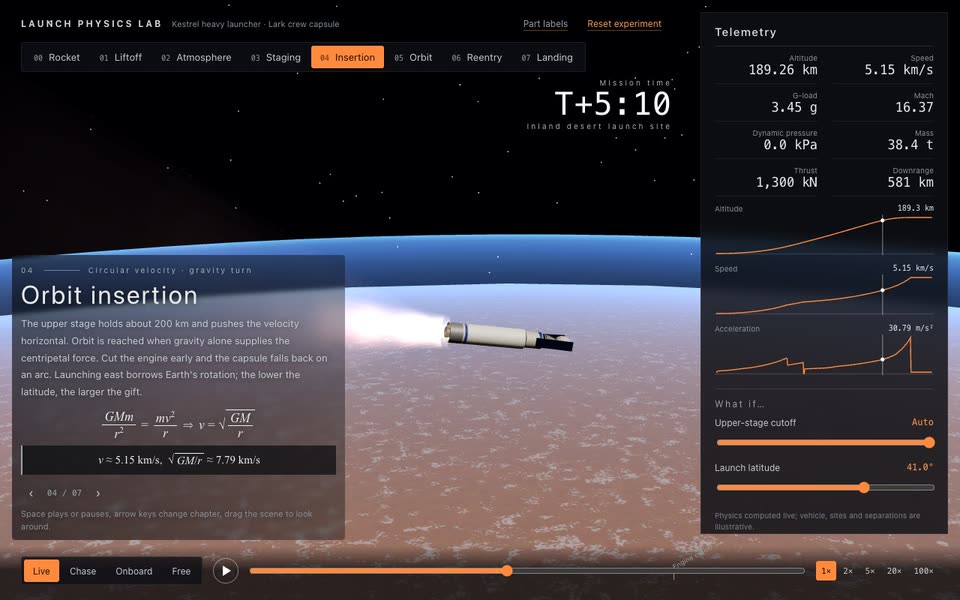
Fly three rocket missions in 3D with live physics: a crewed launch and parachute return, a first stage landing on a drone ship and a super-heavy booster caught by the tower. Change payload, reserve, engines or burn timing and watch each mission succeed or fail.
Bring a mission, the physics to teach and an optional vehicle and palette. The Skill returns a downloadable Skill, an interactive demo and an example video.
How it works
Generate a project; edit stages, capsule, guidance, slider ranges and chapter text in mission.json.
Build the offline HTML and run the browser checks, including the telemetry replay and every what-if.
Download the Skill and explore its interactive demo and example video.
Frequently asked questions
Does it need a model key?
No. The lesson runs offline and does not call a model.
Is it a recorded animation?
No. Every number and every frame come from a simulation in the browser, so changing a parameter changes the flight.
Are the numbers real?
They are realistic in scale from a simplified planar model with a spherical Earth and exponential air. The vehicle and sites are illustrative, not a flight-dynamics tool.
How does the first stage land?
It keeps a propellant reserve, flips, burns back toward a drone ship or the launch site, fires an entry burn and lights a landing burn at its stopping distance. Its minimum thrust exceeds its weight, so lighting too early or with too many engines stops it in mid-air.
Can I use another rocket?
Stages, capsule, guidance and chapter text live in mission.json. A different vehicle usually needs its own pitch program, which is also in that file.