Wildscreen Slides
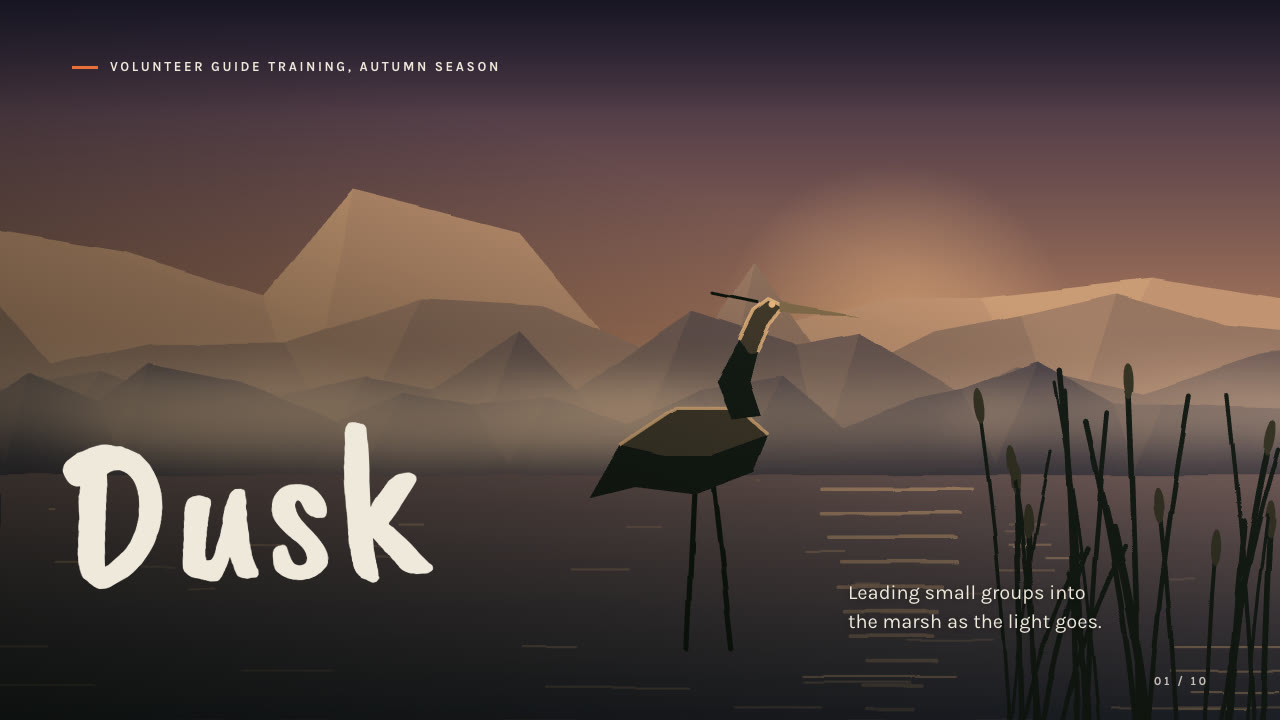
Tell a nature story the way a wildlife film would: full-bleed painted landscapes with animals at dusk, night or in snow, quiet paper pages with framed scenes, a hand-lettered brush headline face, film-strip montages and a ring of six prompts in two accents.
Bring a brief with the subject, the audience, the purpose, the facts you can stand behind and the page count; pictures optional. The Skill returns one offline HTML deck that edits in the browser and exports editable PowerPoint.
How it works
Brief and outline
Your Agent asks for the subject, audience, purpose, the facts you can stand behind and the page count, then gives every page one job and alternates dark scene pages with quiet paper pages.
Scenes and build
It uses your pictures or describes each scene in scenes.json for wild-scenes.py (mood, layers, animals), writes plan.json and runs kit.py compose, make-deck.py and verify-deck.py to build one offline HTML file.
Look and export
Look at every page in a browser for headline wraps, text over the brightest part of each scene, frame crops, the film strip and the prompt ring, try edit, undo, save and present, then export PowerPoint and run verify-pptx.py against the deck.
Frequently asked questions
Is the PowerPoint really editable?
Yes. Headlines, copy, prompts and step rows are native text boxes with speaker notes, prompt orbs and card rules are native shapes and every scene is a separate picture. Full-bleed pages carry the scene as one page-sized picture under the text by design. The gradients over scenes, the film perforations and the dashed ring are flat decoration layers; no text is baked into any picture.
Where do the pictures come from?
From you, or from the bundled wild-scenes.py, which paints deterministic SVG scenes from a short description: eight moods (dusk, night, dawn, noon, golden forest, snow, underwater, paper cut-out), layers such as ridges, forest, water, mist, reeds, aurora and rain, and a cast of heron, stag, owl, bear, fish, whale, birds and moth. It needs no model calls or keys.
Which fonts does it use?
Caveat Brush for headlines and Karla 400/700 for text, under the SIL Open Font License and embedded in the deck. Chinese, Japanese and Korean headlines use a heavy system face and lose the brush look. Install both fonts on the presenting machine for close wraps.
What are the known limits?
The exported PowerPoint is about 9 to 12 MB for these examples, much larger than the HTML, because scenes are re-encoded as PNG. LibreOffice wraps a few brush headlines one word differently from Chrome. On page 4 of both examples the caption above the footer sits close to the footer line without touching it.
What was tested?
Both example decks were rebuilt from a fresh unzip of the package and matched the published files. Every page was inspected in Chrome and in a LibreOffice render of the exported PowerPoint, and edits made with python-pptx (text, shape colour and position, picture size) survived save and reopen. No other presentation app was opened.