Output excerpt
Final grid: intro (pin) · visit · class kiln · morning · glaze hands · clay · bowl Publish: hands → glaze → morning → kiln → class → visit. The actual HTML embeds all nine images and marks existing, planned and pinned entries.
See how supplied images fit together, then get the chronological publishing and pin instructions.
v0.1.0
Example output · Input and output · How to useExample output
Nine original geometric teaching images, three existing posts and six planned posts for a fictional studio.
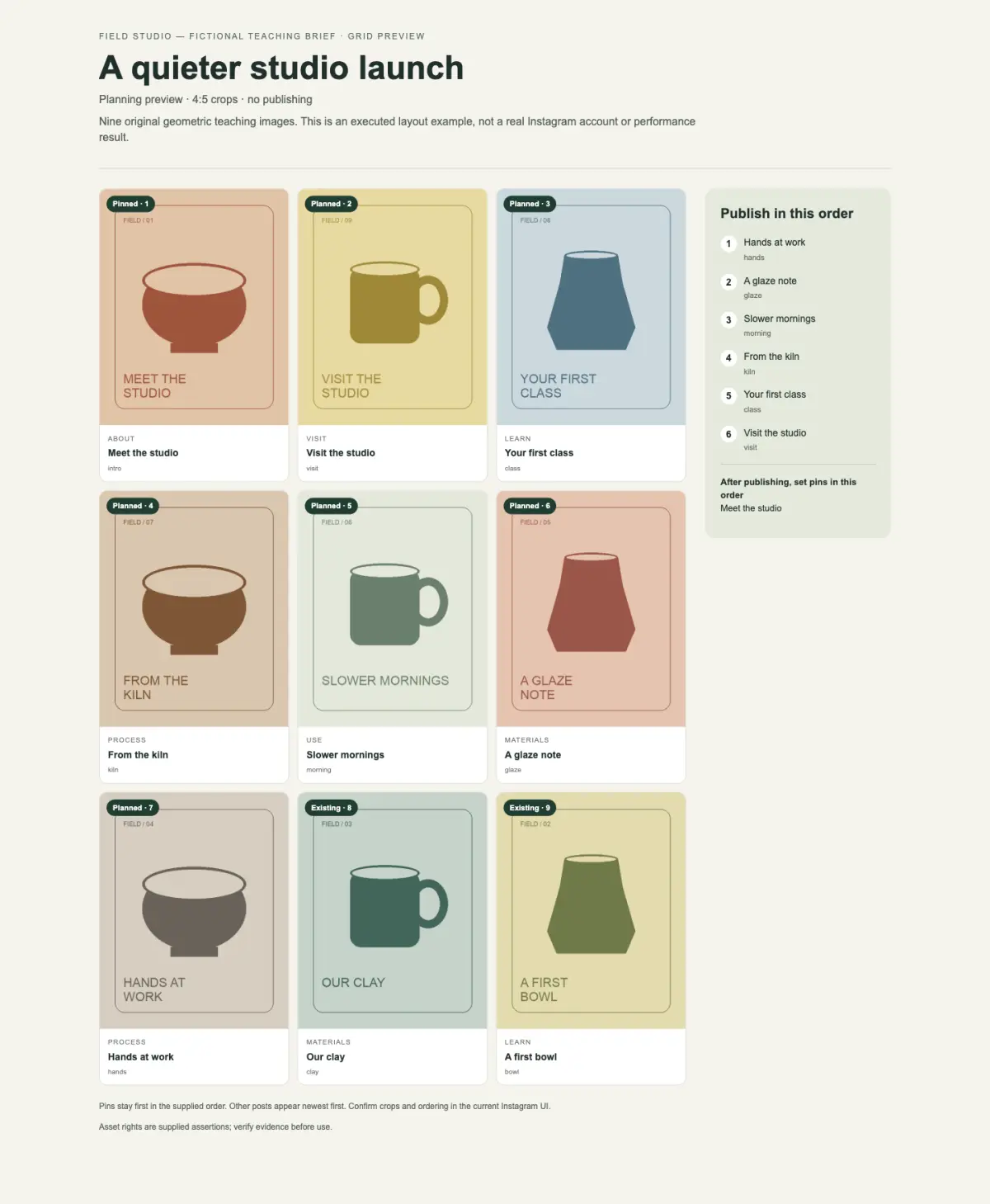
Final grid: intro (pin) · visit · class kiln · morning · glaze hands · clay · bowl Publish: hands → glaze → morning → kiln → class → visit. The actual HTML embeds all nine images and marks existing, planned and pinned entries.
Executed with the included renderer. The studio and artwork are original teaching inputs, not a live Instagram account. Crop ratio and pin order are explicit planning assumptions; no publication occurred.
Authorized local images, existing/planned post information, audience, and intended pins.
A real image grid in self-contained HTML, editable JSON, and a publishing-order checklist.
An Agent and Node.js 18+. Supplied images work offline. Optional public metadata lookup requires a SandBase connection.
Download and unpack the complete Skill folder, keep its references, and use it with a local Agent that supports Skills.
Use instagram-grid-plan with my supplied material. See how supplied images fit together, then get the chronological publishing and pin instructions.