Frame Story Slides
Tell a pitch, launch or place as a sequence of shots: dark letterboxed pages, one drawn cinematic frame per page (wide, close, small, split or a strip of three), tall serif captions over small spaced labels, and native markers on a contour chart.
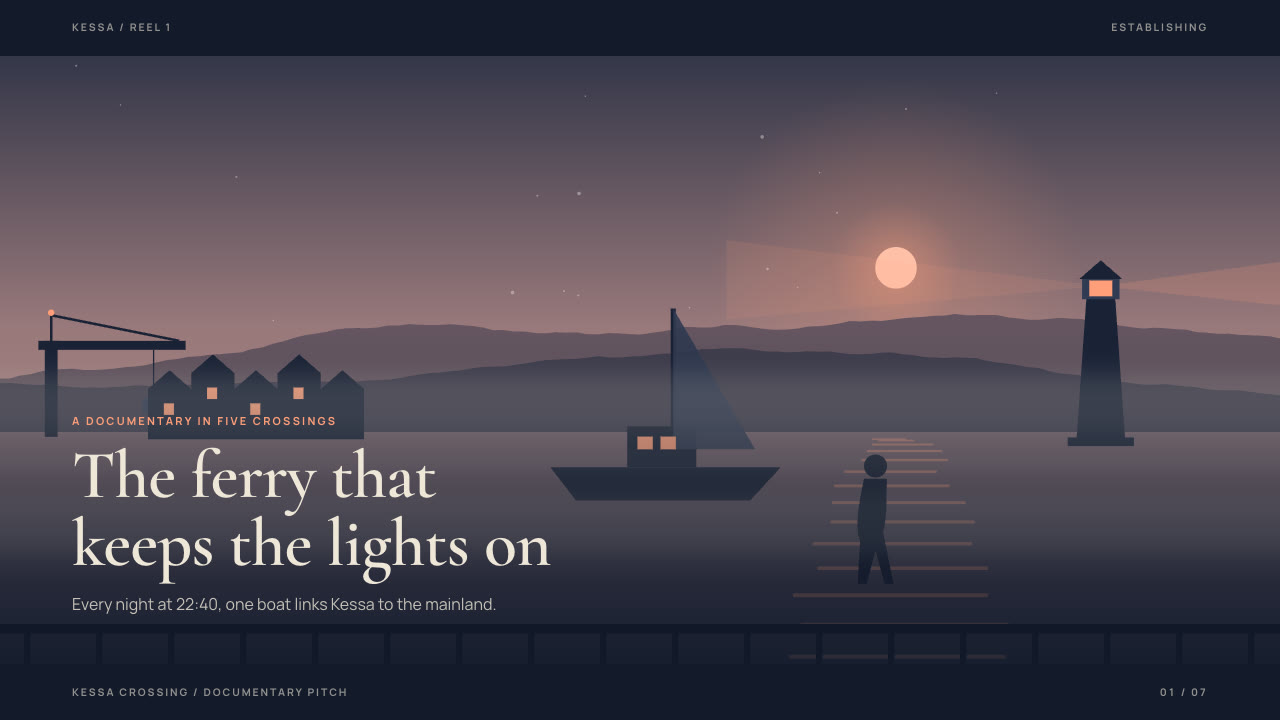
Bring a brief with the subject, the audience, what they should do afterwards and the facts you can stand behind; pictures optional. The Skill returns one offline HTML deck that edits in the browser and exports editable PowerPoint.
How it works
Brief and shots
Your Agent asks for the subject, the audience, what they should do afterwards, the facts you can stand behind and the page count, then writes the arc and gives each page one shot from the seven layouts, changing camera distance between neighbouring pages.
Frames and build
It uses your pictures or describes worlds and shots in scenes.json for frame-art.py, writes plan.json, and runs kit.py compose, apply-palette.py, make-deck.py and verify-deck.py to build one offline HTML file.
Look and export
Look at every page in a browser for caption contrast, wraps and marker spacing, try edit, undo, save and present, then export PowerPoint and run verify-pptx.py against the deck.
Frequently asked questions
Is the PowerPoint really editable?
Yes. Captions, labels, counters, chart markers (dot, value and label), the seam, plates and rules are native PowerPoint objects with speaker notes, and there are no full-slide pictures. Each drawn frame is a separate picture: replace it or regenerate the scene to change it.
Where do the pictures come from?
From you, or from the bundled frame-art.py, which draws deterministic vector frames from scenes.json: a world (light, terrain, ridges, sun or moon, weather, foreground and 17 kinds of silhouette subjects) and camera shots of it at different zoom. It needs no model calls or keys.
Which fonts does it use?
Cormorant Garamond 600 (normal and italic) for captions and Manrope 400/700 for labels, under the SIL Open Font License and embedded in the deck. Chinese, Japanese and Korean use a system face. Install both fonts on the presenting machine for close wraps in PowerPoint.
What are the known limits?
PowerPoint does not reproduce the browser's balanced line breaks, so a headline can wrap differently there (in the Kessa example the first-page title runs further over the boat). On the Kessa wait-time chart the dashed route passes through three of the marker values; they stay readable. Markers placed closer than about 15 % apart overlap.
What was tested?
Both example decks were built from a fresh unzip of the package. Every page was inspected in Chrome and in a LibreOffice render of the exported PowerPoint, and edits made with python-pptx (text, shape colour, picture size) survived save and reopen. No other presentation app was opened.