Expression Portrait: a Character Who Looks Toward Your Pointer and Reacts
Build a hero with a stylized character portrait that reacts to the pointer: it looks wherever the pointer is with a matching expression (curious above, shy below, sly to one side) and laughs when the pointer is on its face. A click shows an alternate look such as new hair, and after a pause it returns to calm. SandBase generates the character and nine expression edits (or edits your own character picture), and the Skill lines every edit up with the original. The hero is followed by a full landing page: chapter titles, an intro, a product console drawn in HTML, feature cards, specs, stats, a quote, a call to action and a footer, with a moving glow and a floating section pill.
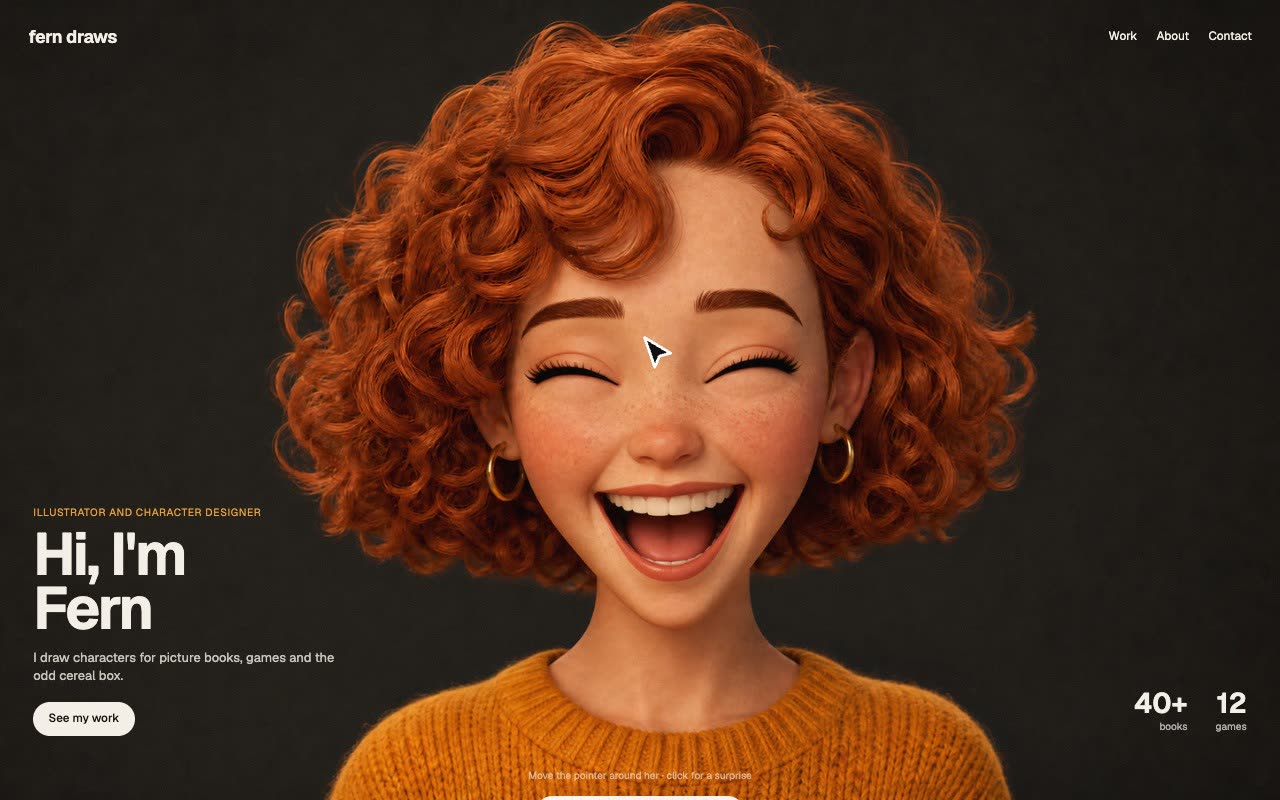
Bring a character to draw (or your own character picture), your brand, copy, links and language. The Skill returns a full landing page (index.html), a section to paste into an existing site, the runtime script and stylesheet, the eleven aligned pictures and the bundled open fonts.
How it works
SandBase draws the calm portrait, then makes ten edits of it: one expression for each of the nine zones and the click look, each told to keep the face, framing and lighting.
The builder checks every edit has the same shape and lines it up with the calm picture by comparing edge maps, so the head does not jump when the pictures swap.
In the browser the pointer's direction and distance from the face pick one of nine zones; that picture fades in over 0.1 s, a click shows the alternate look, and after 2.5 s without input the calm picture returns.
Frequently asked questions
What does a new character cost?
About $0.90 through SandBase for the portrait and its ten edits (about $0.83 when you start from your own picture). Regenerating a single zone costs about $0.08.
Can I use my own character?
Yes. Start from your own stylized character picture and the Skill makes the nine edits of it. Not for photos of real people.
What can the click change?
Anything you can describe as an edit: hair colour by default, or glasses, a hat, a costume.
Why do the links do nothing here?
The example runs in a sandboxed frame with its links disabled. In your own page they go wherever you set them in site.json.
Does it work on phones?
Yes. A tap picks the zone instead of a moving pointer. Checked in a 390 px phone viewport.
Why is there no online generation?
Building a new scene needs a model key inside the sandbox, which the backend doesn’t support yet. Run the Skill with your own agent for now.