Head Follow Video: a Website Character That Turns Its Head to the Pointer
Build a hero page where a character turns its whole head to look at the visitor's pointer: SandBase generates a stylized character and a short clip of it turning its head once around a circle, every frame is calibrated to the direction the face points, and the page eases toward the pointer and seeks the paused video to the matching frame. It looks back at the visitor when the pointer rests. The hero is followed by a full landing page: chapter titles, an intro, a product console drawn in HTML, feature cards, specs, stats, a quote, a call to action and a footer, with a moving glow and a floating section pill.
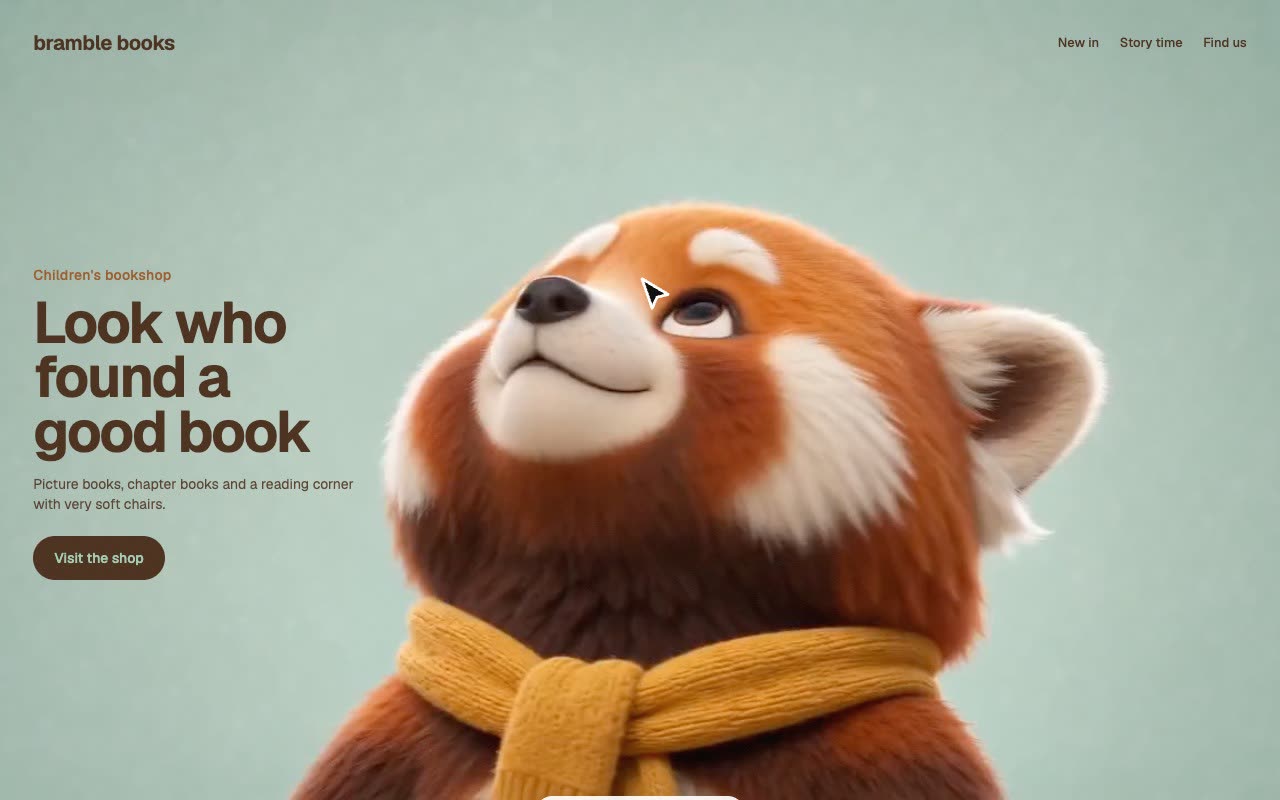
Bring a character idea (or your own picture), your brand, copy, links, language and which side the text goes on. The Skill returns a full landing page (index.html), a section to paste into an existing site, a React component, the calibrated clip and colours taken from the character.
How it works
With your go-ahead (about $0.80 per attempt), SandBase generates the character and a 6-second clip in which only its head turns once around a circle.
Calibration finds the moving head, follows it frame to frame and writes a direction for every frame; clips that never look one way, barely turn or move the whole body are rejected with the reason.
The page keeps the clip paused, eases a target direction toward the pointer and seeks to the matching frame; every frame is a keyframe, so each seek decodes one frame.
Frequently asked questions
Does the page call a model?
No. The finished page is static files: HTML, one script, fonts and one clip. Models are only used when the Skill generates a new character.
What does a new character cost?
About $0.80 per attempt through SandBase (image $0.075, 6-second clip $0.72). Both examples here were accepted on the first attempt.
Can I use my own character or clip?
Yes. Pass your own picture to skip the image step, or calibrate your own clip. The camera and body must stay still while the head turns once around.
Why do the links do nothing here?
The example runs in a sandboxed frame with its links disabled. In your own page they go wherever you set them in site.json.
Does it work on phones?
Yes. The clip loops until the visitor touches it, then the head follows the finger. Checked in a 390 px phone viewport.
Why is there no online generation?
Building a new scene needs a model key inside the sandbox, which the backend doesn’t support yet. Run the Skill with your own agent for now.