Subject Over Type: a Floating Product in Front of Giant Words That Scroll Past
Build a scroll-driven hero where one cut-out subject (a koi, a helmet, a sneaker) floats in front of giant words that slide past behind it, one word per screen, while the subject bobs, turns with the scroll and leans away from the pointer. SandBase generates the subject on a plain white backdrop and the Skill removes the backdrop itself, or you bring your own transparent PNG. The hero is followed by a full landing page: chapter titles, an intro, a product console drawn in HTML, feature cards, specs, stats, a quote, a call to action and a footer, with a moving glow and a floating section pill.
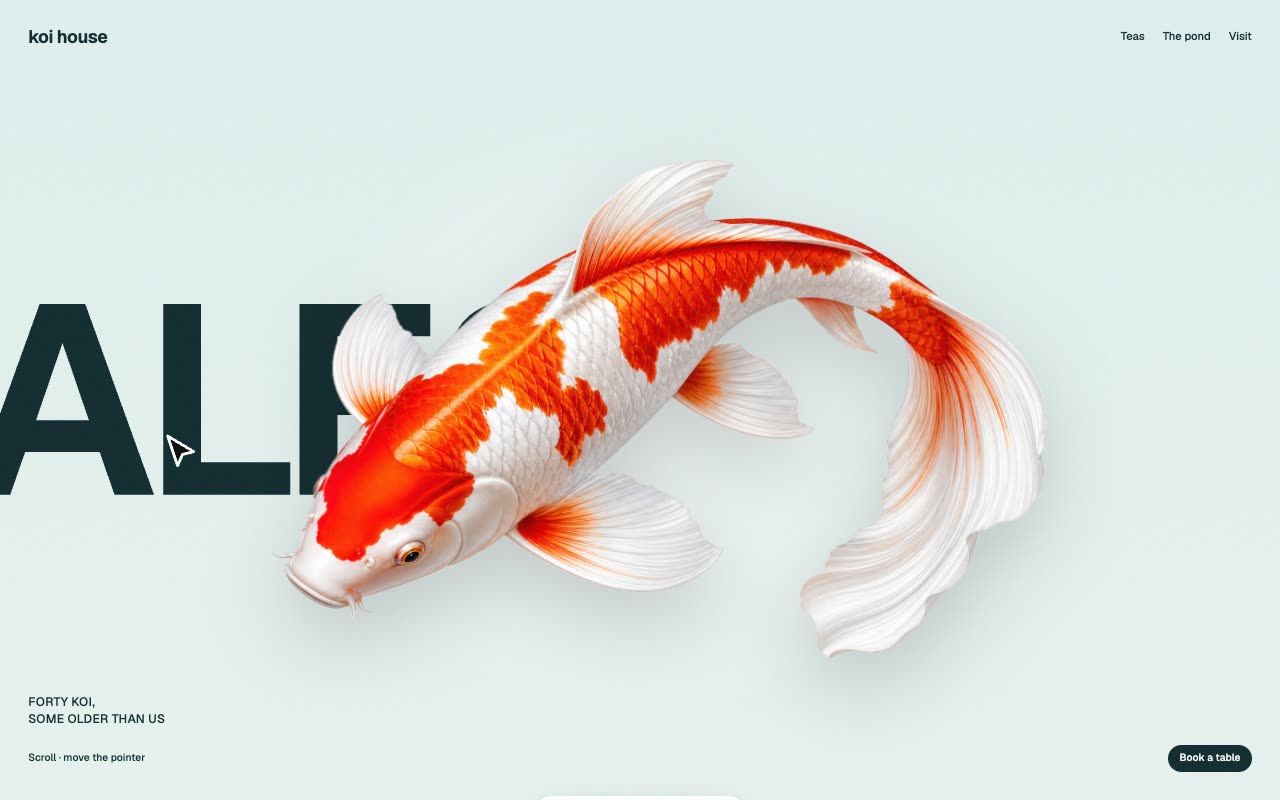
Bring a subject to show (or your own transparent PNG), the words, your brand, copy, links and language. The Skill returns a full landing page (index.html), a section to paste into an existing site, the runtime script and stylesheet, the cut-out subject as a transparent PNG and the bundled open fonts.
How it works
SandBase draws the subject on a plain white backdrop. The Skill removes the backdrop itself: a flood fill from the border, a soft edge, and edge colours un-mixed from white so no fringe shows.
The builder writes the page with three layers on a sticky stage: a soft gradient, the row of giant words and the cut-out subject on top.
In the browser each word takes one screen of scroll and eases across behind the subject; the subject bobs, turns with the scroll and moves against the pointer more than the words do.
Frequently asked questions
What does a new subject cost?
One picture through SandBase, about $0.075. With your own transparent PNG it costs nothing.
Can I use my own picture?
Yes: a transparent PNG as it is, or a picture on a plain, flat backdrop that differs from the subject's outline.
How long can the words be?
Short words fit best, about four to seven letters; in Chinese, two characters each, so the subject does not hide the whole word.
Why do the links do nothing here?
The example runs in a sandboxed frame with its links disabled. In your own page they go wherever you set them in site.json.
Does it work on phones?
Yes. A swipe slides the words past. Checked in a 390 px phone viewport. With reduced motion turned on the words sit centred and the subject stays still.
Why is there no online generation?
Building a new scene needs a model key inside the sandbox, which the backend doesn’t support yet. Run the Skill with your own agent for now.