UI Finishes
Metal, jewel, halo, roll, fill, offset and ring buttons, media cards, glass and textures, each checked in rest, hover, focus and pressed for real contrast.
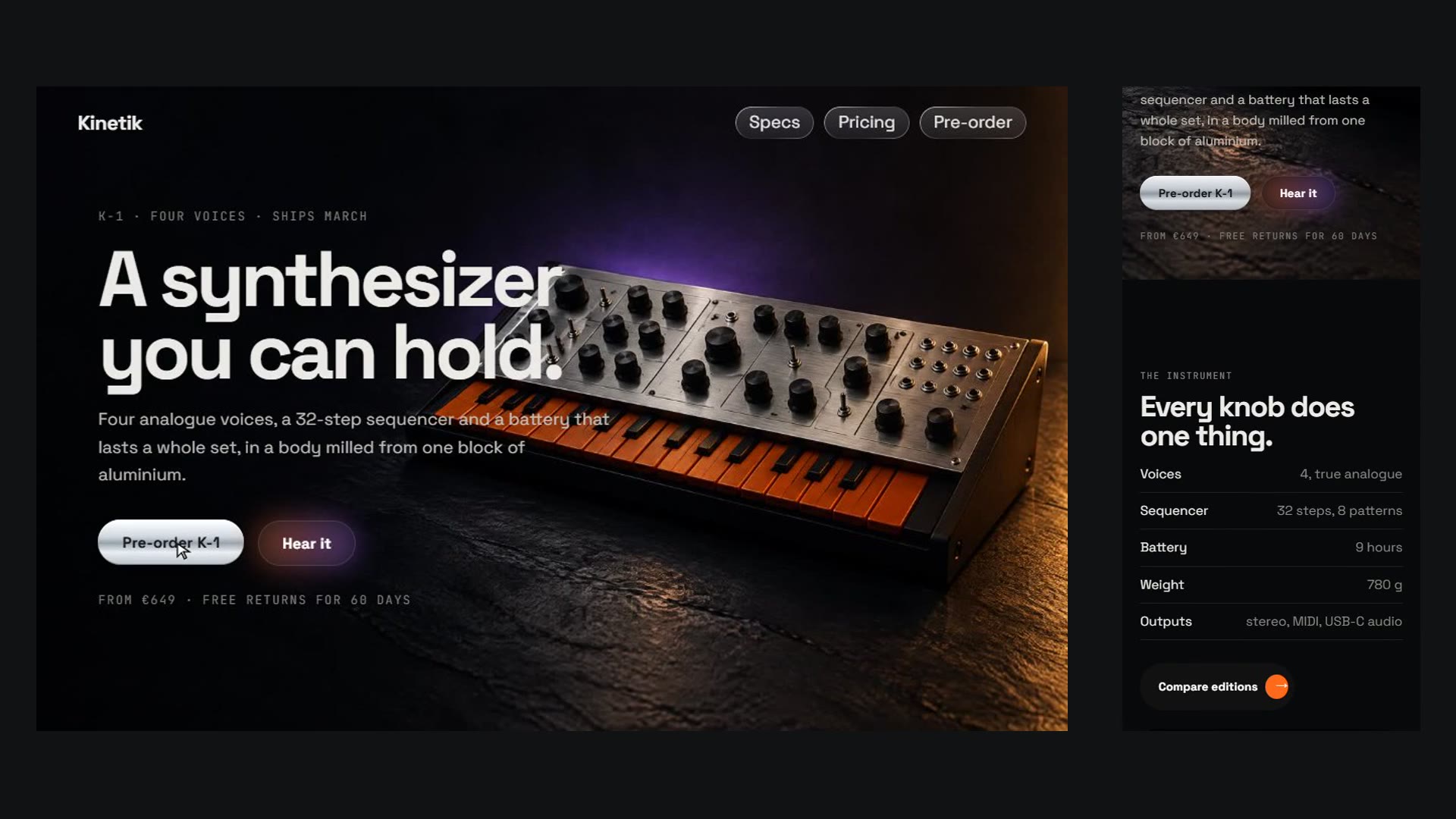
Give buttons, cards and panels a material finish with real states: liquid-metal, jewel and halo pills, a text-roll button with a turning arrow chip, sliding-fill and hard-offset buttons, a spinning gradient border, media cards whose chip grows into a label, frosted glass and four textures. A browser check renders every control at rest, on hover, with keyboard focus and pressed, measures label contrast from the rendered pixels in each state and writes a sheet of all states side by side.
How it works
Pick one loud finish for the primary action and a quiet one for the rest; add cards, glass or a texture only where the page needs them
Build with the bundled ui-finishes.css, set colours with custom properties and use <a> or <button> for every control
Run scripts/check.mjs, fix every contrast, focus and target-size finding, then review states.png
Frequently asked questions
How is contrast measured on gradients and glass?
For every control and state the check takes two screenshots, one with the label and one with the label made transparent, and compares the label pixels with the pixels that were behind them. So the gradient of a jewel pill, a glow or the photograph behind a glass panel all count. The first run on our own showroom found the orange jewel pill at 3.98:1 for a white label; the kit was changed so it now passes 4.5:1.
What else does the check report?
Keyboard focus that is not visible, hover that changes less than 1% of the control, tap targets under 24 px (and under 44 px on phones as a warning), card labels that only appear on hover and stay hidden on touch screens, text on glass that is too faint, finishes on elements that cannot be focused, transitions or animations that ignore reduced-motion settings, and overflow. A deliberately broken page produced 15 errors and 4 warnings.
Does it need JavaScript?
Only the text-roll button uses a small script to duplicate its label; without it the button shows its plain label. Everything else is CSS. The check needs Node.js and Chrome.
Are the examples real?
No. Kinetik and Fieldnote are fictional, and their prices are made up. The photographs were generated for these demos.