
Live Architecture Panel
- Lab Skill
- v1.0.0
- Education
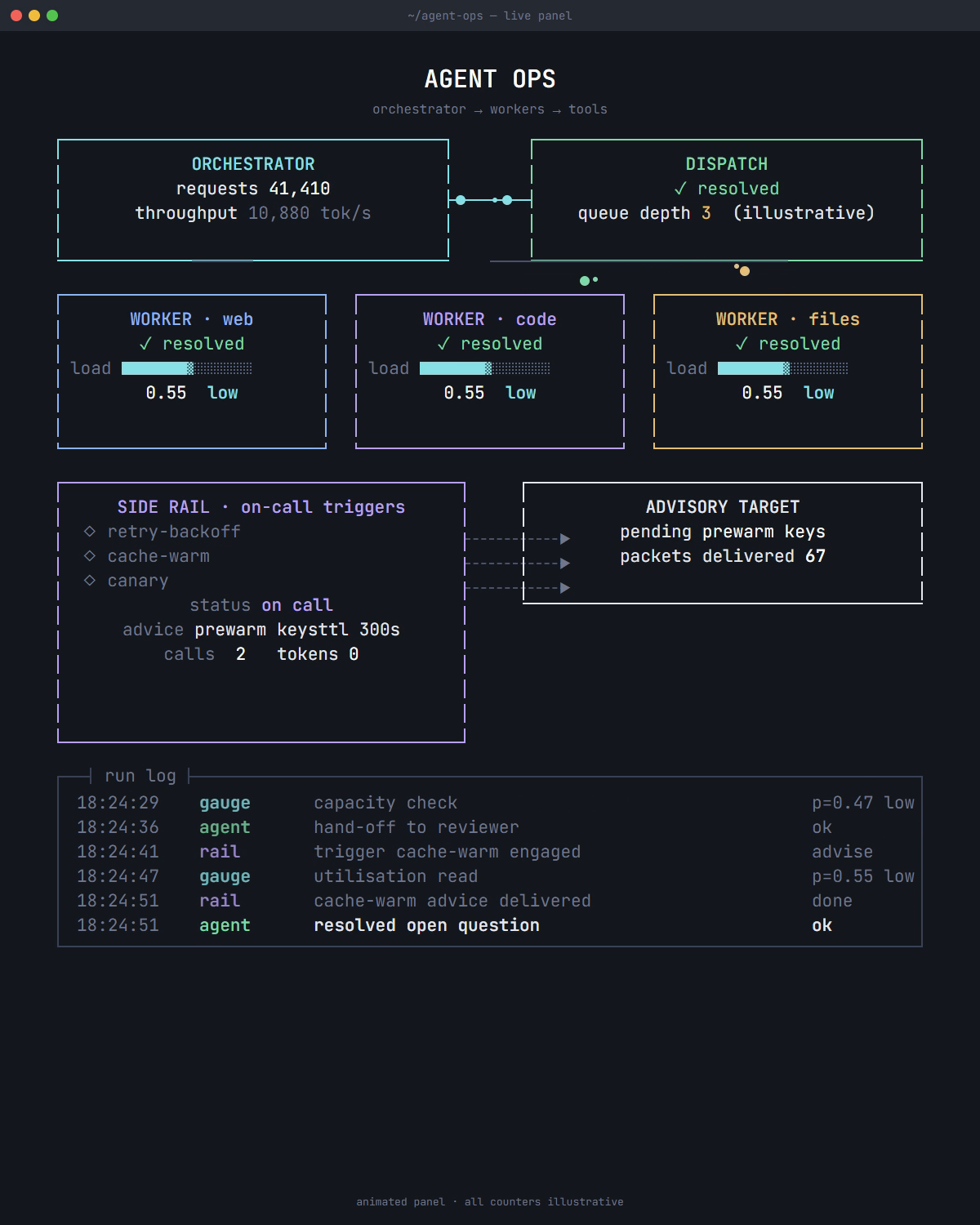
An always-running, terminal-style architecture panel rendered to video. The layout is fixed and already alive at frame 0 — packets stream along every wire with a trail, the run-log scrolls, counters tick, a lane spins working/done, gauges flip colour past a threshold, and side-rail triggers light one at a time and type out their advice. Two themes (terminal-dark, light-pastel) and three canvas presets.
ตัวอย่าง · 2
รันออนไลน์
รันตัวอย่างของ Live Architecture Panel ใน SandBase sandbox แล้วดูผลลัพธ์ได้ที่นี่
วิธีการทำงาน
- 01
Write the config
Author one config.json with a canvas preset (4:5, 3:4 or 1:1), a theme (terminal-dark or light-pastel), state machines such as counters, gauges, lanes and triggers, and elements such as boxes, wires, packet paths, side-rail triggers and a scrolling log. The layout never moves; the machines drive every changing number as a pure function of time. Two sample configs ship in assets/examples.
- 02
Build the page
With Node 22 or newer, npm and FFmpeg, run npm install, then node scripts/build.mjs config.json --out build/name. The build validates the config and writes a self-contained index.html whose paused GSAP timeline seeks the panel engine deterministically. Fonts and GSAP are bundled, and no API keys are needed; HyperFrames is version-pinned and fetches on first render.
- 03
Render and verify
node scripts/render.mjs --build build/name --out name.mp4 renders a silent film and verifies size, duration and a full decode, writing a report. The panel looks alive from frame 0: packets drift along wires with trails, counters tick, gauges flip colour past thresholds and the log scrolls. The bundled examples are a 30-second agent-ops panel and a 26-second data pipeline.
คำถามที่พบบ่อย
What does Live Architecture Panel make?
Live Architecture Panel makes a silent screen-recording-style film of a running system: one fixed monitoring dashboard where packets stream along the wires, a run log scrolls, counters tick, state bars flip past thresholds and side-rail triggers light up one at a time. It suits system, agent-tree, data-flow and observability explainers.
Does Live Architecture Panel read real telemetry?
No. Live Architecture Panel renders a fixed authored loop from config.json; it does not read live data and is not interactive. Every moving value comes from a state machine you define, such as a counter, a cycle, a gauge or a lane, so the numbers are illustrative unless you write real ones.
Which themes and sizes does Live Architecture Panel support?
Live Architecture Panel has two themes, terminal-dark for the monitoring look and light-pastel with white rounded pastel boxes for infographics, and three canvas presets: 4:5, 3:4 and 1:1, or an explicit width and height. A theme can override the font, font size and colours.
Can Live Architecture Panel animate the layout?
No. In Live Architecture Panel the layout never moves; only system state does. Step-by-step reveals, camera moves, narrative builds, characters and 3D are out of scope. A new panel should change the structure, the machines and the information flow, not only the colours and names.
Does Live Architecture Panel need an API key?
No. Live Architecture Panel animates authored state machines rather than live telemetry, so it needs no API key and calls no model. Live Architecture Panel needs Node 22 or newer, npm and FFmpeg; fonts and GSAP are bundled, and HyperFrames is version-pinned and fetched on the first render. The films are silent, so add sound in an editor if the piece needs it.
Skills เพิ่มเติม
Skills ทั้งหมดสำหรับ Education →
Science MV
Explain science through visible causes, transformations and results.

Loop Story
Explain a cycle: build each stage, close the loop, then reveal the takeaway.

Flux Rotor: Cobalt Drive
Inspect an original motor with real winding groups, alternating magnet sectors and a keyed shaft. Balanced phase currents drive prescribed synchronous rotation, material colors and spatial harmonic markers. Open the actual cutaway and separate six components offline. This display does not solve torque, efficiency or magnetic finite elements.

Voxel Paddock: Mint Apex
Inspect an original open-wheel vehicle built from procedural cubes. Spin actual wheels on a stationary display, turn nominal geometric steering and separate twelve component groups. Edit bounded dimensions, voxel density and three palettes offline. This is not a driving or aerodynamics simulation.

River Era: Valley Years
Scrub an authored river settlement timeline from camp and farms to town, workshops and speculative towers. Actual seeded geometry changes reversibly; boats and vehicles follow the same river and bank equations. This is an illustrative sequence rather than predictive history.

3D Mechanical Watch Explorer
Inspect a kinematic mechanical watch with actual meshed tooth ratios, 54 components, axial explosion, material cutaway and bilingual mouse/touch controls. One offline HTML with optional synthesized tones.