
Free pirate filter
ฟรีรูปภาพ AIUpload a selfie or portrait and turn it into a pirate captain. Use a clear subject, then compare the result with your original before downloading.
- 100% free
- No sign-up
- No watermark
- Works on phone
ผลลัพธ์ตัวอย่าง
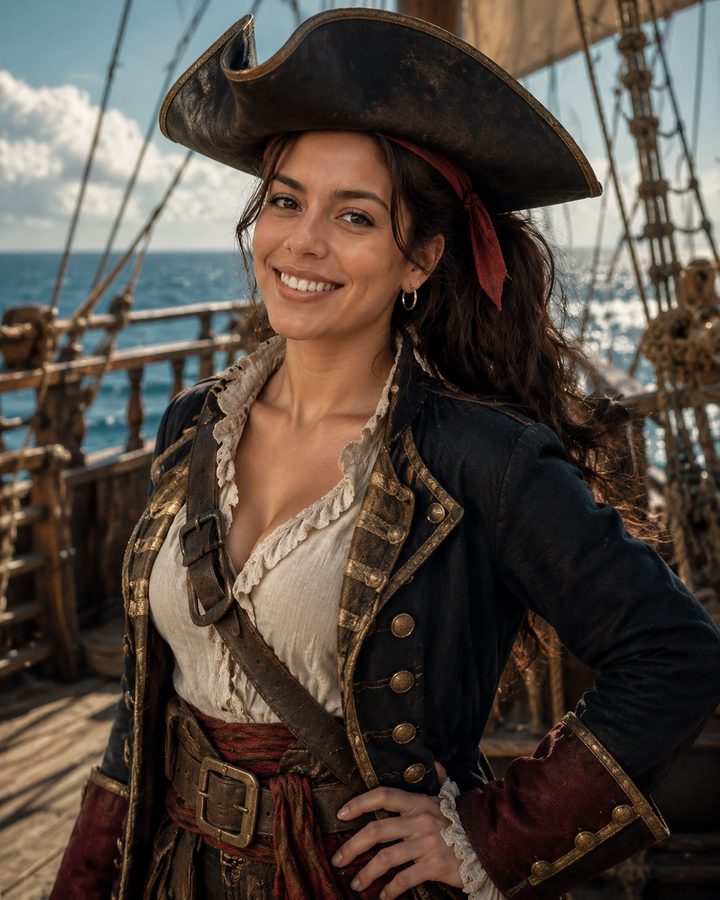
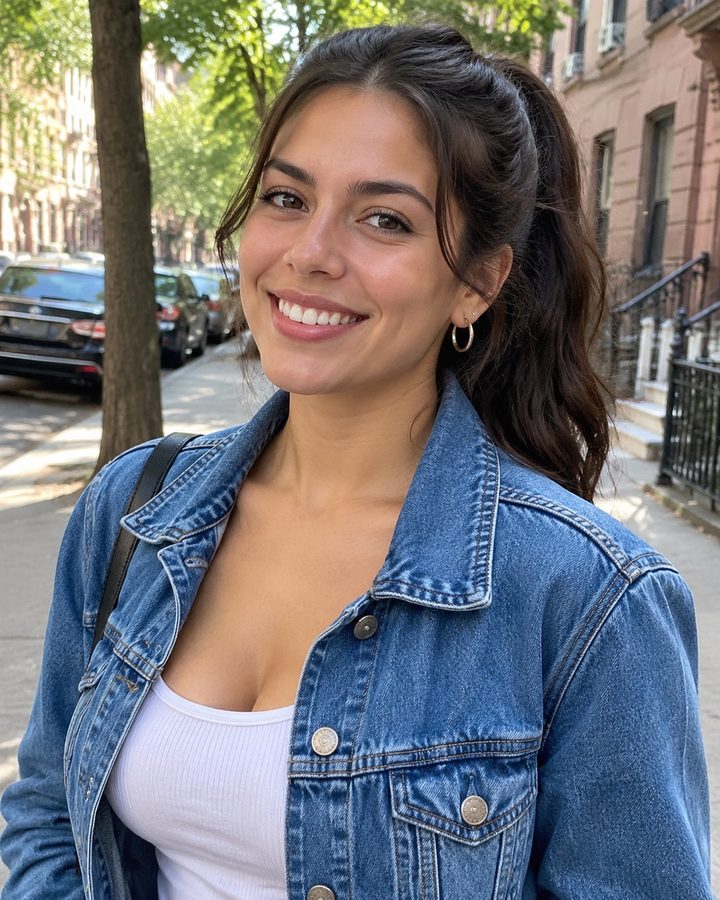 ก่อนหลัง
A portrait turned into a pirate captain.
วิธีใช้ Pirate Filter
มี 3 ขั้นตอน ใช้ได้ทั้งบนคอมพิวเตอร์และโทรศัพท์
- 01
Upload a photo
Drop, paste or pick a JPG, PNG, WebP or HEIC image; on a phone you can take one with the camera. Then type your anything to add (optional) (optional), for example "e.g. a sunset behind me".
- 02
Run it
Select Transform photo (a pirate captain). A result usually takes about 20 seconds.
- 03
Compare and download
Compare it with your original, then download a JPG. Example on this page: a portrait turned into a pirate captain.
ตัวอย่างเพิ่มเติม
เครื่องมือเดียวกันบนรูปภาพอื่น โดยไม่มีการแก้ไขด้วยมือ เปิดดูสักอันเพื่อทดลองใช้งานเอง

ก่อน 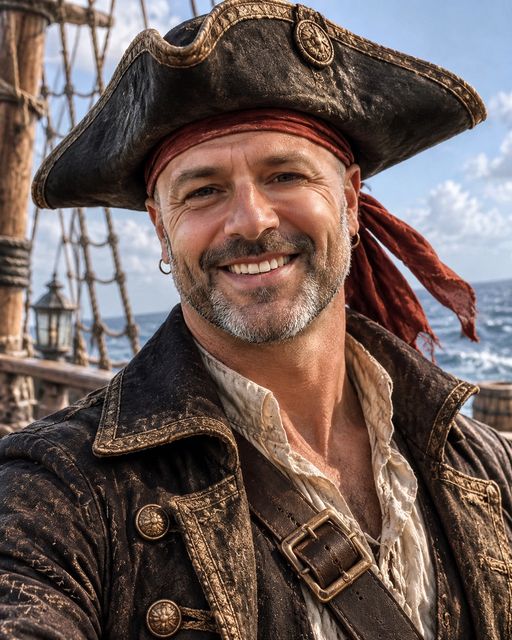
หลัง ตัวอย่าง Pirate Filter 2
ลองใช้กับรูปภาพนี้ลองกับรูปของคุณ
อัปโหลดรูปภาพ แล้วรับผลลัพธ์ในไม่กี่วินาที ฟรี ไม่ต้องสมัคร ไม่ติดลายน้ำ
อัปโหลดรูปภาพ
ผู้คนใช้ทำอะไร
Profile pictures
A new look for social accounts and chats.
Gifts and cards
A fun print or card for friends and family.
Posts and stories
A transformation that gets reactions.
เคล็ดลับเพื่อให้ได้ผลลัพธ์ที่ดียิ่งขึ้น
- Half body photos show the outfit.
- Add “parrot on the shoulder” in Anything to add.
- Kids photos make great party invitations.
ต้องการควบคุมมากขึ้นใช่ไหม ใช้ API
เครื่องมือนี้ทำงานบน SandBase image API API ให้ทุกการตั้งค่าที่เครื่องมือฟรีกำหนดไว้ให้คุณ
- คุณภาพและขนาดที่สูงขึ้นquality=high, ขนาดสูงสุด 2K และพื้นหลังโปร่งใสได้ในครั้งเดียว
- พรอมต์ของคุณเองเปลี่ยนเทมเพลต เพิ่มภาพอ้างอิง หรือประมวลผลภาพหลายร้อยภาพจากโค้ดหรือ Agent ของคุณ
- จ่ายต่อภาพใช้ยอดคงเหลือ SandBase ของคุณได้เกินวงเงินของเครื่องมือฟรี ทั้งนี้ยังคงมีข้อจำกัดด้านความพร้อมใช้งานของโมเดลและ rate limit ของ API
# Set SANDBASE_API_KEY and choose your local image file.
IMAGE_FILE="photo.jpg"
curl --fail-with-body https://api.sandbase.ai/v1/images/edits \
  -H "Authorization: Bearer $SANDBASE_API_KEY" \
  --form-string 'model=gpt-image-2.6-flare' \
  --form "image=@${IMAGE_FILE}" \
  --form-string 'quality=high' \
  --form-string 'size=2048x2048' \
--form-string 'prompt=Redraw this photo completely as a pirate captain with a tricorn hat, a long coat and a ship deck at sea behind. Keep the person recognizable: same face shape, hairstyle, skin tone, expression and pose. The result must clearly look like that style, not like a lightly filtered photo. No logos, brand names or real trademarks.'คำถามที่พบบ่อย
Will it still look like me?
The prompt aims to preserve the face shape, hairstyle, skin tone and expression, while changing the style. AI may also alter details, so compare the result before using it.
Can I add details?
Yes. Use the optional box to add a background, an object or a mood, like "a sunset behind me".
Pirate Filter ฟรีไหม
ใช่ ไม่มีลายน้ำและไม่ต้องสมัครใช้งาน หนึ่งรอบของ Pirate Filter ใช้เวลาประมาณ 20 วินาทีและให้ JPG โดยใช้โควต้ารูปภาพ AI ฟรีรายวันหนึ่งครั้ง ซึ่งแชร์ร่วมกันกับเครื่องมือรูปภาพ AI ทั้งหมด: 10 ครั้งต่อวันโดยไม่ต้องลงชื่อเข้าใช้ และ 30 ครั้งเมื่อมีบัญชี SandBase ฟรี เครื่องมือจะแสดงจำนวนที่คุณเหลืออยู่ และตัวนับจะรีเซ็ตเวลาเที่ยงคืน UTC; อาจมีข้อจำกัดของเครือข่ายและระดับเว็บไซต์ด้วย
เกิดอะไรขึ้นกับรูปที่ฉันอัปโหลดไปยัง Pirate Filter
รูปภาพของคุณและการตั้งค่าของคุณจะถูกประมวลผลโดย SandBase และผู้ให้บริการภาพเพื่อสร้างผลลัพธ์นี้ Pirate Filter จะไม่เผยแพร่อะไรไปยังแกลเลอรีสาธารณะ ผลลัพธ์อาจถูกนำกลับมาใช้จากแคชได้นานถึง 24 ชั่วโมง ดังนั้นคำขอที่เหมือนกันจะไม่ใช้รอบเพิ่มอีก; หากต้องการเก็บผลลัพธ์ใดไว้ ให้ดาวน์โหลดไว้
SandBase APIs สำหรับงานนี้
ข้อมูลแบบเดียวกันในโค้ดของคุณหรือ Agent: ใช้ API key เดียว คิดค่าบริการตามจำนวนครั้งที่เรียก
เครื่องมือเพิ่มเติม
3D Cartoon Filter
Turn a selfie into a 3D animated movie character.
Pencil Drawing Filter
Turn a selfie into a pencil drawing.
Tintype Photo Filter
Turn a selfie into a tintype photo.
Colored Pencil Drawing Filter
Turn a selfie into a colored pencil drawing.
Statue Filter
Turn a photo of yourself into a marble, bronze, gold or stone statue.
Pixel Art Converter
Convert a photo into pixel art: fine, chunky or retro 16-color, with a limited palette.