
Free business card mockup generator
ฟรีอีคอมเมิร์ซShow your business card design on white stock, kraft or black card, in a realistic desk photo for portfolios and clients.
- 100% free
- No sign-up
- No watermark
- Works on phone
ผลลัพธ์ตัวอย่าง
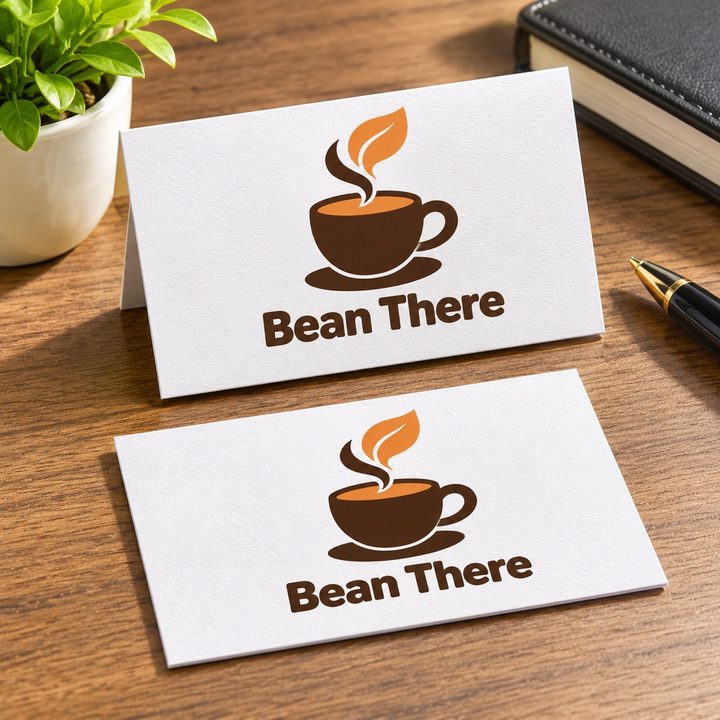
 ก่อนหลัง
A logo shown on a business card mockup.
วิธีใช้ Business Card Mockup Generator
มี 3 ขั้นตอน ใช้ได้ทั้งบนคอมพิวเตอร์และโทรศัพท์
- 01
Upload your design
Drop, paste or choose a flat artwork or screenshot as JPG, PNG, WebP or HEIC.
- 02
Choose the product options
Set Look, then select Make mockup.
- 03
Review the mockup
Check lettering, logos, placement and edges before downloading. Keep the original design for production; AI can alter fine details.
ผู้คนใช้ทำอะไร
Designers
Present card designs to clients.
Printers
Show paper options.
Brand kits
Show the card with the logo.
เคล็ดลับเพื่อให้ได้ผลลัพธ์ที่ดียิ่งขึ้น
- Upload the card at 3.5 × 2 inch proportions.
- Kraft suits natural brands; black suits luxury.
- Make the business card itself with the business card template.
ต้องการควบคุมมากขึ้นใช่ไหม ใช้ API
เครื่องมือนี้ทำงานบน SandBase image API API ให้ทุกการตั้งค่าที่เครื่องมือฟรีกำหนดไว้ให้คุณ
- คุณภาพและขนาดที่สูงขึ้นquality=high, ขนาดสูงสุด 2K และพื้นหลังโปร่งใสได้ในครั้งเดียว
- พรอมต์ของคุณเองเปลี่ยนเทมเพลต เพิ่มภาพอ้างอิง หรือประมวลผลภาพหลายร้อยภาพจากโค้ดหรือ Agent ของคุณ
- จ่ายต่อภาพใช้ยอดคงเหลือ SandBase ของคุณได้เกินวงเงินของเครื่องมือฟรี ทั้งนี้ยังคงมีข้อจำกัดด้านความพร้อมใช้งานของโมเดลและ rate limit ของ API
# Set SANDBASE_API_KEY and choose your local image file.
IMAGE_FILE="photo.jpg"
curl --fail-with-body https://api.sandbase.ai/v1/images/edits \
  -H "Authorization: Bearer $SANDBASE_API_KEY" \
  --form-string 'model=gpt-image-2.6-flare' \
  --form "image=@${IMAGE_FILE}" \
  --form-string 'quality=high' \
  --form-string 'size=2048x2048' \
--form-string 'prompt=Place this exact design printed on white premium business cards, lying on a desk, front and back, with soft shadows. Keep the design exactly as it is: same artwork, colors and text, undistorted, wrapped naturally to the surface. Photorealistic product mockup with realistic material, light and shadows.'คำถามที่พบบ่อย
What size should my design be?
3.5 × 2 inches, like 1050 × 600 px.
Which papers are there?
White, kraft or black stock.
Will it change my design?
The prompt keeps the design as it is. Very small text can soften, so check the result before you publish.
Will it change anything else?
The prompt asks to preserve details outside the edit, but AI can still alter faces, text or textures. Compare with the original before you download.
Business Card Mockup Generator ฟรีไหม
ใช่ ไม่มีลายน้ำและไม่ต้องสมัครใช้งาน หนึ่งรอบของ Business Card Mockup Generator ใช้เวลาประมาณ 20 วินาทีและให้ JPG โดยใช้โควต้ารูปภาพ AI ฟรีรายวันหนึ่งครั้ง ซึ่งแชร์ร่วมกันกับเครื่องมือรูปภาพ AI ทั้งหมด: 10 ครั้งต่อวันโดยไม่ต้องลงชื่อเข้าใช้ และ 30 ครั้งเมื่อมีบัญชี SandBase ฟรี เครื่องมือจะแสดงจำนวนที่คุณเหลืออยู่ และตัวนับจะรีเซ็ตเวลาเที่ยงคืน UTC; อาจมีข้อจำกัดของเครือข่ายและระดับเว็บไซต์ด้วย
เกิดอะไรขึ้นกับรูปที่ฉันอัปโหลดไปยัง Business Card Mockup Generator
รูปภาพของคุณและการตั้งค่าของคุณจะถูกประมวลผลโดย SandBase และผู้ให้บริการภาพเพื่อสร้างผลลัพธ์นี้ Business Card Mockup Generator จะไม่เผยแพร่อะไรไปยังแกลเลอรีสาธารณะ ผลลัพธ์อาจถูกนำกลับมาใช้จากแคชได้นานถึง 24 ชั่วโมง ดังนั้นคำขอที่เหมือนกันจะไม่ใช้รอบเพิ่มอีก; หากต้องการเก็บผลลัพธ์ใดไว้ ให้ดาวน์โหลดไว้
SandBase APIs สำหรับงานนี้
ข้อมูลแบบเดียวกันในโค้ดของคุณหรือ Agent: ใช้ API key เดียว คิดค่าบริการตามจำนวนครั้งที่เรียก
เครื่องมือเพิ่มเติม
Hoodie Mockup Generator
Show your design on a hoodie mockup.
iPhone Mockup Generator
Show your design on a iphone mockup.
Apparel Mockup Generator
Show your design on a apparel mockup.
Billboard Mockup Generator
Show your design on a billboard mockup.
Magazine Mockup Generator
Show your design on a magazine mockup.
Can Mockup Generator
Show your design on a can mockup.