
Slatewood Lesson Slides
- Lab Yetenek
- v0.1.0
- Education
Teach a class, workshop or club session on a chalk slate board, with hand-lettered chalk headings, a wooden frame and chalk tray, dashed chalk boxes, ringed steps, hatched chalk bars and drawn diagram plates.
Örnekler · 2
Neler elde edersiniz
Bring your lesson, the question it answers, the steps, figures, dates, page count and optional local pictures. The Skill returns one offline HTML deck with browser editing and editable PowerPoint export.
Nasıl çalışır
- 01
Describe the lesson and its one question
Tell the agent who the learners are, what single question the session answers and which steps they should be able to repeat afterwards. Give the real figures, dates and place, the page count and one of the three slate palettes. Where you have no real figure yet, the agent labels the invented one as illustrative instead of passing it off as fact.
- 02
Lay out the board pages
The agent picks from eleven reviewed layouts: cover, opening question, plan, key word, labelled diagram, method steps, big numbers, bar chart, timetable, check questions and homework. Layouts can repeat, so a long method or quiz spreads over two pages. A bundled script draws an abstract chalk plate for the diagram page in the chosen palette, so no image service or photograph is needed.
- 03
Check, edit and export the deck
The agent composes the plan, builds one offline HTML file and verifies the page count, text budgets and embedded fonts. Open it in a browser to present with the arrow keys, edit any heading or step in place, undo, and save the edits into a new copy of the file. Export an editable PowerPoint when you need one, and inspect it in your own presentation app before teaching.
SSS
What makes this chalkboard style distinctive?
Every page is a dark slate inside a wooden frame with a chalk tray along the bottom. Headings, terms and big numbers are hand-lettered chalk capitals, and the notes are in a rounded handwriting face. Dashed boxes with uneven corners, ringed step numbers, hatched bars and pink, blue and green chalk marks keep the classroom feel on every page.
Which palettes are included?
There are three slates: Schoolroom Green, Charcoal Slate and Night Blue Slate. Each changes the board colour, the chalk white and the accent chalk used for kickers, the first ring, underlines and ticks. The wooden frame, the tray and the pink, blue and green chalk stay the same, so a deck keeps one look whichever slate it uses.
Can I change the steps, figures and page order?
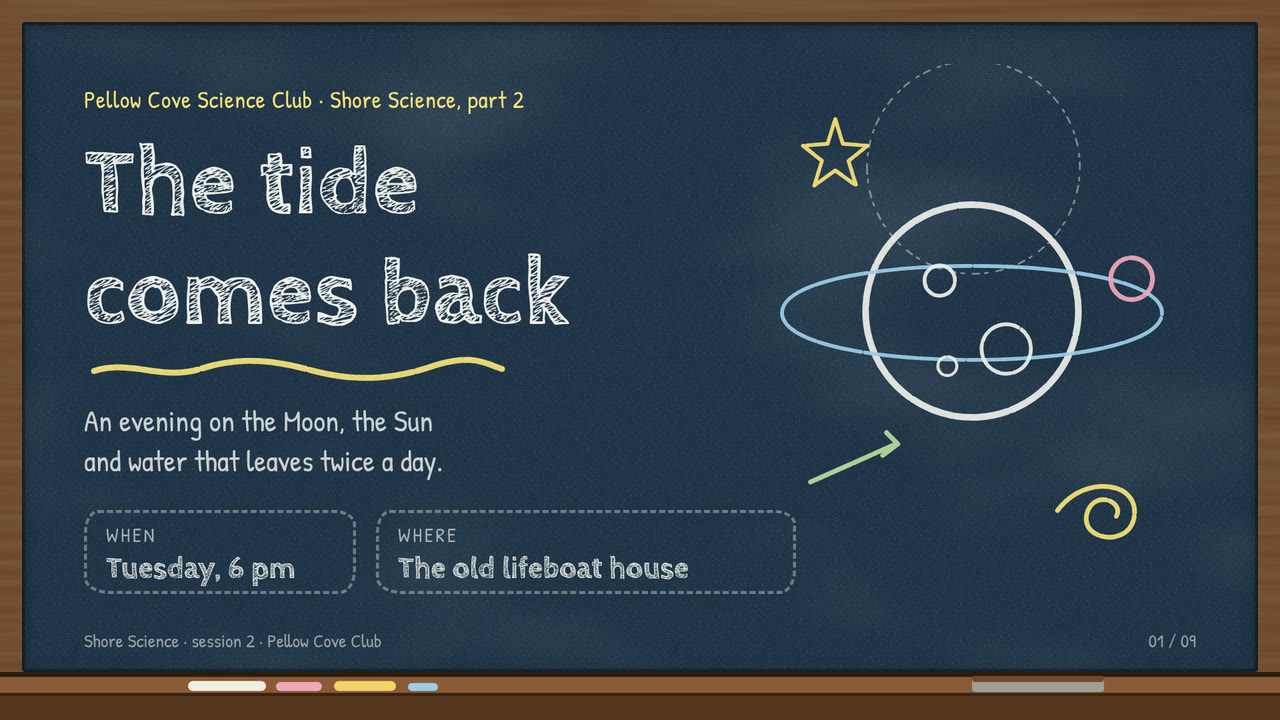
Yes. Every text slot, table cell and bar height comes from the plan, and the eleven layouts can be repeated, reordered or left out. One example explains the tide to a science club in nine pages; the other runs a compost workshop in twelve pages with a different palette, two method pages and a seasonal timetable.
Are the diagram drawings accurate scientific figures?
No. The bundled script draws abstract chalk plates from a seed and a palette: a rounded outline of cells, a four-station cycle, a pair of growth curves or a stack of layers. Each carries pink, blue and green marker dots that the three notes on the page explain. You can use your own 4:3 picture instead when you own the rights to it.
Does it work offline, and what does it cost to run?
The Skill runs on Python 3 with no external requests, model calls or API keys, and the finished deck embeds its fonts and pictures so it opens without a network connection. Any charge depends only on the agent you use to write the plan; the Skill itself makes no paid calls.
How faithful is the PowerPoint export?
Text boxes, speaker notes and the timetable stay separate and editable, and the diagram plate and chalk doodles travel as pictures. The board, frame, tray, dashed boxes, rings and chart bars are flattened into one background picture per slide, so set bar heights in the HTML deck before exporting. Presentation apps can wrap fonts slightly differently, so check each slide in your own app.
Daha Fazla Skill
Tüm Education Skills →
Science MV
Explain science through visible causes, transformations and results.

Loop Story
Explain a cycle: build each stage, close the loop, then reveal the takeaway.

Flux Rotor: Cobalt Drive
Inspect an original motor with real winding groups, alternating magnet sectors and a keyed shaft. Balanced phase currents drive prescribed synchronous rotation, material colors and spatial harmonic markers. Open the actual cutaway and separate six components offline. This display does not solve torque, efficiency or magnetic finite elements.

Voxel Paddock: Mint Apex
Inspect an original open-wheel vehicle built from procedural cubes. Spin actual wheels on a stationary display, turn nominal geometric steering and separate twelve component groups. Edit bounded dimensions, voxel density and three palettes offline. This is not a driving or aerodynamics simulation.

River Era: Valley Years
Scrub an authored river settlement timeline from camp and farms to town, workshops and speculative towers. Actual seeded geometry changes reversibly; boats and vehicles follow the same river and bank equations. This is an illustrative sequence rather than predictive history.

3D Mechanical Watch Explorer
Inspect a kinematic mechanical watch with actual meshed tooth ratios, 54 components, axial explosion, material cutaway and bilingual mouse/touch controls. One offline HTML with optional synthesized tones.