
Fern Hush Slides
- Lab Skill
- v1.0.1
- Education
Make calm, illustrated decks for talks that ask people to slow down and look, such as library and reading programmes, garden and nature projects, community learning and seasonal reports: flat leaf-and-figure illustrations, script titles over a plain serif and one small idea per page.
Ví dụ · 2
Bạn nhận được gì
Bring the topic, the audience, the facts and records to use exactly and the page count; pictures optional. The Skill returns one offline HTML deck that edits in the browser and exports editable PowerPoint.
Cách hoạt động
- 01
Agree one small idea per page
Fern Hush slides asks for the subject, audience, purpose, slide count and both languages, and gathers only facts you may show. A typical 10 to 12 page arc runs cover, chapter, invitation, collection, specimen, trio, scene, pair, sketch, log, rest and closing. For 6 to 8 pages your Agent drops the chapters and the pair. It picks Fern Hush, Rain Lilac or Linen Dusk as the palette.
- 02
Draw leaves and figures locally
Without your own pictures, your Agent lists each slot in art.json and runs python3 scripts/fern-art.py art.json --out art/ to draw leaf canopies, potted plants, cats, bees, hives, lamps, books and simple people. It keeps a character's hair, skin and clothing tones the same across pages. kit.py compose then merges plan.json, the pictures and the six-row log table into deck.json.
- 03
Build, read and test the deck
make-deck.py writes presentation.html and verify-deck.py checks the page count against references/kit.json. Your Agent then opens the file over local HTTP to read script titles, stacked chapter words, caption order, crops, the log table and the foot strip, and tries Edit, undo, Save, reopen and Present. A PowerPoint export is checked with verify-pptx.py before it is handed over.
Câu hỏi thường gặp
What talks is Fern Hush slides meant for?
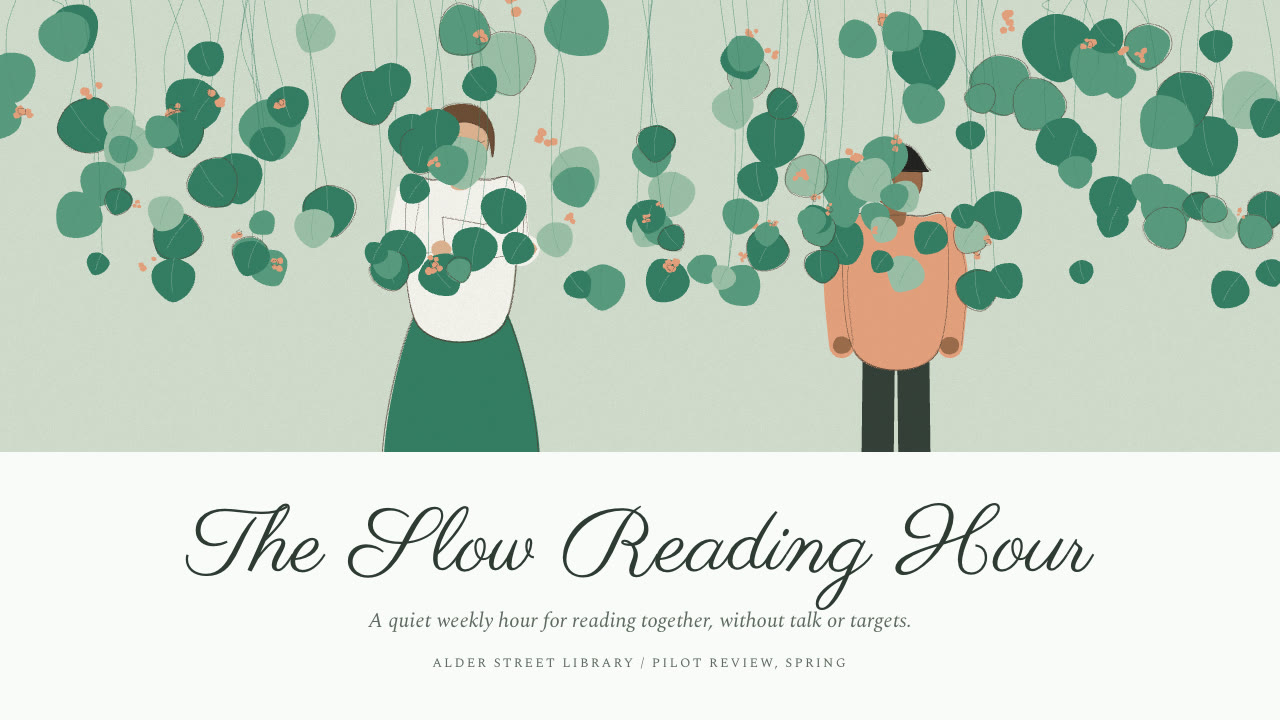
Fern Hush slides is meant for talks that ask an audience to slow down and look: reading and library programmes, garden and nature projects, wellbeing or craft sessions, seasonal reports and small field-research stories. Each page carries one small idea, a picture drawn for it and a few lines. The demos are The Slow Reading Hour, a 10-page library pilot review, and Bees on the Roof, an 8-page first beekeeping season.
Is Fern Hush slides a good fit for data-heavy reports?
No. Fern Hush slides has one table, the dated observation log, which holds a header and six rows, and that is the densest page in the kit. Body copy is one paragraph of about 34 words per page, with two to four points in the speaker notes.
Does Fern Hush slides use an image model for its pictures?
No. Fern Hush slides draws every procedural illustration with fern-art.py from a short item list, and that script runs on the Python standard library with no network call, so a deck costs nothing to generate. Your Agent may use its own model to draft the plan, but the Fern Hush scripts call none. Only verify-pptx.py needs the extra python-pptx package.
Which fonts does Fern Hush slides use?
Fern Hush slides uses Parisienne for script titles, card names and the annotation label, and Spectral for body, captions, small capitals and serif headings. Both are under the SIL Open Font License; install them on the presenting machine so PowerPoint wraps lines the same way. Parisienne has no CJK glyphs, so Chinese, Japanese and Korean titles fall back to a system face and should be kept shorter.
Can I edit the Fern Hush slides illustrations in PowerPoint?
Partly. Fern Hush slides exports each illustration as one picture you can move, resize, crop or replace, but its leaves and figures are not separate editable shapes. Titles, paragraphs, captions, panels, rules and log cells are native objects. Recolouring the deck does not recolour pictures, so redraw them with fern-art.py and the new preset.
What happens when Fern Hush slides text is too long?
Fern Hush slides does not shrink text far over budget; it collides with pictures or runs past its panel, and a very long cover title can push the subtitle off the page. Keep script titles to five words on cover and scene pages and three stacked words on chapter pages. Body text stays at 16 px or more and script titles at 52 px or more, so shorten copy first.
Thêm Skills
Tất cả Skills Education →
Science MV
Explain science through visible causes, transformations and results.

Loop Story
Explain a cycle: build each stage, close the loop, then reveal the takeaway.

Flux Rotor: Cobalt Drive
Inspect an original motor with real winding groups, alternating magnet sectors and a keyed shaft. Balanced phase currents drive prescribed synchronous rotation, material colors and spatial harmonic markers. Open the actual cutaway and separate six components offline. This display does not solve torque, efficiency or magnetic finite elements.

Voxel Paddock: Mint Apex
Inspect an original open-wheel vehicle built from procedural cubes. Spin actual wheels on a stationary display, turn nominal geometric steering and separate twelve component groups. Edit bounded dimensions, voxel density and three palettes offline. This is not a driving or aerodynamics simulation.

River Era: Valley Years
Scrub an authored river settlement timeline from camp and farms to town, workshops and speculative towers. Actual seeded geometry changes reversibly; boats and vehicles follow the same river and bank equations. This is an illustrative sequence rather than predictive history.

3D Mechanical Watch Explorer
Inspect a kinematic mechanical watch with actual meshed tooth ratios, 54 components, axial explosion, material cutaway and bilingual mouse/touch controls. One offline HTML with optional synthesized tones.