
3D Architecture Night-to-Day Explorer
- Lab Skill
- v1.0.0
- Interactive 3D
Turn any architectural site into a detailed 3D scene with a night-to-day light slider and a matching 20-second film. Sample: the Temple of Heaven.
示例
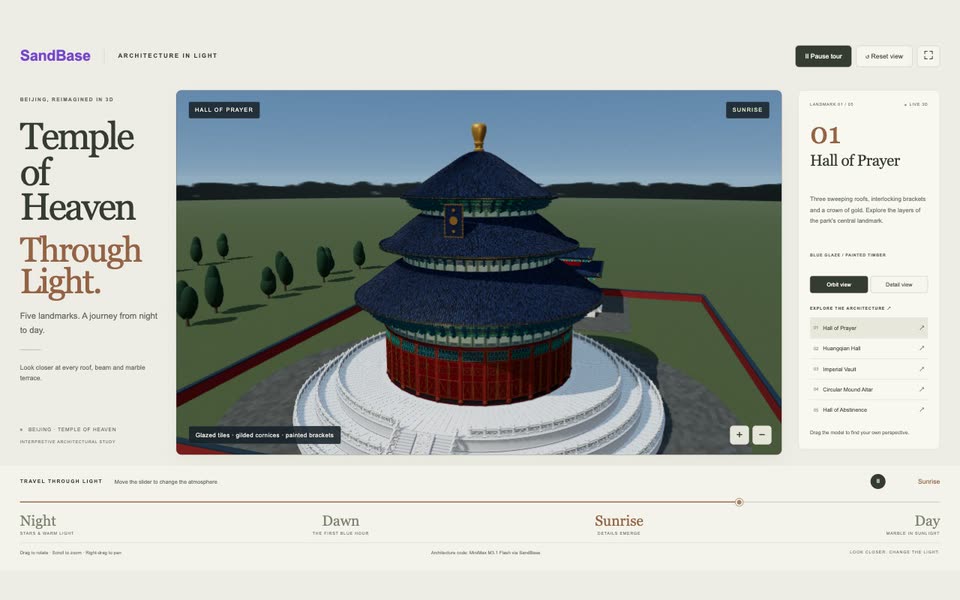
Architecture Night-Day Explorer interactive scene (Temple of Heaven sample)
该示例在沙盒化的框架中运行,无法访问此页面。
在线运行
在 SandBase sandbox 中运行,并在 Lab 中查看结果。
在 Lab 中打开 ↗你将获得什么
Bring a site, its buildings and optional style, camera and lighting notes. The Skill returns a downloadable scene Skill, an interactive demo and a 1080p film.
工作原理
- 01
Fill the site prompt slots
Architecture Night-Day Explorer starts from a slot file such as assets/prompts/examples/through-light.json. Run node scripts/fill-prompt.mjs --slots with that file and --out prompt.md, then node scripts/new-project.mjs --out my-site. Your coding agent gets the filled prompt and the copied project, and edits the geometry in src/scene/detailed-temple.js, park-landmarks.js and park-setting.js for a new subject.
- 02
Build one offline Three.js page
Inside the project, npm ci installs the pinned packages and npm run build:single writes dist-single/index.html. The page needs WebGL and no model key or network at runtime. It offers five building buttons, Orbit and Detail framing, drag to orbit, wheel or plus and minus to zoom, and a slider with Night, Dawn, Sunrise and Day stops. Adding ?lang=zh-CN switches the interface to Simplified Chinese.
- 03
Shoot, record and watch the film
npm run shoot -- --file dist-single/index.html checks desktop, touch and the compact ?embed=1 layout. npm run record writes film/film.mp4 and film/poster.jpg from the same scene: 20 seconds at 1920 by 1080 and 30 fps, 600 silent frames. Recording needs Chrome and FFmpeg. Watch the film through and confirm the visible controls follow the building and light being shown.
常见问题
What does Architecture Night-Day Explorer build?
Architecture Night-Day Explorer builds one offline HTML page holding a detailed Three.js model of an architectural site, plus a matching 20-second film. The sample, Through Light, shows five Temple of Heaven landmarks: the Hall of Prayer, Huangqian Hall, Imperial Vault, Circular Mound Altar and Hall of Abstinence. A bottom slider moves the light from night through dawn and sunrise into day.
Is the Architecture Night-Day Explorer Temple of Heaven layout accurate?
No. Architecture Night-Day Explorer uses a compressed, interpretive park layout, not a survey or measured reconstruction. The five landmarks are generated from code and placed closer together than on the real site so they read in one scene. Keep that disclaimer when you publish a page made from the sample.
Does Architecture Night-Day Explorer cost anything to rebuild?
No. Architecture Night-Day Explorer needs no model key, and rebuilding or recording the bundled sample makes no model calls. Geometry and textures are generated in the browser rather than downloaded. The sample's code was written earlier with MiniMax M3.1 Flash, but that is history. If your agent writes a new subject with a model, read that new usage from the provider response.
Can Architecture Night-Day Explorer turn photos of my building into a model?
No. Architecture Night-Day Explorer does not reconstruct arbitrary buildings from photographs. Its scripts copy and verify a runnable example, and a new site means replacing the geometry, the arrangement and the copy in the source files, not only the names. Views and the shot table live in src/scene/config.js and visible text in src/i18n/strings.json. A new subject also needs a fresh visual review.
Does the Architecture Night-Day Explorer film have sound?
No. Architecture Night-Day Explorer is silent by design, both in the interactive page and in film/film.mp4. The camera holds still between 8.5 and 13.5 seconds so the light change reads clearly without music.
What happens if WebGL, Chrome or FFmpeg is missing for Architecture Night-Day Explorer?
Architecture Night-Day Explorer shows a localized message when the browser lacks WebGL. Missing Chrome or FFmpeg stops npm run shoot or npm run record with a localized error instead of producing a broken file. Frame rates measured in a headless browser are indicative only and do not count as acceptance on a real device.
更多 Skills
所有 Interactive 3D Skills →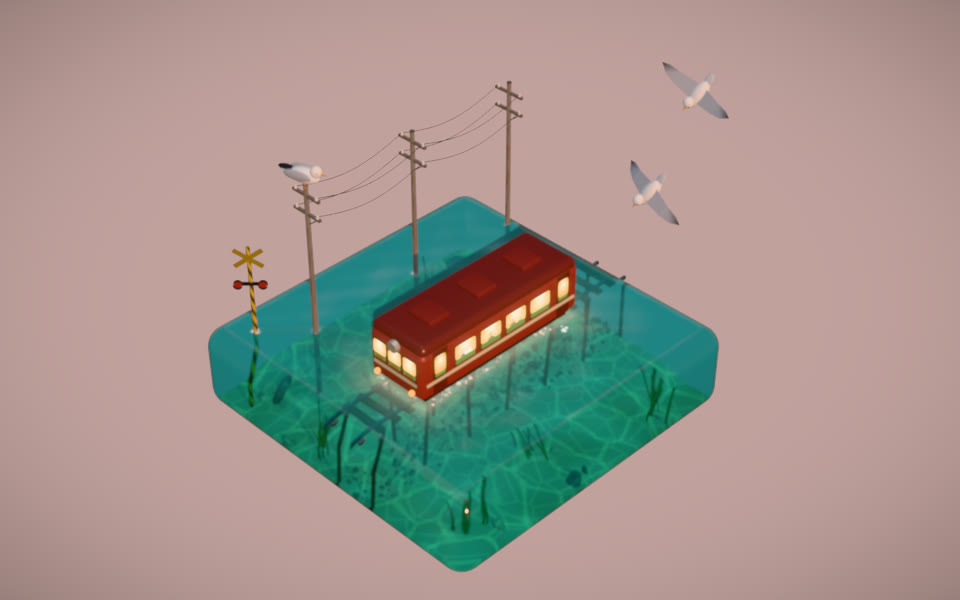
Resin Diorama
Live 3D resin-block dioramas in your browser: send a little tram across a clear turquoise sea, or ripple the bay of a cliff island. Synthesized sound, and every scene can be tuned.
3D Vehicle Worlds
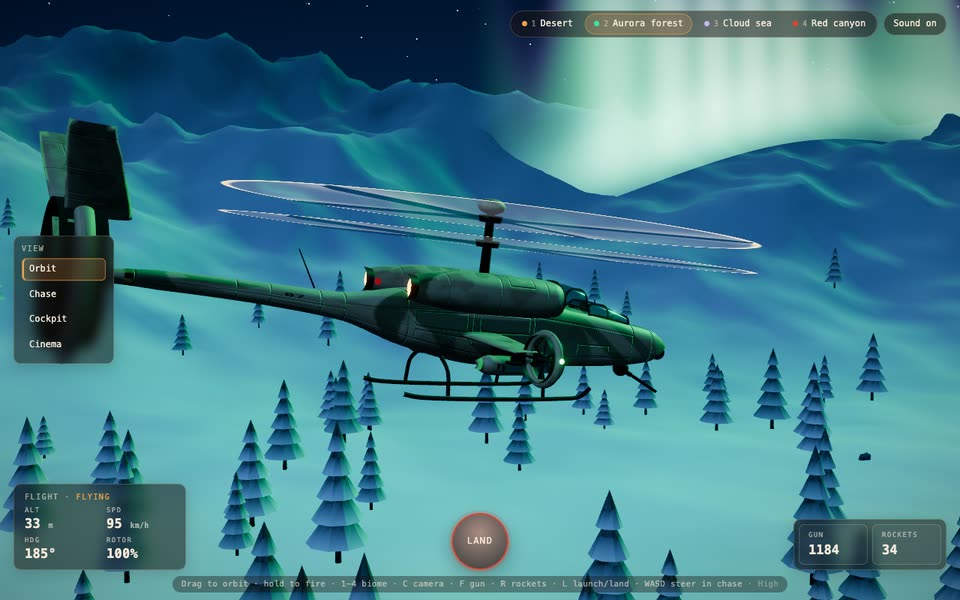
Explore interactive 3D vehicle worlds in your browser, with varied terrain, camera controls and driving effects. Choose a playable example to begin.
3D Firefly Terrariums
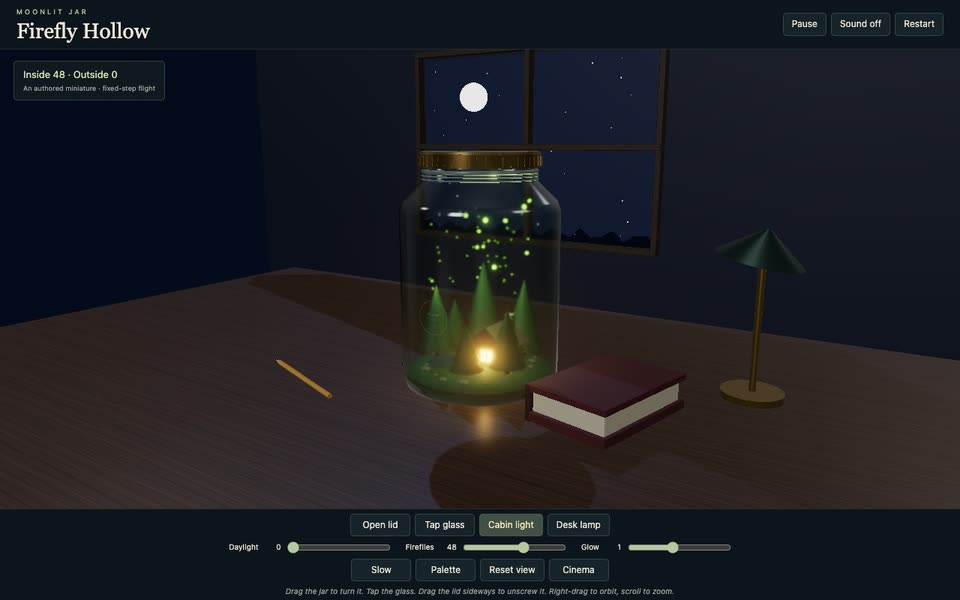
Turn a thick glass miniature, scatter glowing fireflies and open its brass lid. Actual particles leave through the neck and return before it seals. A moonlit cabin, forest and real local lights in one offline HTML.
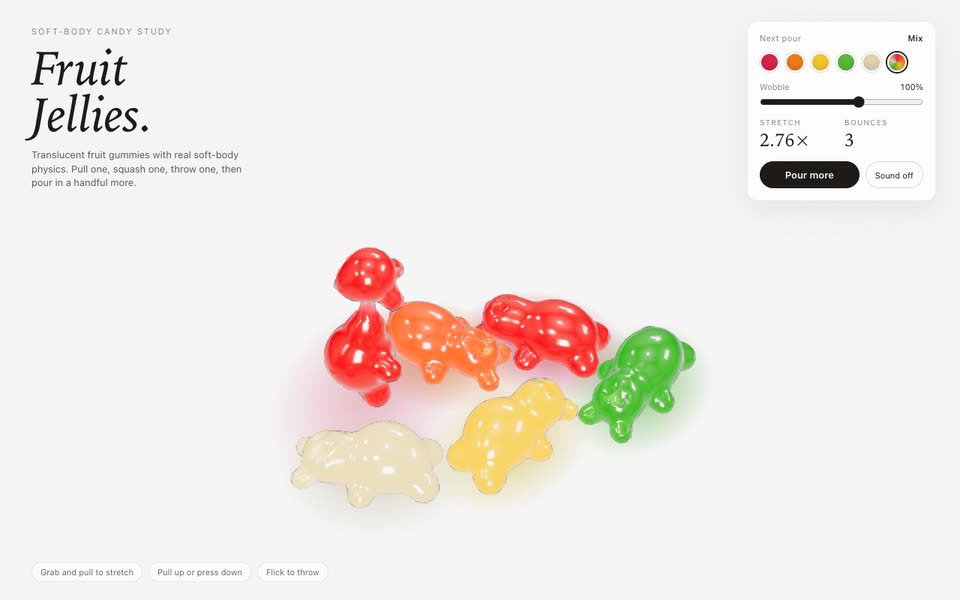
Jelly Candy: Fruit Bears
Six translucent fruit gummies on a white table. Grab any part and pull, lift a head until the neck stretches thin, press one flat until it springs back, flick one across the pile or pour in more. Fixed-step soft-body physics and a marching-cubes skin in one offline HTML.
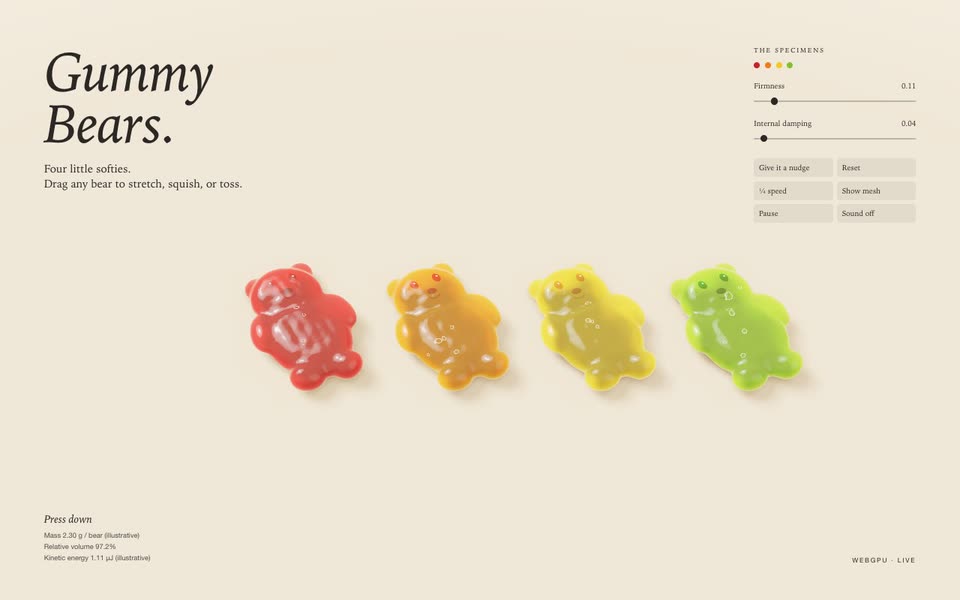
WebGPU Soft-Body Gummy Bears
Four translucent gummy bears on an ivory floor, rendered with native WebGPU. A deterministic 36-second choreography stretches, presses, flips and tumbles them before they settle back to the exact rest pose. Drag any bear to stretch, squish or toss it. A fixed-step tetrahedral XPBD solver in one offline HTML.
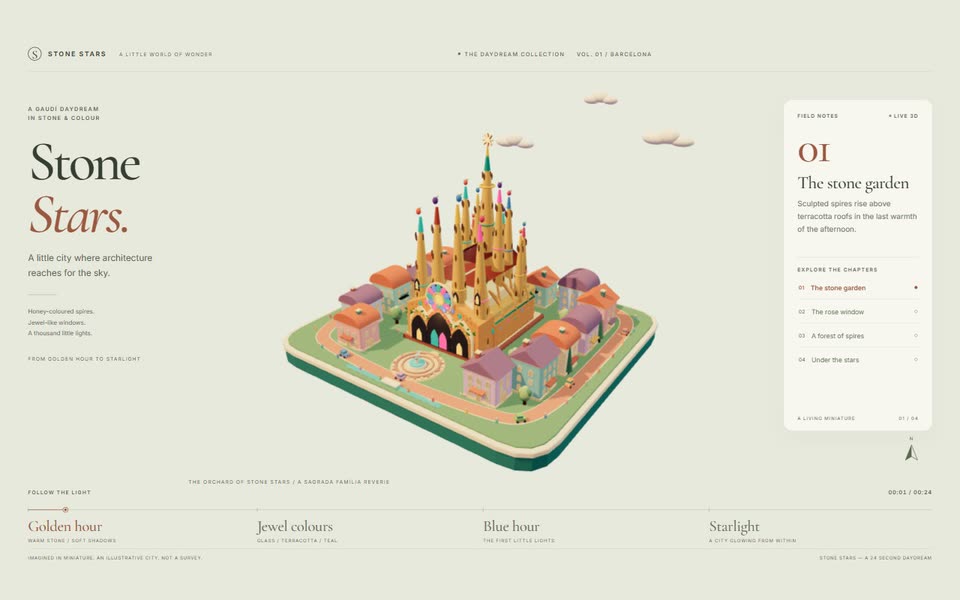
Stone Stars: 3D Miniature Landmark City
Turn a city into a storybook 3D island around one landmark, with chapters, a daylight-to-starlight slider, street life and a matching scored 24-second film. Sample: a Gaudí-style basilica.