
Chalkboard infographic
- Lab Skill
- v0.1.1
- Education
Turn a topic and a few verified facts into a hand-drawn visual explanation.
範例
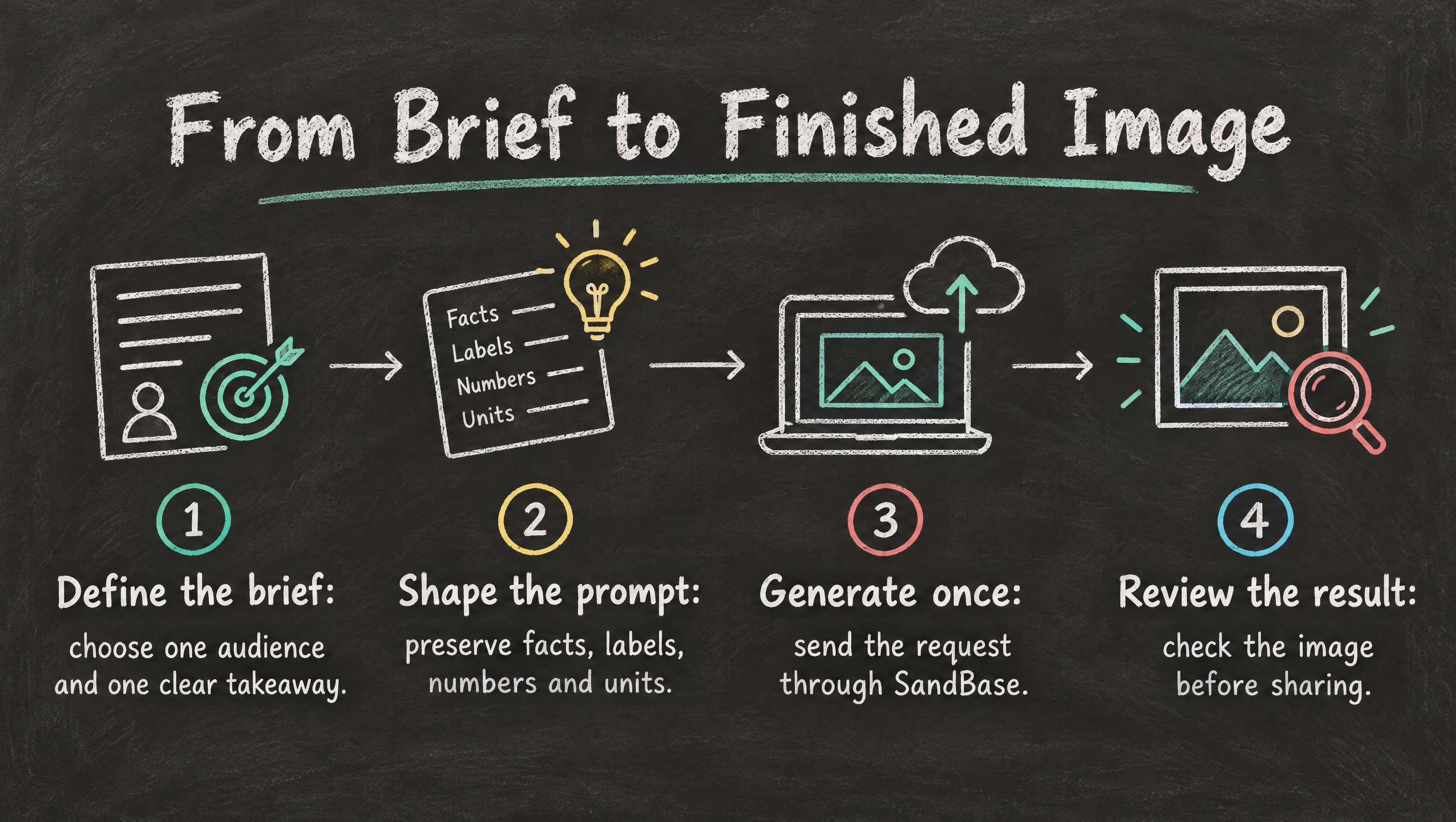
Chalkboard infographic
線上執行
在 SandBase sandbox 中執行,並在 Lab 中查看結果。
在 Lab 中開啟 ↗您可獲得什麼
Bring a topic, title and 3–5 short facts. The Skill returns a 16:9 image and a bilingual run report.
運作方式
- 01
Approve the facts first
Chalkboard Infographic reads a topic, a title, three to five approved facts, an audience and a composition of process, loop, comparison or annotated. The sample explains the four stages of an AI image request, titled From Brief to Finished Image. The Skill prefers an English title of at most eight words and roughly 35 to 55 words across the image, with exact numbers and units.
- 02
Draw the chalkboard
Chalkboard Infographic runs node scripts/generate.mjs on Node.js 18 or newer in SandBase Sandbox, for example plan --brief assets/sample-brief.en.json --out /tmp/chalk-plan, which makes no network call. The run step sends one openai/gpt-image-2.5-flare request at high quality, 2k, 16:9 and PNG. It accepts text only: no reference upload, image edit, browsing or fact checking.
- 03
Check words, numbers and units
Chalkboard Infographic writes infographic.png, report.json, report.en.html, report.zh-CN.html and report.html. Compare every word, number and unit with the approved facts, and inspect the 6% safe area, contrast and reading path at full size and at 320 by 180. A real 2026-10-15 run produced a 2720 by 1536 PNG that passed file integrity but still required lettering review.
常見問題
What does Chalkboard Infographic make?
Chalkboard Infographic makes one landscape PNG in a chalkboard style that explains a topic through a title and three to five approved facts, arranged as a process, loop, comparison or annotated layout.
Does Chalkboard Infographic check my facts?
No. Chalkboard Infographic does not browse sources or verify claims. Approve the statements before submitting; dense documents need an approved summary first.
Is there a real Chalkboard Infographic example?
Yes. Chalkboard Infographic bundles English and Chinese reports from one real SandBase Sandbox execution on 2026-10-15, which produced a 2720 by 1536 PNG. Lab serves that PNG; it is not duplicated inside the Skill ZIP.
How does Chalkboard Infographic charge for a run?
For every approved image, Chalkboard Infographic sends a single openai/gpt-image-2.5-flare request through SandBase, and your SandBase account is billed for it. The plan step shows the request offline, and run checks the --budget preflight cap before submission; the recorded settled cost appears in the report. Model rates are at https://www.sandbase.ai/pricing.
Can Chalkboard Infographic use my own image?
No. Chalkboard Infographic accepts text only in this release. It does not upload references or edit images.
Is Chalkboard Infographic lettering reliable?
Not guaranteed. Chalkboard Infographic requests exact text, but model lettering can fail, so the report keeps text_accuracy at needs_review. Keep the image near 35 to 55 words and check each one.
更多 Skills
所有 Education Skills →
Science MV
Explain science through visible causes, transformations and results.

Loop Story
Explain a cycle: build each stage, close the loop, then reveal the takeaway.

Flux Rotor: Cobalt Drive
Inspect an original motor with real winding groups, alternating magnet sectors and a keyed shaft. Balanced phase currents drive prescribed synchronous rotation, material colors and spatial harmonic markers. Open the actual cutaway and separate six components offline. This display does not solve torque, efficiency or magnetic finite elements.

Voxel Paddock: Mint Apex
Inspect an original open-wheel vehicle built from procedural cubes. Spin actual wheels on a stationary display, turn nominal geometric steering and separate twelve component groups. Edit bounded dimensions, voxel density and three palettes offline. This is not a driving or aerodynamics simulation.

River Era: Valley Years
Scrub an authored river settlement timeline from camp and farms to town, workshops and speculative towers. Actual seeded geometry changes reversibly; boats and vehicles follow the same river and bank equations. This is an illustrative sequence rather than predictive history.

3D Mechanical Watch Explorer
Inspect a kinematic mechanical watch with actual meshed tooth ratios, 54 components, axial explosion, material cutaway and bilingual mouse/touch controls. One offline HTML with optional synthesized tones.