
Hub Relay
- Lab Skill
- v1.0.2
- Education
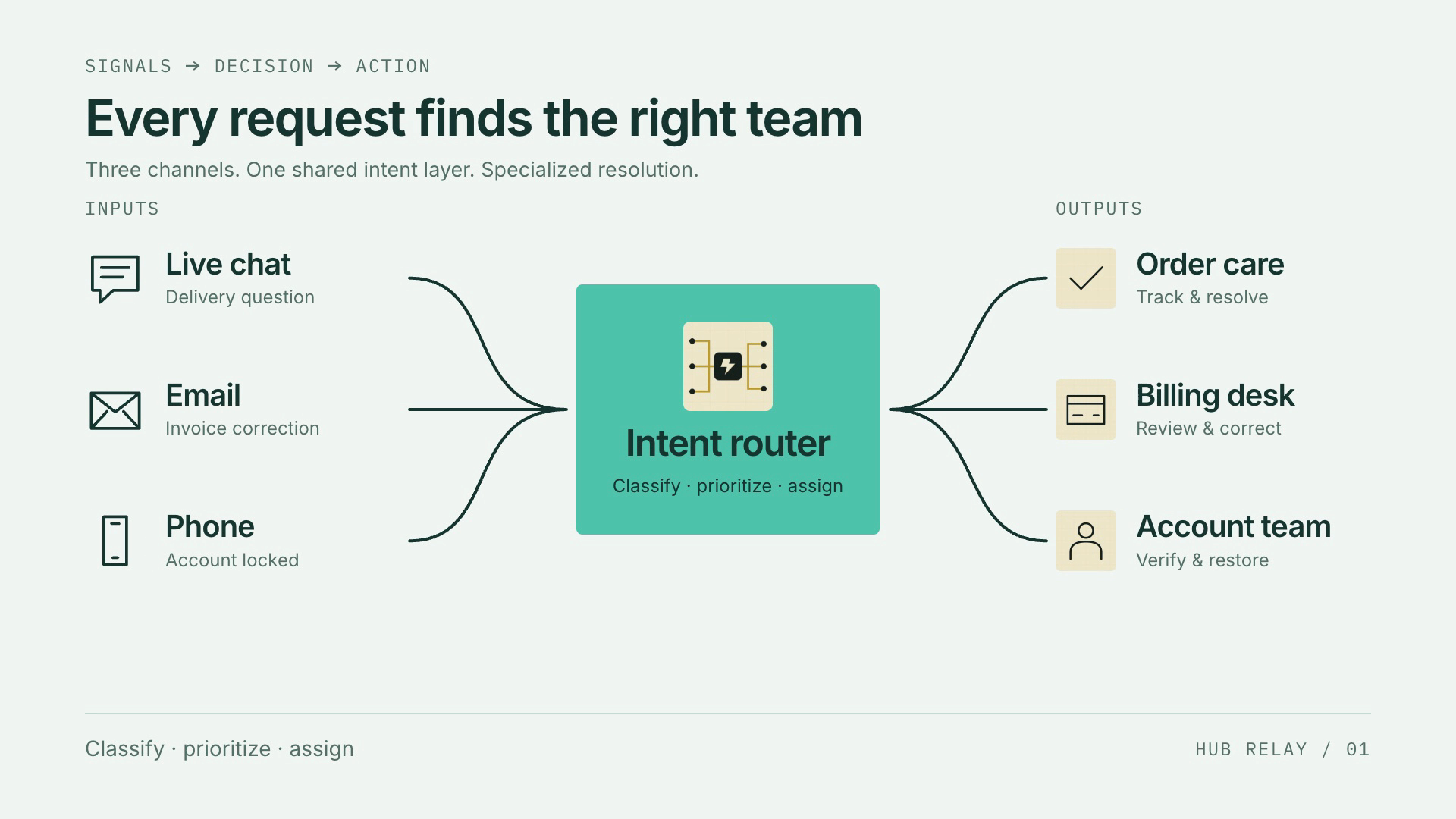
Make the intermediary visible: inputs arrive, the hub routes, destinations resolve.
範例 · 2
線上執行
在 SandBase sandbox 中執行 Hub Relay 的範例,並在此立即查看結果。
運作方式
- 01
Author the brief
Hub Relay takes a brief.json with one to five inputs, one hub and one to four outputs, with concise labels; Chinese uses the bundled Smiley Sans automatically. Styles are paper-sea, ink-copper, rose-graphite and plum-lilac, all with the same geometry. Optional local images can fill the hub and output slots, and a presenter clip is possible.
- 02
Route through the hub
In one 6.4-second silent shot, the hub appears first, connectors draw on the first side, the second side unfolds, and the result holds for reading. The reverse-order option explains the demand side first. A new theme must change the information structure, not just colours and names.
- 03
Render and inspect
HyperFrames, pinned and fetched from npm on the first render, produces a 1920 by 1080 film at 30 fps. Inspect the MP4 at native resolution and normal speed at fixed times, resolving text overlap, cropped images and connector endpoints. The paused timeline and a clamped seek function are exposed.
常見問題
What does Hub Relay explain?
Hub Relay makes the intermediary visible: inputs arrive, a central hub routes them, and destinations resolve, all in one 6.4-second shot. It suits triage, dispatch, mediation, intent routing and resource allocation, such as customer messages from three channels sorted by one router.
How many inputs can Hub Relay show?
Hub Relay shows one to five inputs, one hub and one to four outputs, with short labels. That range keeps every connector and label readable at the final hold. More nodes would need a different composition.
Can Hub Relay use product photos?
Yes. Hub Relay accepts local PNG, JPEG or WebP images for the hub and up to four outputs, listed in an images file. Use real photos you have rights to; demo media is not part of the package.
Does Hub Relay need any key?
No. Hub Relay requires no API keys or other Skills, only Node.js 22, npm and FFmpeg, with a pinned HyperFrames fetched once. Fonts and GSAP are local, so renders work offline afterwards. No account is involved.
Is Hub Relay silent?
Yes. Hub Relay produces a silent explanatory shot. If you add the optional presenter, supply at least 6.4 seconds of authorized footage and check its duration, crop and corner clearance.
更多 Skills
所有 Education Skills →
Science MV
Explain science through visible causes, transformations and results.

Loop Story
Explain a cycle: build each stage, close the loop, then reveal the takeaway.

Flux Rotor: Cobalt Drive
Inspect an original motor with real winding groups, alternating magnet sectors and a keyed shaft. Balanced phase currents drive prescribed synchronous rotation, material colors and spatial harmonic markers. Open the actual cutaway and separate six components offline. This display does not solve torque, efficiency or magnetic finite elements.

Voxel Paddock: Mint Apex
Inspect an original open-wheel vehicle built from procedural cubes. Spin actual wheels on a stationary display, turn nominal geometric steering and separate twelve component groups. Edit bounded dimensions, voxel density and three palettes offline. This is not a driving or aerodynamics simulation.

River Era: Valley Years
Scrub an authored river settlement timeline from camp and farms to town, workshops and speculative towers. Actual seeded geometry changes reversibly; boats and vehicles follow the same river and bank equations. This is an illustrative sequence rather than predictive history.

3D Mechanical Watch Explorer
Inspect a kinematic mechanical watch with actual meshed tooth ratios, 54 components, axial explosion, material cutaway and bilingual mouse/touch controls. One offline HTML with optional synthesized tones.