
Optical bench diagram
- Lab Skill
- v0.1.0
- Education
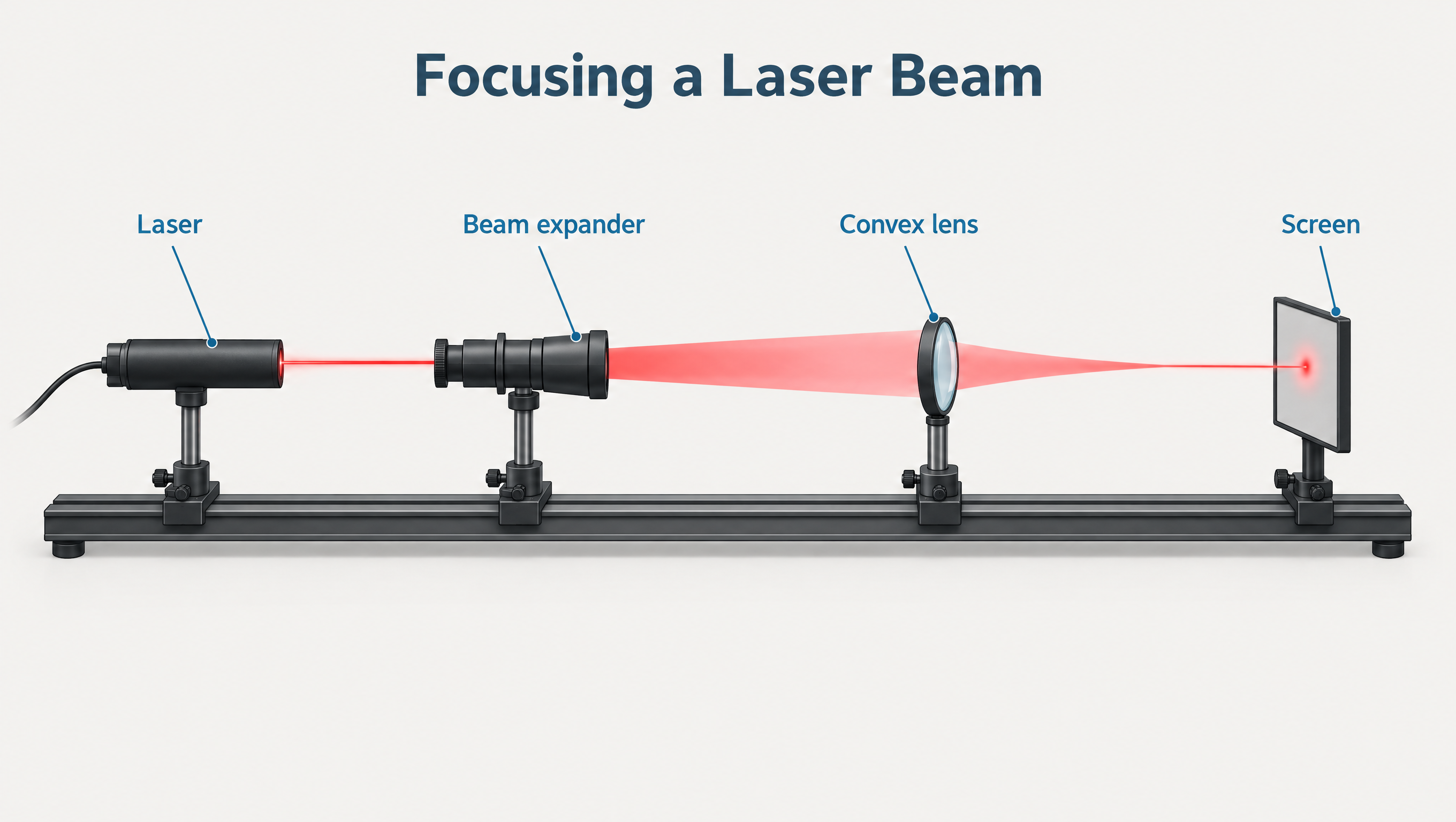
Turn a verified optical setup into a 16:9 bench diagram: components in strict left-to-right order, one clear beam path, a title and three to five exact labels.
範例
Optical bench diagram
線上執行
在 SandBase sandbox 中執行,並在 Lab 中查看結果。
在 Lab 中開啟 ↗您可獲得什麼
Bring a title, the setup and three to five component labels in order. The Skill returns one 16:9 bench diagram and a bilingual run report.
運作方式
- 01
Describe the verified optical setup
Optical Bench Diagram reads a title of up to 60 characters, a setup description of up to 800 characters and three to five labels, one per line, each up to 32 characters. The bundled brief, Focusing a Laser Beam, lists a laser, a beam expander, a convex lens and a screen on one rail, left to right. Labels must follow bench order, because they are drawn exactly as supplied.
- 02
Render the bench diagram
The Skill runs on Node.js 18 or later in SandBase Sandbox and needs SANDBASE_API_KEY in the environment. Try node scripts/generate.mjs plan --brief assets/sample-brief.en.json --out /tmp/optical-plan first, which stays offline. The run step then asks openai/gpt-image-2.5-flare for one 16:9 PNG at high quality and 2k, with a strict left-to-right component order and a single clear beam path.
- 03
Verify labels and beam order
The output is bench-diagram.png with report.json, report.en.html and report.zh-CN.html. Compare the title and each label character by character with the brief; only those strings may appear, and anything else is a defect. Inspect composition and contrast at full resolution and at 320 by 180. validation.ok covers the file contract, while text accuracy stays a human review.
常見問題
What does Optical Bench Diagram produce?
Optical Bench Diagram produces one presentation-ready 16:9 PNG of an optical setup, with components in strict left-to-right order, one clear beam path, a title and three to five exact labels. It suits a lecture slide, a paper figure draft or a lab handout where a researcher or educator already knows the component order.
Can Optical Bench Diagram simulate how light behaves?
No. Optical Bench Diagram draws an illustration of a setup you have already verified. The Skill declines optical simulations, assembly drawings and values that have not been verified.
Is Optical Bench Diagram free to run?
No. Optical Bench Diagram generates its figure with openai/gpt-image-2.5-flare, and each approved brief is billed to your SandBase account as one image. The plan command shows what will be sent without a network call, and run stops before submitting if the inspected estimate is above --budget. The report records the cost afterwards, and rates are at https://www.sandbase.ai/pricing.
How many components can Optical Bench Diagram label?
Optical Bench Diagram labels three to five components, one label per line in the labels field. Each label can be up to 32 characters in English, or up to 20 characters when language is zh-CN. The title is limited to 60 characters in English and 16 in Chinese, and it is drawn once as the heading.
Why might Optical Bench Diagram show a wrong label?
Optical Bench Diagram relies on the image model to letter the title and labels, and model lettering can fail. The report therefore keeps text_accuracy at needs_review, and you should compare every label against the brief. If the image is wrong, keep the state; another attempt needs a fresh approved brief, never an automatic replacement.
更多 Skills
所有 Education Skills →
Science MV
Explain science through visible causes, transformations and results.

Loop Story
Explain a cycle: build each stage, close the loop, then reveal the takeaway.

Flux Rotor: Cobalt Drive
Inspect an original motor with real winding groups, alternating magnet sectors and a keyed shaft. Balanced phase currents drive prescribed synchronous rotation, material colors and spatial harmonic markers. Open the actual cutaway and separate six components offline. This display does not solve torque, efficiency or magnetic finite elements.

Voxel Paddock: Mint Apex
Inspect an original open-wheel vehicle built from procedural cubes. Spin actual wheels on a stationary display, turn nominal geometric steering and separate twelve component groups. Edit bounded dimensions, voxel density and three palettes offline. This is not a driving or aerodynamics simulation.

River Era: Valley Years
Scrub an authored river settlement timeline from camp and farms to town, workshops and speculative towers. Actual seeded geometry changes reversibly; boats and vehicles follow the same river and bank equations. This is an illustrative sequence rather than predictive history.

3D Mechanical Watch Explorer
Inspect a kinematic mechanical watch with actual meshed tooth ratios, 54 components, axial explosion, material cutaway and bilingual mouse/touch controls. One offline HTML with optional synthesized tones.