
Frame Story Slides
- Lab Skill
- v1.0.2
- Product marketing
Tell a pitch, launch or place as a sequence of shots: dark letterboxed pages, one drawn cinematic frame per page (wide, close, small, split or a strip of three), tall serif captions over small spaced labels, and native markers on a contour chart.
範例 · 2
您可獲得什麼
Bring a brief with the subject, the audience, what they should do afterwards and the facts you can stand behind; pictures optional. The Skill returns one offline HTML deck that edits in the browser and exports editable PowerPoint.
運作方式
- 01
Write the arc as shots
Frame Story slides asks for the subject, audience, what they should do afterwards, the facts you stand behind, page count, language and pictures you own. Your Agent writes the arc first: opening image, complication, turning point, consequence, ask. Each page gets one shot from seven layouts (opening, closeup, hush, fieldmap, threshold, strip, tableau), and camera distance changes between neighbouring pages.
- 02
Draw worlds and camera shots
Your pictures come first. Otherwise scenes.json describes one or more worlds, with light, terrain, ridges, sun or moon, weather and silhouette subjects, plus shots of them at different zoom, and python3 scripts/frame-art.py scenes.json --out art/ draws the frames. kit.py compose fills slate, take and credit on every page, then apply-palette.py deck.json --palette harbour sets the light.
- 03
Build the letterboxed deck and review
make-deck.py writes presentation.html and verify-deck.py lists any sample text left behind. Your Agent then reviews each page for captions that sit in the darker part of the frame, never over a lit subject, and keeps chart markers on the fieldmap about 15 percent apart. On request it exports PowerPoint and checks the file with verify-pptx.py and python-pptx.
常見問題
What is Frame Story slides for?
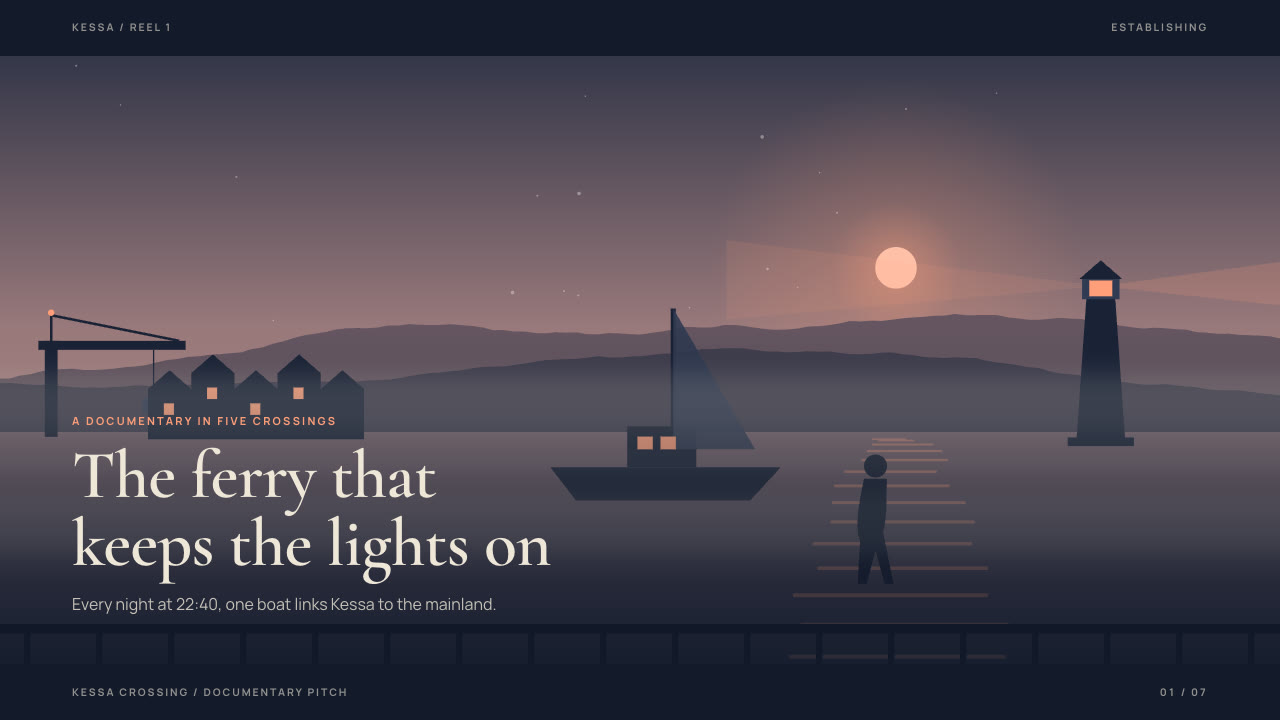
Frame Story slides is for talks that move like a sequence of shots: documentary pitches, launch stories, place-based explainers and narrative reports. Pages are dark and letterboxed, each with one drawn cinematic frame and a few words. The demos are Kessa Crossing, a 7-page pitch about an island's overnight ferry, and Cold Frames, an 8-page launch story for greenhouses heated by a town's waste heat.
Can Frame Story slides show real people in its frames?
No. Frame Story slides draws stylised silhouettes of shores, skylines, fields, snow, buildings, boats and anonymous figures from simple shapes, which is neither photography nor hand illustration. When the story depends on real people or places, use rights-cleared photographs, cropped to the slot ratio. Frames never contain lettering, logos or emoji.
Is Frame Story slides free to run?
Yes. Frame Story slides renders its deterministic vector frames from scenes.json with frame-art.py on your own computer, so a story deck makes no model call and incurs no charge. Building and checking use plain Python 3; verify-pptx.py is the one script that also needs python-pptx.
How much text fits on a Frame Story slides page?
Frame Story slides keeps visible copy normally under 24 words per page, and at most 40 on the fieldmap and strip layouts. Headlines run to about 8 words and the supporting line to 20. Context goes into three to five speaker-note points that add to the page. Body text stays at 12.5 px or more, in Cormorant Garamond 600 and Manrope 400 and 700.
Will Frame Story slides look the same in PowerPoint?
Mostly. Frame Story slides exports captions, labels, counters, chart markers, plates and rules as native objects, and each frame as its own picture. PowerPoint does not reproduce the browser's balanced line breaks, so a headline can wrap differently; in the Kessa example the first title runs further over the boat. Install Cormorant Garamond and Manrope for close wrapping.
How do I change a picture in Frame Story slides?
Frame Story slides treats every frame as a single picture, both in the editor and in PowerPoint. To change a drawn scene, edit its world or shot in scenes.json and run frame-art.py again, or replace the picture with your own file. Shots of the same world at different zoom keep a deck in one place, and each frame is used once.
更多 Skills
所有 Product marketing Skills →
Pixel Story
Turn a product brief into a pixel film with clear actions, scene traversal and a memorable payoff.

Device fan
Turn a brand, one headline and context into a calm device-showcase card.

Floating phones
Turn a brand, one headline and context into a warm-ivory card with floating phone screens and playful, friendly doodles.

Floating analytics dashboard
Turn a brand, one headline and context into a split-column card: a narrow charcoal brand column anchoring a large white analytics dashboard that floats across a vivid violet gradient field.

Minimal handheld product
Turn a brand, one headline and context into a high-key studio card: a softly lit hand holding an original compact pale device against a seamless gray background, with broad empty space and a tiny red light as the only accent.
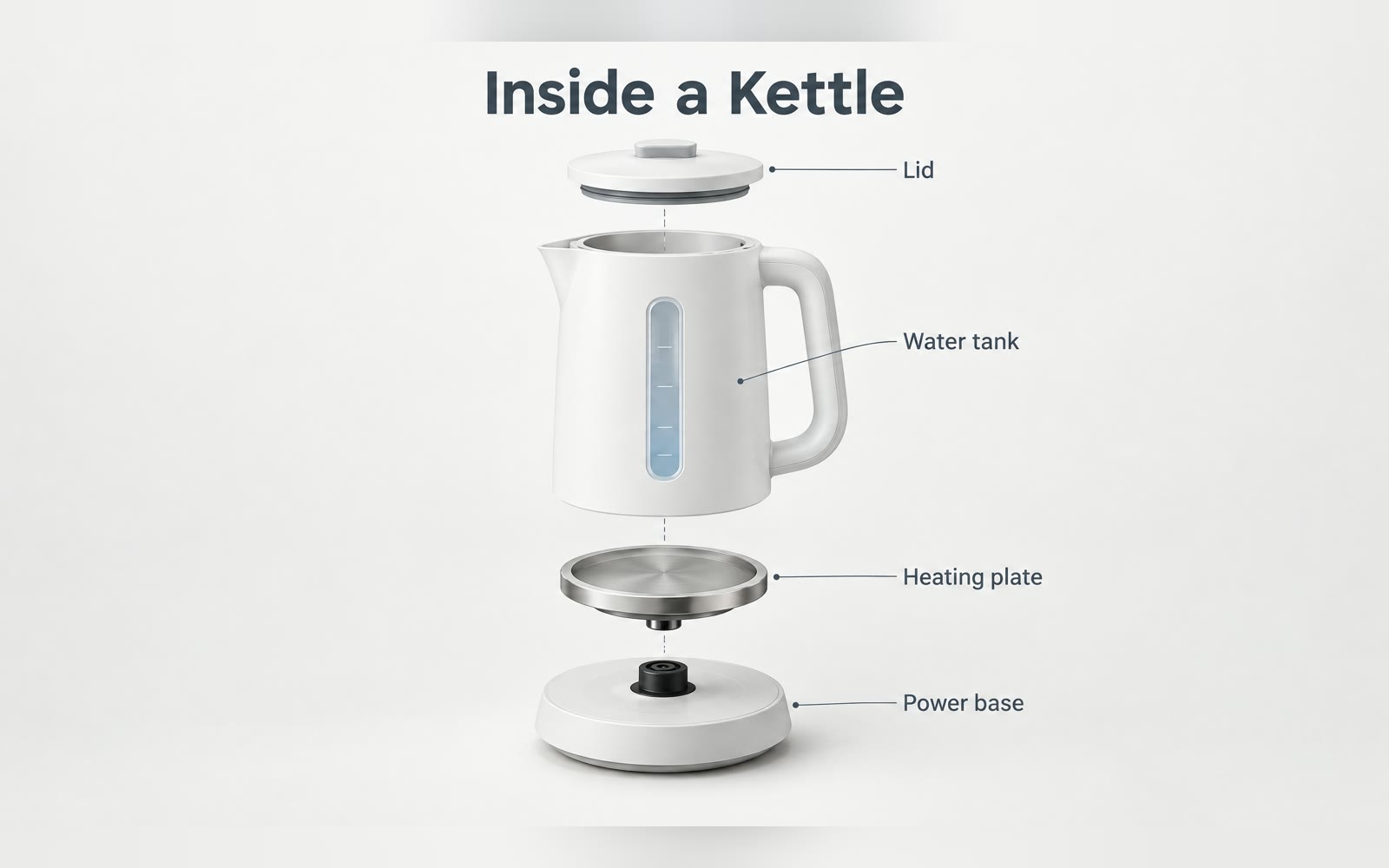
Appliance exploded poster
Turn a household appliance into a polished 16:9 exploded-view poster: part groups separated along one axis, with a title and three to five exact labels.