
免費 AI 背景移除工具
免費AI 圖像用 AI 將您的照片製作成透明背景版本。請先檢查主體與邊緣,然後下載透明 PNG,或為 JPG 選擇純色背景。
- 100% 免費
- 免註冊
- 無浮水印
- 手機可用
範例結果

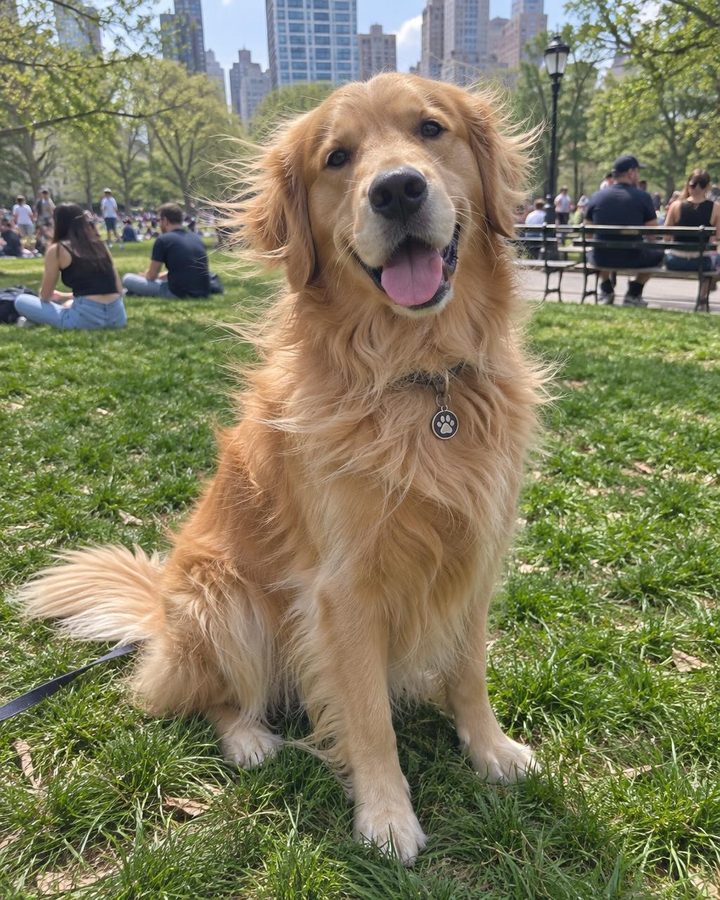 前後
範例:一隻背景透明的狗。請在您自己的結果中檢查細緻邊緣。
如何使用 AI 背景移除工具
三個步驟,電腦或手機都可以。
- 01
上傳照片
拖曳、貼上或選擇 JPG、PNG、WebP 或 HEIC 照片。在手機上也可以直接拍攝。
- 02
移除背景
產生可去背的新版本。AI 可能會改變細節;生成時間會因需求而異。
- 03
選擇背景並下載
PNG 可保留透明背景;JPG 則可選白色、黑色或任何顏色。切換背景即時又免費。
大家都拿它來做什麼
商品刊登
Amazon、Shopify、eBay 和 Etsy 圖片可使用白色或透明背景。
個人頭像
LinkedIn、履歷和團隊頁面適合使用純色背景的乾淨肖像。
設計與貼紙
可直接放入投影片、縮圖、海報和拼貼的去背圖。
提升效果的小技巧
- 清晰且主體完整入鏡的照片,邊緣通常最乾淨。
- 去背後再選白色或其他顏色即可,不需要重新執行。
- 頭髮和毛髮在與背景顏色差異較大的情況下效果最好。
要從 remove.bg 轉換過來嗎?
remove.bg 的網站將於 2026 年 12 月 1 日 9:00 CET 停止服務,其自助 API 也會在當天停用。這個工具適合偶爾使用的免費去背;若需要大量批次或像素級精準遮罩,請使用專門的去背服務。
需要更多控制嗎?使用 API
這個工具由 SandBase 圖像 API 驅動。API 會提供你免費工具替你固定好的每一項設定。
- 更高的品質與尺寸單次呼叫即可設定 quality=high、最高 2K 尺寸,以及透明背景。
- 你自己的提示詞修改範本、加入參考圖片,或從你的程式碼或 Agent 批次處理數百張圖片。
- 按張計費可使用超出免費工具額度的 SandBase 餘額。模型可用性與 API 速率限制仍適用。
# Set SANDBASE_API_KEY and choose your local image file.
IMAGE_FILE="photo.jpg"
curl --fail-with-body https://api.sandbase.ai/v1/images/edits \
  -H "Authorization: Bearer $SANDBASE_API_KEY" \
  --form-string 'model=gpt-image-2.6-flare' \
  --form "image=@${IMAGE_FILE}" \
  --form-string 'quality=high' \
  --form-string 'size=2048x2048' \
--form-string 'prompt=Remove the background. Keep the main subject exactly as in the photo: same shape, edges, hair strands, fur, fabric, text, logos, colors, pose and position in the frame. Replace everything behind the subject with one flat, uniform pure green (#00FF00) background, edge to edge, with no shadow, gradient, texture, glow or outline. Do not crop, move, resize, add or restyle anything on the subject.'常見問題
AI 去背工具如何運作?
AI 會盡量保留主體,並將背景替換成單一平面色。細節可能會有些變化;在使用結果前,請檢查邊緣與文字。接著您的瀏覽器會把該顏色轉成透明,並減少邊緣的色彩暈染。請檢查下載的 PNG 是否有破洞或殘留背景。
可以處理頭髮和毛髮嗎?
頭髮、毛髮、玻璃和細緻邊緣可能會失去部分細節,或留下色彩暈染。這屬於生成式編輯,因此請同時檢查主體與外框。使用與背景分離清楚的銳利照片效果最佳。
可以用這個取代 remove.bg 嗎?
偶爾去背可以。remove.bg 的網站與自助 API 會在 2026 年 12 月 1 日停用;這個工具不需要帳號,也不會加上浮水印。它是用編輯模型重繪影像,而不是切出遮罩,因此請檢查細緻邊緣;若需要大量批次或符合 remove.bg 請求格式的 API,請使用專門服務。
我會拿到什麼檔案?
可下載透明 PNG;如果您選擇實心背景,則會是 JPG。此工具會使用最接近的支援長寬比,因此構圖與像素尺寸可能與上傳檔不同。
AI 背景移除工具 是免費的嗎?
是的,無浮水印、免註冊。執行一次 AI 背景移除工具 約需 20 秒,並會產生 透明背景的 PNG,或你選擇背景色的 JPG。這會使用每日免費 AI 圖像額度的一次執行;此額度由所有 AI 圖像工具共用:未登入時每天可執行 10 次,註冊免費 SandBase 帳戶後可執行 30 次。工具會顯示你還剩多少次,數量會在 UTC 午夜重置;也可能適用網路與全站限制。
我上傳到 AI 背景移除工具 的照片會怎麼處理?
你的照片和設定會由 SandBase 與圖像供應商處理,以生成這一個結果。AI 背景移除工具 不會將任何內容發布到公開圖庫。結果可能會從快取重用最長 24 小時,因此相同請求不會再扣一次執行次數;請下載你想保留的任何結果。
SandBase APIs 適用於此工作
在您自己的程式碼或 Agent 中使用相同類型的資料:一組 API 金鑰,按次計費。
更多工具
White Background Maker
Put any product or portrait photo on a pure white background, with a soft shadow or none. Ready for marketplaces and forms.
Blur Background
Blur the background of any photo like portrait mode, with the subject kept sharp. Soft, medium or strong.
Change Background
Change the background of any photo to a scene you describe, while the subject keeps its edges and lighting.
Product Photo Background
Put a product photo on a studio, marble, wood or outdoor background with realistic light and shadow.
Change Background Color of Photo
Put the subject on a plain color background, with the rest of the photo unchanged.
Cosmetics Product Photography
Turn a phone photo of a cosmetics product into a professional product shot.