
免費護照風格照片預覽
免費AI 圖像建立一張在純色背景上的 AI 編輯人像,並預覽四種列印尺寸或 4×6 紙張版面。這只是風格預覽,不是官方護照照片服務:AI 可能會改變臉部細節,而且申請規定可能禁止編輯過的照片。
- 每日免費額度
- 免註冊
- 4 種列印尺寸預設
- AI 編輯預覽
範例結果
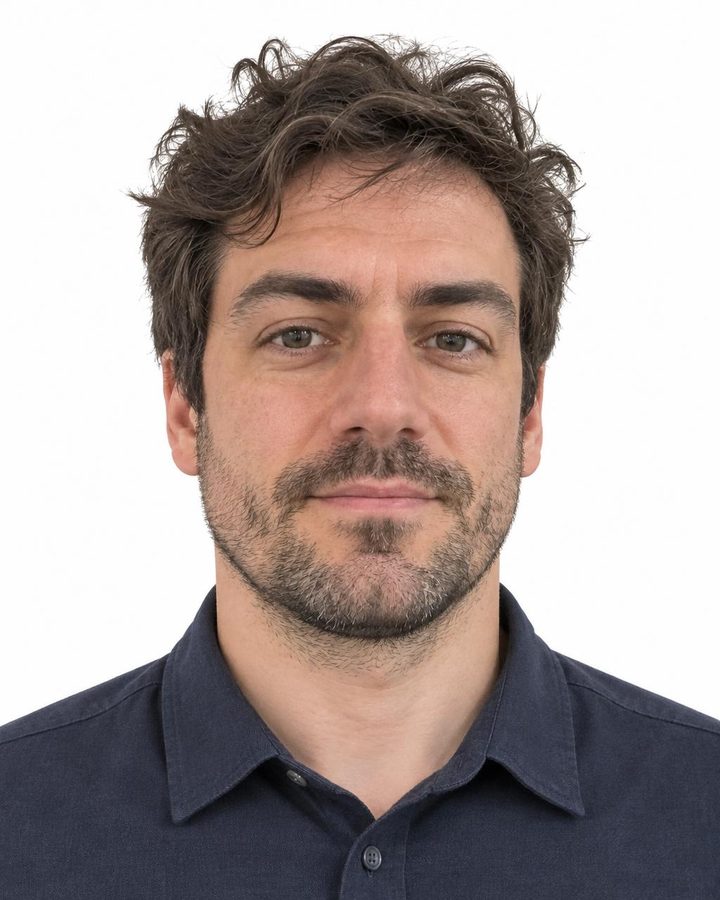
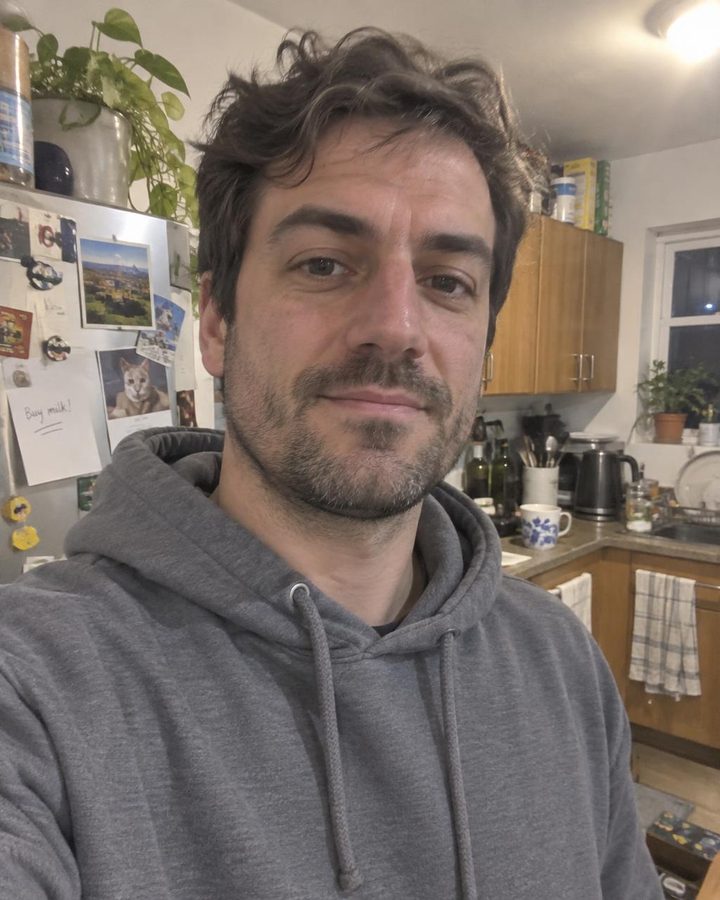 前後
AI 編輯人像範例;非核准的護照照片。
如何使用 護照照片製作器
三個步驟,電腦或手機都可以。
- 01
上傳人像
請使用清楚、正面的人像照片作為風格預覽。若用於正式申請,請遵循發證機關的拍攝指示。
- 02
產生並比較
選擇背景和服裝選項。請仔細比較結果:AI 可能會改變臉部、髮型、光線或衣服。
- 03
預覽列印尺寸
選擇英吋或公釐尺寸。下載單張 JPG,或含 300 DPI 中繼資料的 4×6 紙張版面;請以實際尺寸列印,不要自動縮放。
大家都拿它來做什麼
人像概念
在拍攝新照片前,先比較純背景人像風格。
列印尺寸參考
預覽 2×2 in、35×45 mm、50×70 mm 或 33×48 mm 版面。
範例列印版面
將重複的人像排列在 1800×1200 px 的版面上,以進行排版測試。
提升效果的小技巧
- 若正式申請需要原始未編輯照片,請使用未編輯的原檔。
- 預設不會檢查頭部大小、身分、背景、拍攝方式或申請是否可接受。
- 列印尺寸不代表數位上傳規格。請以相關官方說明為準。
需要更多控制嗎?使用 API
這個工具由 SandBase 圖像 API 驅動。API 會提供你免費工具替你固定好的每一項設定。
- 更高的品質與尺寸單次呼叫即可設定 quality=high、最高 2K 尺寸,以及透明背景。
- 你自己的提示詞修改範本、加入參考圖片,或從你的程式碼或 Agent 批次處理數百張圖片。
- 按張計費可使用超出免費工具額度的 SandBase 餘額。模型可用性與 API 速率限制仍適用。
# Set SANDBASE_API_KEY and choose your local image file.
IMAGE_FILE="photo.jpg"
curl --fail-with-body https://api.sandbase.ai/v1/images/edits \
  -H "Authorization: Bearer $SANDBASE_API_KEY" \
  --form-string 'model=gpt-image-2.6-flare' \
  --form "image=@${IMAGE_FILE}" \
  --form-string 'quality=high' \
  --form-string 'size=2048x2048' \
--form-string 'prompt=Make a passport-style portrait preview of this person. This is a visual concept, not an official identity photograph. Keep the face, identity, skin tone, hairstyle, glasses and expression exactly the same; do not beautify, slim or change any feature. Plain, even pure white background with no shadows or texture. Head and top of the shoulders, centered and facing the camera, eyes open, mouth closed, neutral expression, even soft front lighting, no shadows on the face or background, sharp focus. The top of the head sits about 10% below the top edge and the chin at about 60% of the height. Keep the clothing as it is, tidied. Photorealistic, like a professional photo studio.'常見問題
我可以把這個 AI 預覽提交作為護照或簽證照片嗎?
請不要將它視為可直接送件的照片。美國與英國的護照規定禁止經軟體修改的照片,而其他主管機關可能要求專業或安全拍攝。請依照您的申請說明,使用真實拍攝並提交的照片。
AI 會改變我的臉嗎?
有可能。提示詞會要求忠實的人像,但模型仍可能改變五官和其他細節。此工具不會驗證身分或生物特徵合規性。
我可以預覽哪些列印尺寸?
四種實體尺寸:2×2 in、35×45 mm、50×70 mm 和 33×48 mm。這些是版面參考,不是國家或申請資格檢查。
列印下載檔內有什麼?
單張照片 JPG 會裁切為所選長寬比,並以 300 DPI 編碼。版面檔為 1800×1200 px 的 JPG,300 DPI,相當於 6×4 in。請以實際尺寸列印;增加像素尺寸也無法還原遺失的細節。
護照照片製作器 是免費的嗎?
是的,無浮水印、免註冊。執行一次 護照照片製作器 約需 20 秒,並會產生 單張預覽 JPG,或 4 × 6 吋列印版面。這會使用每日免費 AI 圖像額度的一次執行;此額度由所有 AI 圖像工具共用:未登入時每天可執行 10 次,註冊免費 SandBase 帳戶後可執行 30 次。工具會顯示你還剩多少次,數量會在 UTC 午夜重置;也可能適用網路與全站限制。
我上傳到 護照照片製作器 的照片會怎麼處理?
你的照片和設定會由 SandBase 與圖像供應商處理,以生成這一個結果。護照照片製作器 不會將任何內容發布到公開圖庫。結果可能會從快取重用最長 24 小時,因此相同請求不會再扣一次執行次數;請下載你想保留的任何結果。
SandBase APIs 適用於此工作
在您自己的程式碼或 Agent 中使用相同類型的資料:一組 API 金鑰,按次計費。
更多工具
AI Hairstyle Changer
Try new hairstyles and colors on your own photo: bob, pixie, fade, curls, braids and more.
AI Couple Photo Generator
Turn a couple photo into new scenes: sunset beach, city street, picnic, snow, studio or night.
AI Age Filter
See yourself older or younger with an AI age filter. Preview an age change and compare the result with your original.
Face Swap
Swap a face from one photo into another, with a consent check before every run.
Teeth Whitening
Whiten teeth in a photo: natural, bright or Hollywood white, with a preview to review.
Photo Retouch
Retouch portraits naturally: smooth blemishes, even out skin tone and brighten eyes, keeping real skin texture.