
Free Zoom background generator
免費AI 圖像Describe the room you want behind you and get a 16:9 background for Zoom, Microsoft Teams or Meet, with space for you in the middle.
- 100% free
- No sign-up
- No watermark
- Any shape
範例結果
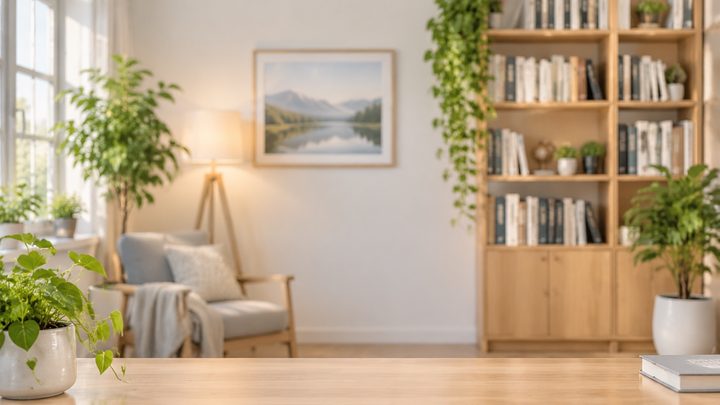 範例
A bright Scandinavian home office as a call background.
如何使用 Zoom Background Generator
三個步驟,電腦或手機都可以。
- 01
Write your describe the room or place
Type your describe the room or place, for example "a bright Scandinavian home office with plants and a bookshelf", or tap one of the examples.
- 02
Choose look
Pick Look (Realistic, Soft focus, Illustrated or Fun), then select Make background. A result usually takes about 15 seconds.
- 03
Review and download
Check the picture, then download a JPG. Example on this page: a bright Scandinavian home office as a call background.

大家都拿它來做什麼
Work calls
A tidy office instead of your kitchen.
Teams and brands
Matching backgrounds for a company.
Fun meetings
Beaches, spaceships and themed days.
提升效果的小技巧
- Keep the middle calm, where your head will be.
- Soft focus looks the most natural on calls.
- Fun suits team socials, not client calls.
需要更多控制嗎?使用 API
這個工具由 SandBase 圖像 API 驅動。API 會提供你免費工具替你固定好的每一項設定。
- 更高的品質與尺寸單次呼叫即可設定 quality=high、最高 2K 尺寸,以及透明背景。
- 你自己的提示詞修改範本、加入參考圖片,或從你的程式碼或 Agent 批次處理數百張圖片。
- 按張計費可使用超出免費工具額度的 SandBase 餘額。模型可用性與 API 速率限制仍適用。
# Set SANDBASE_API_KEY first.
curl --fail-with-body https://api.sandbase.ai/v1/images/generations \
  -H "Authorization: Bearer $SANDBASE_API_KEY" \
  -H "Content-Type: application/json" \
  --data-binary @- <<'SANDBASE_JSON'
{
  "model": "gpt-image-2.6-flare",
  "prompt": "A virtual background for video calls: a bright Scandinavian home office with plants and a bookshelf. A realistic photo with a soft blurred background. 16:9, eye-level camera, with the middle third calm and slightly out of focus so a person can sit in front, no people, no text, no watermark.",
  "size": "1536x1024",
  "quality": "high"
}
SANDBASE_JSON常見問題
How do I add it to Zoom?
Download the image, then in Zoom go to Settings > Backgrounds and effects > Virtual backgrounds and press +.
Does it work in Teams and Meet?
Yes. Both accept 16:9 images: Teams under Background effects > Add new, Meet under Apply visual effects.
Zoom Background Generator 是免費的嗎?
是的,無浮水印、免註冊。執行一次 Zoom Background Generator 約需 15 秒,並會產生 JPG。這會使用每日免費 AI 圖像額度的一次執行;此額度由所有 AI 圖像工具共用:未登入時每天可執行 10 次,註冊免費 SandBase 帳戶後可執行 30 次。工具會顯示你還剩多少次,數量會在 UTC 午夜重置;也可能適用網路與全站限制。
我執行 Zoom Background Generator 時,它會傳送什麼?
只有你選擇的文字與選項會由 SandBase 和圖像供應商處理,以生成這一個結果。Zoom Background Generator 不會將任何內容發布到公開圖庫。結果可能會從快取重用最長 24 小時,因此相同請求不會再扣一次執行次數;請下載你想保留的任何結果。
SandBase APIs 適用於此工作
在您自己的程式碼或 Agent 中使用相同類型的資料:一組 API 金鑰,按次計費。
更多工具
Teams Background Generator
Make Microsoft Teams video call background images from a description.
AI iPhone Wallpaper Generator
Make iPhone lock screen wallpaper images from a description.
AI Desktop Wallpaper Generator
Make desktop wallpaper images from a description.
Mothers Day Card Maker
Design a Mother's Day card in four themes and four styles.
Fathers Day Card Maker
Design a Father's Day card in four themes and four styles.
3D Text Generator
Turn a word into 3D letters in chrome, gold, balloon, clay, glass or wood.