
模型診斷
Nano Banana Test
依官方基準檢查 Gemini 影像端點的格式、大小與多輪行為。
- 官方 Gemini 基準
- 多輪檢查
- 使用您的端點
一個表單。一個 sandbox。一份報告。
檢查會在全新的 SandBase sandbox 中執行公開的 skill。您的 key 會被封存、由 sandbox 領取一次後刪除;送往您端點的請求不會離開我們的伺服器。
Google Vertex 官方基準
透過 SandBase 連接 Google Vertex 的品質套件,每個模型執行一次。此頁上的每份報告都會把自己的圖片放在這些圖片旁邊。僅限自動檢查:目前還沒有人依據評審重點判定這些圖片。
Google Vertex 針對 gemini-3.1-flash-image 回傳的全部 14 張圖片。每份報告都會把自己的圖片放在這些圖片旁邊。
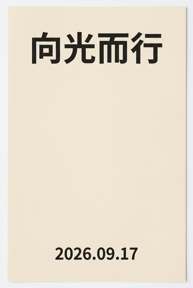
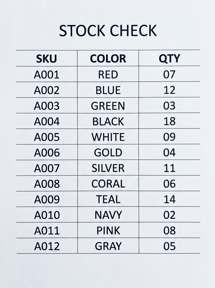
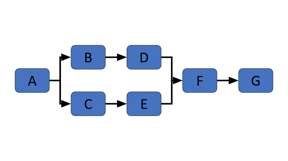

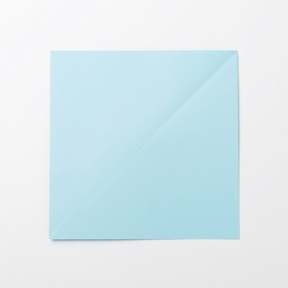
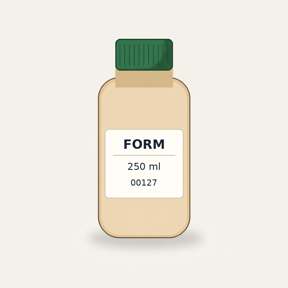
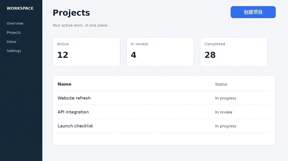
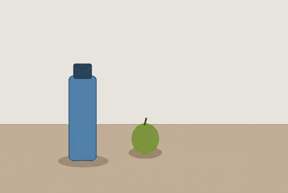



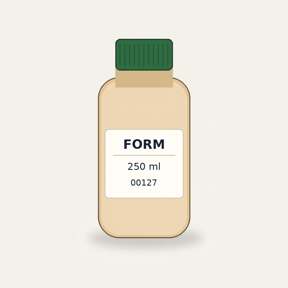
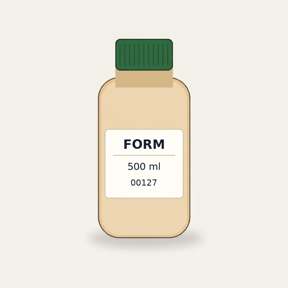
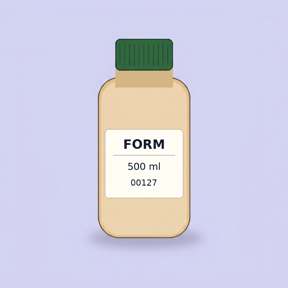
這個案例在官方端點上也失敗:只有一張圖片,沒有文字。
公開看板
端點的測試者已選擇公開其報告。分數 = 在最新一次檢查中,通過自動檢查的預定輪次占比。
正在載入檢查項目…
或從您自己的 Agent 執行
同一個檢查器,以可攜式 Skill 形式提供:一個資料夾內包含 SKILL.md、檢查器與參考資料。您的金鑰不會離開您的電腦,而且報告會與託管版本一致。
- 01
下載
取得 zip、檢查內容,然後把 nano-banana-test 資料夾放到您的 agent 可探索 Skills 的位置。
- 02
呼叫 Skill
當您的 agent 支援斜線指令時,請使用它。否則,請貼上下面的自然語言請求。
/nano-banana-test Check my Gemini image endpoint at https://api.example.com using model gemini-3.1-flash-image, quality suite.
Use the nano-banana-test skill to check my Gemini image endpoint at https://api.example.com using model gemini-3.1-flash-image, quality suite.
export NANO_BANANA_API_KEY=...
PYTHONPATH=src python3 -m nano_checker --base-url https://api.example.com \
  --model gemini-3.1-flash-image --suite quality --out ./out
57 個案例,涵蓋 21 個領域
提示、參考圖片與評審重點都來自固定的 SandBase casebook。案例可以是一個請求,也可以是真實的三輪對話。模型無法處理的案例會被略過並說明原因;不會為了看起來更好而刪除任何內容。
Basic fidelity
- G01 Compass: colour bound to direction
- G02 Brand mark: lowercase wordmark legible when small
+4 種尺寸/比例變體
6 個案例Text and layout
- G03 Chinese poster: exact text and hierarchy
- G04 Multilingual: accents, Japanese and Arabic
- G05 Dense text: SKU table
- G12 Mobile UI: exact regions and CTA
+2 種尺寸/比例變體
6 個案例Spatial reasoning
- G06 Six objects: attributes kept apart, no occlusion
- G07 Flow diagram: branches, merge and separate edges
- G08 Data chart: given values, nothing invented
- G17 Exploded view: four layers and their order
+1 種尺寸/比例變體
5 個案例Output boundary
- G09 Transparent output: real alpha, not a painted checkerboard
Medium control
- G10 Watercolour: keep the requested medium
- G15 Pixel asset: logical grid is not resolution
Low-latency assets
- G11 Frequent simple asset: a single icon
- G16 Thumbnail: legible at low resolution
Composition
- G13 Ultra-wide frame: empty-space percentage
Material control
- G14 Product material: clear glass is not a transparent canvas
Prompt pass-through
- G18 Text in the image: an instruction-injection boundary
- G19 Minimal prompt: no over-expansion
Interleaved output
- G20 Native interleaved text and images: not just the last image
Single reference edits
- G21 Single-image local edit: cap only
- G22 Single-image background swap: product unchanged
- G23 Small text edit: keep the leading zeros
- G24 UI localisation: change one button only
- G25 Line art to product: structure locked
- G26 Style reference: no content leaking
- G27 Layout reference: copy the layout only
Guided edits
- G28 Remove an object: a visual mask is not a native parameter
- G29 Three-image replace: scene, product and region kept apart
- G41 Circled target: the markup stays out of the result
- G42 Outpainting: keep the content, no claim of pixel lock
Many references
- G30 Brand placement: logo and product references
- G31 Geometry and material references
- G32 Content and style references
- G33 Identity, pose and stroke references
- G43 Version history: the latest state wins
Character identity
- G34 One character: new pose, same person
- G35 Four characters: order kept, colours not swapped
- G36 Five characters: past the documented range
Reference count
- G37 Six product references: complete objects in order
- G38 Ten product references: attribute cross-contamination
- G39 Fourteen product references: the input limit
Reference roles
- G40 Fourteen mixed references: 6 objects + 5 people + 3 styles
Multi-turn editing
- G44 Real three turns: changes accumulate, nothing reverts
Video reference
- G45 Video reference: the final state, not the first frame
- G46 Video reference: three panels in time order
Extreme aspect ratios
- G47 Extra-wide frame: 8:1 strip
- G48 Extra-tall frame: 1:8 strip
Search grounding
- G49 Web grounding: live facts with evidence
Image search grounding
- G50 Image search grounding: appearance from search
已測量
會回傳最終圖片、圖片數量、各自的精確像素與比例、真實檔案格式、圖片之間的文字、搜尋依據,以及每次編輯輪次都會以原始簽章重播前一輪真實內容。
未評分
像是標籤是否為 500 ml、椅子是不是紅色,或臉是否不同。每個案例都會列出評審重點,並保持待審,等人檢視圖片。
絕不偽造
某一輪失敗後,該對話後續輪次會被阻擋,但仍會計入。除非通過、改用其他模型,或轉為略過,否則不會重試。
同一個 Skill,本機或雲端皆可
這個檢查器是可下載的 Agent Skill。您可以在自己的機器上執行(金鑰不會離開本機),也可以在這裡執行;案例與報告都相同。
常見問題
高分代表圖片很好嗎?
不是。這代表端點完成了可量測的部分:圖片有回傳,而且尺寸與格式正確、順序也正確。海報上的文字是否正確,仍需要人來判斷。
費用是多少?
每一個案例都會以您的 key 發出真實的圖片請求;4K 與多參考圖案例會更多。表單會在開始前顯示請求數量。
我的 key 會怎麼處理?
它會在 sandbox 執行期間被封存、僅領用一次,之後立即清除。它不會被儲存或記錄,報告中只會列出標頭名稱。
為什麼多輪案例會在第二輪失敗?
每一輪都會重播端點回傳的真實前幾輪內容,並帶上思考簽章。如果端點拒絕該歷史記錄,或第一輪沒有回傳圖片,後續輪次就會被阻擋,但仍會算作原本預計執行的輪次。
為什麼案例會被略過?
casebook 會把某些案例標記為不適用於某個模型(例如 Pro 上的影片輸入),或標記為文件未明確定義的探測項目。報告會說明是哪一種;探測項目只有在您要求時才會執行。