
Family Tree Maker
KostenlosDiagramme und GrafikenStart with the oldest generation at the left edge. Indent children under their parents with two spaces or one tab per generation. Each line keeps its full name, dates and punctuation. The canvas grows with the tree; use Zoom preview and the structure table to check every relationship.
- Ihre exakten Zahlen
- PNG-Download
- Nichts hochgeladen
View tree data (7 rows)
Each line has one parent. Repeated names are separate people or roles; names, dates and punctuation are preserved. Multiple unindented lines create separate roots.
| Person / role | Level | Parent |
|---|---|---|
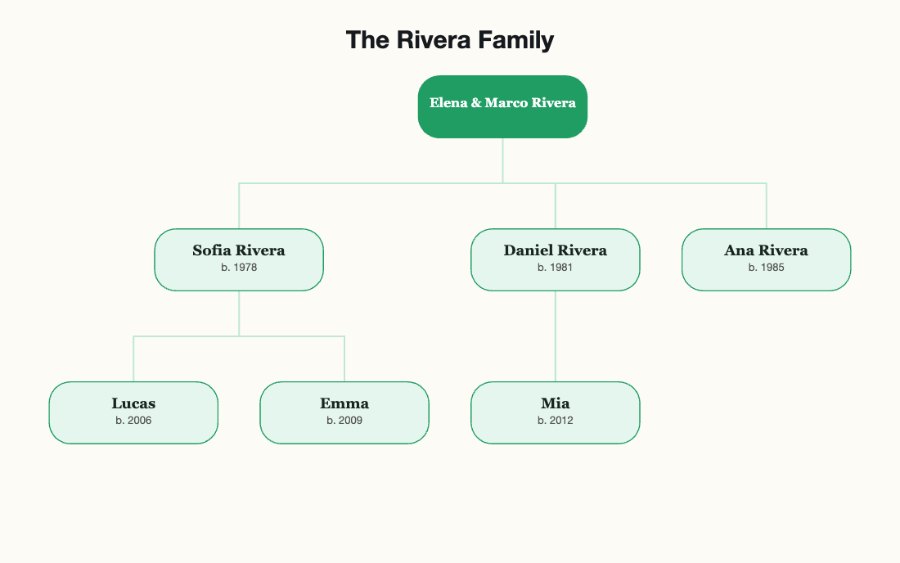
| Elena & Marco Rivera | 1 | Root |
| Sofia Rivera, b. 1978 | 2 | 1. Elena & Marco Rivera |
| Lucas, b. 2006 | 3 | 2. Sofia Rivera, b. 1978 |
| Emma, b. 2009 | 3 | 2. Sofia Rivera, b. 1978 |
| Daniel Rivera, b. 1981 | 2 | 1. Elena & Marco Rivera |
| Mia, b. 2012 | 3 | 5. Daniel Rivera, b. 1981 |
| Ana Rivera, b. 1985 | 2 | 1. Elena & Marco Rivera |
Beispiele
Mit diesem Tool erstellt. Öffnen Sie eines, um davon auszugehen und alles anzupassen.
So verwenden Sie Family Tree Maker
- 01
Type each person on a line, indenting children under their parents.
- 02
Pick colors; the diagram redraws as you type.
- 03
Download it as a PNG.
Wofür es verwendet wird
School projects
A neat family tree to print for class.
Reunions and gifts
Print a tree for a family reunion or a grandparent’s birthday.
Genealogy notes
Sketch a branch before adding it to a research site.
Tipps für ein besseres Ergebnis
- Start with the oldest person or couple at the top.
- Indent one level with two spaces, a tab or a dash; repeated dashes add levels. Do not skip levels.
- Add years after a comma: "b. 1952" or "1920–1998".
- Make one tree per branch if the family is large.
FAQ
How do I add a couple?
Write both names on one line, like "Elena & Marco Rivera"; their children go below.
How many generations fit?
Use up to 8 generations and 40 people or couples, with up to 160 characters per line and 120 in the title. Large trees export as large PNGs; print at a suitable size or make one tree per branch.
How do I show a marriage?
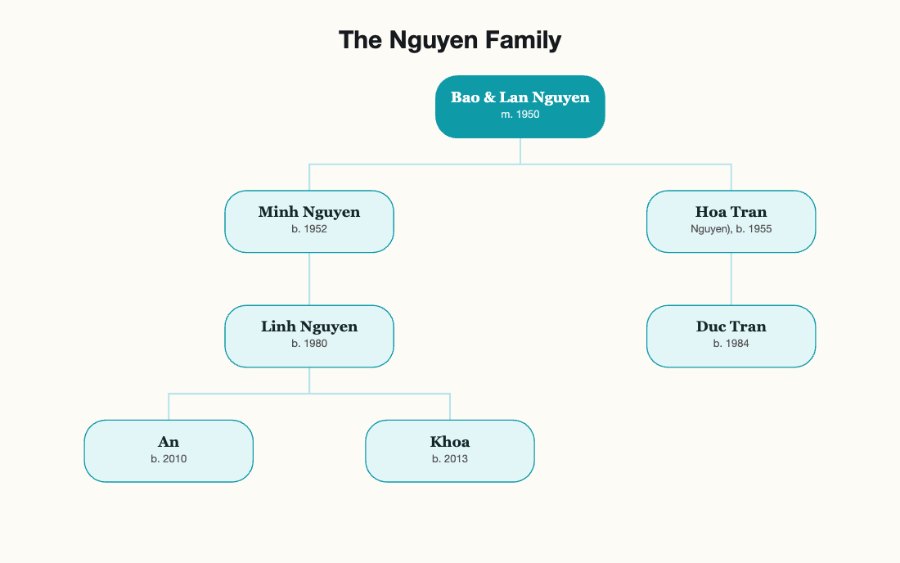
Put both names on one line with "&", like "Bao & Lan Nguyen".
Can I add photos?
This draws names and dates. Add photos by placing the PNG in a slide or document.
Is my diagram generated locally?
Your inputs are drawn in your browser, and the PNG is created locally. No diagram-generation API is used.
Weitere Tools
Bracket Maker
Make a printable single-elimination bracket for 2 to 64 teams.
Comparison Chart Maker
Compare products or plans in a table with check marks.
Flowchart Maker
Turn a list of steps into a flowchart with decisions.
Gantt Chart Maker
Turn tasks with start and end dates into a Gantt chart.
Height Chart Maker
Line people up by height using centimeters, inches or decimal feet.
Org Chart Maker
Turn an indented list of people and titles into an org chart.