
Crayon Class Slides
- Skill de Lab
- v1.0.0
- Education
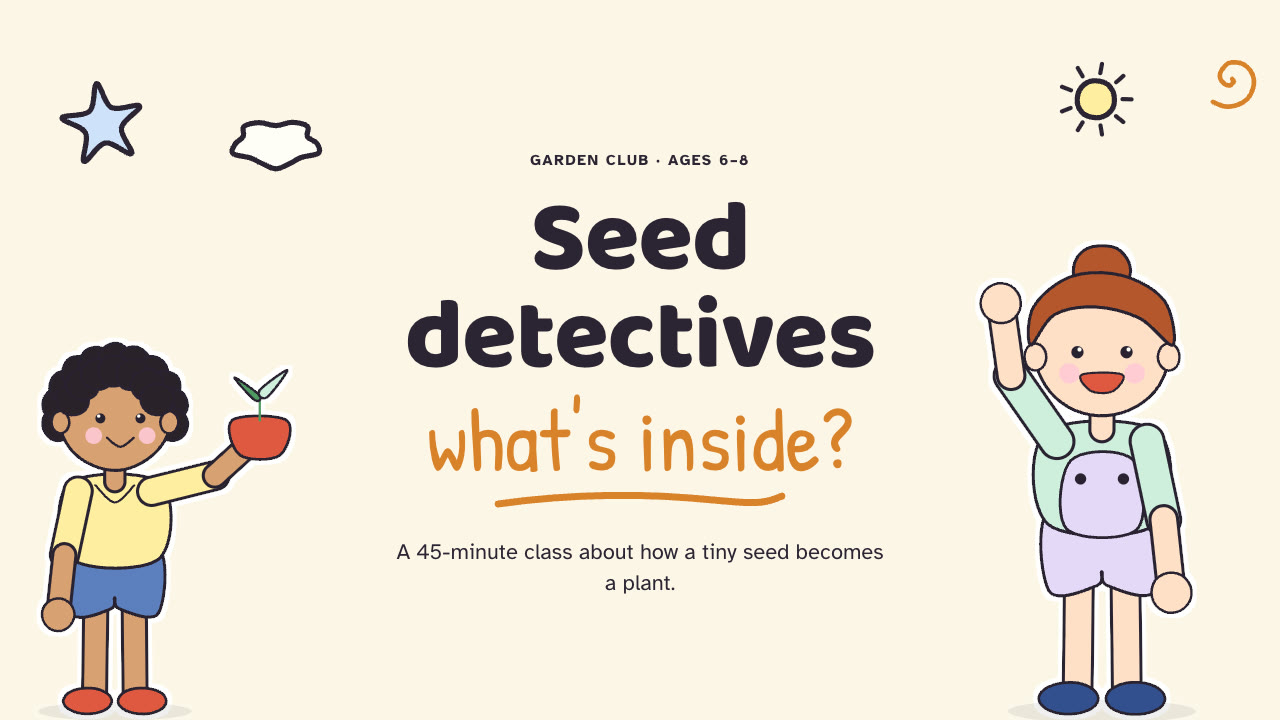
Make cheerful classroom decks for lessons, clubs, library sessions and family workshops: round bold headings, one handwritten accent per page, pastel outlined cards, doodle frames on cream paper and drawn children who stand on the page floor.
Ejemplos · 2
Qué obtienes
Bring the topic, age group, learning goal, lesson length or page count and any timings or materials to use exactly; pictures optional. The Skill returns one offline HTML deck that edits in the browser and exports editable PowerPoint.
Cómo funciona
- 01
Outline the lesson pages
Crayon Class Slides asks once for the topic, age group, lesson length or page count, learning goal, language and any timings, materials or pictures to use exactly. The Agent picks from ten layouts, including big idea, timed plan, three goals, warm-up with timer, making steps, stations, kind-words chips and exit ticket, opening with hello and closing with bye.
- 02
Draw the cast and compose
Crayon Class Slides uses your cut-out pictures first. Otherwise scenes.json describes a recurring cast and each scene, and python3 scripts/kid-cast.py scenes.json --out art/ draws crayon-outline children and doodle frames as SVG with the Python standard library. Two or three cast members recur so the deck reads as one story. kit.py compose then writes deck.json.
- 03
Build and check the children
make-deck.py builds presentation.html and verify-deck.py checks it with --pages N; shrink-images.py helps past about 15 MB. Over python3 -m http.server the Agent checks heading wraps, that no child touches text or a card, and that chips and badges stay legible, then tries Edit, Save and Present. verify-pptx.py checks the exported .pptx.
Preguntas frecuentes
What is Crayon Class Slides for?
Crayon Class Slides makes decks for lessons and activities with children: primary classroom units, after-school clubs, library or museum sessions, family making days and parent briefings. Pages pair one round bold heading with a short line, up to three cards and a drawn child standing on the page floor. It is not meant for adult business or board decks.
Where do the Crayon Class Slides children come from?
Crayon Class Slides draws fictional crayon-outline children with kid-cast.py from 8 poses, 8 hair styles, 4 clothing types and 10 held objects, plus doodle frames without lettering. They do not depict real children. Your own cut-out figures on transparent backgrounds take priority.
Does Crayon Class Slides need an image service?
No. Crayon Class Slides draws its children and frames with kid-cast.py using only the Python standard library and calls no model or image service, so drawing a cast is not billed.
Which fonts does Crayon Class Slides use?
Crayon Class Slides uses Baloo 2 ExtraBold for headings, Atkinson Hyperlegible for body text and Patrick Hand for exactly one handwritten accent per page, all under the SIL Open Font License. Without them installed, PowerPoint substitutes a wider face and the timer word, step lines or chips can run past their frame.
Is the Crayon Class Slides PowerPoint editable?
Yes. Crayon Class Slides exports headings, lines, badge numbers, timer values and chips as text boxes, and cards, badges, station discs and dashed rules as shapes. Children, icons and decor are separate pictures. The only full-page pictures are the text-free doodle frames on the cover and goodbye pages.
How much text fits in Crayon Class Slides?
Crayon Class Slides keeps headings to 7 words, 5 on the cover, one supporting line to 18 words, and up to 3 items of a short label plus a line of 10 words, about 45 words per page. Split a page rather than shrinking type below 17 px. CJK labels stay around eight characters.
Más Skills
Todos los Skills de Education →
Science MV
Explain science through visible causes, transformations and results.

Loop Story
Explain a cycle: build each stage, close the loop, then reveal the takeaway.

Flux Rotor: Cobalt Drive
Inspect an original motor with real winding groups, alternating magnet sectors and a keyed shaft. Balanced phase currents drive prescribed synchronous rotation, material colors and spatial harmonic markers. Open the actual cutaway and separate six components offline. This display does not solve torque, efficiency or magnetic finite elements.

Voxel Paddock: Mint Apex
Inspect an original open-wheel vehicle built from procedural cubes. Spin actual wheels on a stationary display, turn nominal geometric steering and separate twelve component groups. Edit bounded dimensions, voxel density and three palettes offline. This is not a driving or aerodynamics simulation.

River Era: Valley Years
Scrub an authored river settlement timeline from camp and farms to town, workshops and speculative towers. Actual seeded geometry changes reversibly; boats and vehicles follow the same river and bank equations. This is an illustrative sequence rather than predictive history.

3D Mechanical Watch Explorer
Inspect a kinematic mechanical watch with actual meshed tooth ratios, 54 components, axial explosion, material cutaway and bilingual mouse/touch controls. One offline HTML with optional synthesized tones.