
Free remove glasses from photo
GratisImagen IARemove glasses from a portrait and rebuild the eyes and skin underneath, for profile pictures, ID photos and portraits without reflections.
- 100% free
- No sign-up
- No watermark
- Works on phone
Resultado de muestra
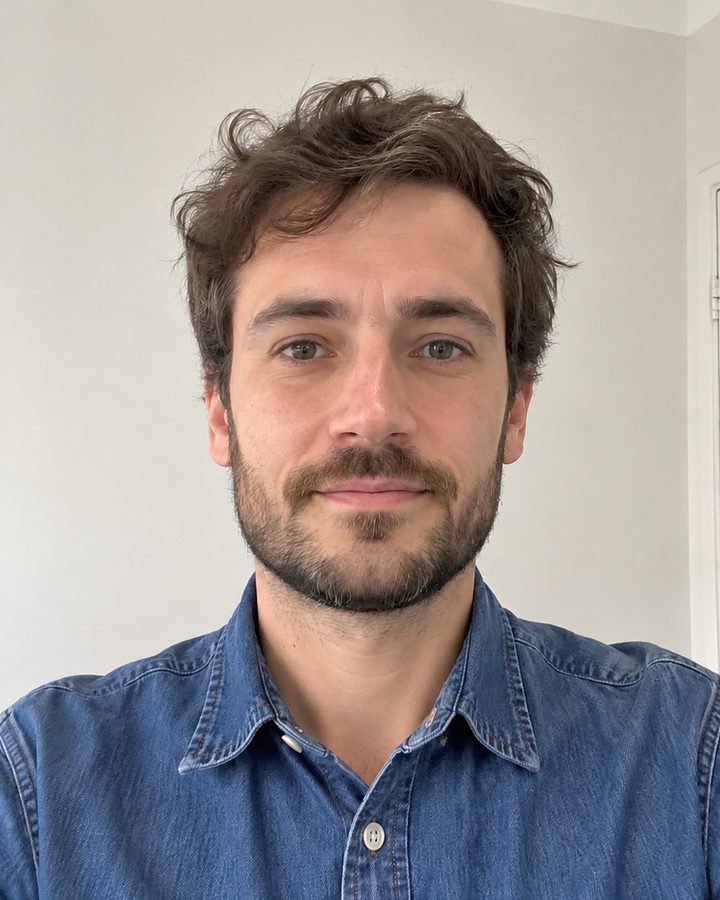
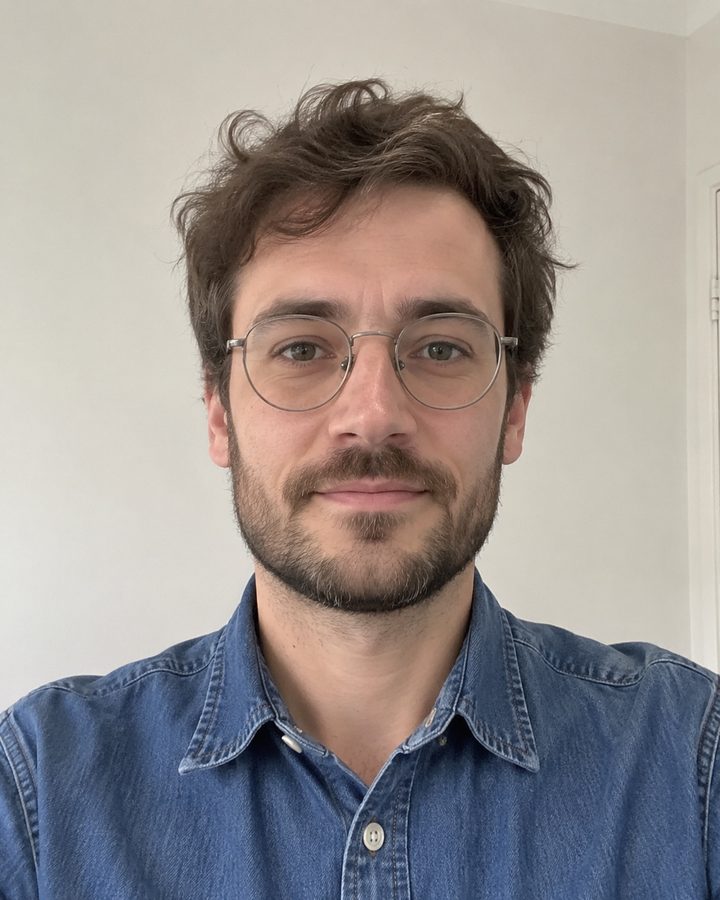 AntesDespués
Remove glasses and rebuild the eyes naturally.
Cómo usar el Remove Glasses From Photo
Tres pasos, en un ordenador o un móvil.
- 01
Upload a photo
Drop, paste or pick a JPG, PNG, WebP or HEIC image; on a phone you can take one with the camera. Then type your anything to add (optional) (optional), for example "e.g. a sunset behind me".
- 02
Choose eyes
Pick Eyes (Natural), then select Apply. A result usually takes about 20 seconds.
- 03
Compare and download
Compare it with your original, then download a JPG. Example on this page: remove glasses and rebuild the eyes naturally.
Para qué lo usa la gente
Profile pictures
A clean look without lens glare.
Preview contact lenses
See how you look without frames.
Old portraits
Remove frames from a family photo.
Consejos para un mejor resultado
- Use a photo where the eyes are visible through the lenses.
- Thin frames give the most natural results.
- Official ID photos must be taken without glasses.
¿Necesitas más control? Usa la API
Esta herramienta funciona con la API de imágenes de SandBase. La API te da todos los ajustes que la herramienta gratuita fija por ti.
- Mayor calidad y tamañoquality=high, tamaños de hasta 2K y fondos transparentes en una sola llamada.
- Tu propio promptCambia la plantilla, añade imágenes de referencia o procesa cientos de imágenes por lotes desde tu código o Agent.
- Paga por imagenUsa tu saldo de SandBase más allá del límite de uso gratuito de la herramienta. La disponibilidad del modelo y los límites de la API siguen aplicando.
# Set SANDBASE_API_KEY and choose your local image file.
IMAGE_FILE="photo.jpg"
curl --fail-with-body https://api.sandbase.ai/v1/images/edits \
  -H "Authorization: Bearer $SANDBASE_API_KEY" \
  --form-string 'model=gpt-image-2.6-flare' \
  --form "image=@${IMAGE_FILE}" \
  --form-string 'quality=high' \
  --form-string 'size=2048x2048' \
--form-string 'prompt=Remove the glasses from the person in this photo and rebuild the eyes, eyebrows and skin under them naturally. Keep the face, identity, age, skin tone and features exactly the same; do not beautify or reshape anything. Keep everything else as it is.'Preguntas frecuentes
Can I use it for a passport photo?
No. Official photos must be real and unedited; take a new photo without glasses.
Will my eyes look the same?
They are rebuilt from what shows through the lenses, so they stay close to yours.
Will it change anything else?
The prompt keeps the rest of the photo as it is. Compare with the slider before you download.
¿Remove Glasses From Photo es gratis?
Sí, sin marca de agua y sin registro. Una ejecución de Remove Glasses From Photo tarda unos 20 segundos y te da un JPG. Usa una ejecución de la asignación diaria gratuita de imágenes con IA, que se comparte entre todas las herramientas de imágenes con IA: 10 ejecuciones al día sin iniciar sesión y 30 con una cuenta gratuita de SandBase. La herramienta muestra cuántas te quedan, y el contador se restablece a medianoche UTC; también pueden aplicarse límites de red y del sitio.
¿Qué pasa con la foto que subo a Remove Glasses From Photo?
Tu foto y tus ajustes son procesados por SandBase y el proveedor de imágenes para generar este resultado. Remove Glasses From Photo no publica nada en una galería pública. Los resultados pueden reutilizarse desde una caché durante hasta 24 horas, así que una solicitud idéntica no usa otra ejecución; descarga cualquier resultado que quieras conservar.
SandBase APIs para este trabajo
El mismo tipo de datos en tu propio código o Agent: una sola API key, cobro por llamada.
Más herramientas
Remove Wrinkles From Photo
Soften wrinkles and fine lines in a portrait, keeping real skin texture.
Remove Double Chin
Soften or remove a double chin in a photo, with a natural jawline.
Glasses Try On
Try glasses and sunglasses on your photo in six frame styles.
AI Hairstyle Changer
Try new hairstyles and colors on your own photo: bob, pixie, fade, curls, braids and more.
AI Couple Photo Generator
Turn a couple photo into new scenes: sunset beach, city street, picnic, snow, studio or night.
AI Age Filter
See yourself older or younger with an AI age filter. Preview an age change and compare the result with your original.