
Free youtube channel art maker
GratisRedes socialesDescribe what you need and pick a style to get YouTube channel art. For example: "a cooking channel with fresh vegetables and a wooden board".
- 100% free
- No sign-up
- No watermark
- Any shape
Resultado de muestra
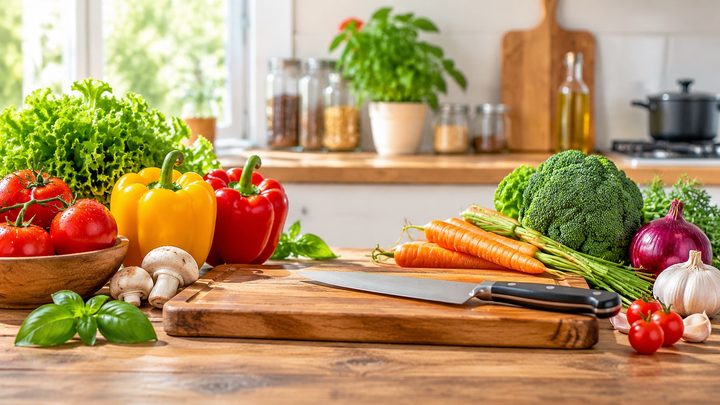 Ejemplo
A cooking channel with fresh vegetables and a wooden board.
Cómo usar el YouTube Channel Art Maker
Tres pasos, en un ordenador o un móvil.
- 01
Write your describe it
Type your describe it, for example "a cooking channel with fresh vegetables and a wooden board", or tap one of the examples.
- 02
Choose style and shape
Pick Style (Photo, Illustrated or Gaming) and a shape, from square to 16:9, then select Generate. A result usually takes about 15 seconds.
- 03
Review and download
Check the picture, then download a JPG. Example on this page: a cooking channel with fresh vegetables and a wooden board.
Más ejemplos
Hecho con esta herramienta, sin ediciones manuales. Abre uno para empezar desde sus ajustes.
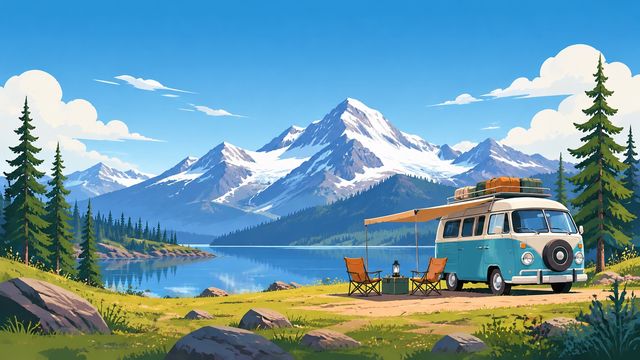
Ejemplo “a travel channel with mountains and a camper van” · Illustrated
Estilo: Ilustrado · Forma: 16:9
Usar este ejemploCrea el tuyo
Describe lo que quieres y obtén un resultado en segundos. Gratis, sin registro y sin marca de agua.
Abrir la herramienta
Para qué lo usa la gente
Creators
A pro look for your channel.
Brands
Matching visuals on every platform.
New channels
Start with a full set of graphics.
Consejos para un mejor resultado
- Keep the middle for the channel name.
- Gaming suits gaming channels; Photo suits travel.
- Check it on a phone.
¿Necesitas más control? Usa la API
Esta herramienta funciona con la API de imágenes de SandBase. La API te da todos los ajustes que la herramienta gratuita fija por ti.
- Mayor calidad y tamañoquality=high, tamaños de hasta 2K y fondos transparentes en una sola llamada.
- Tu propio promptCambia la plantilla, añade imágenes de referencia o procesa cientos de imágenes por lotes desde tu código o Agent.
- Paga por imagenUsa tu saldo de SandBase más allá del límite de uso gratuito de la herramienta. La disponibilidad del modelo y los límites de la API siguen aplicando.
# Set SANDBASE_API_KEY first.
curl --fail-with-body https://api.sandbase.ai/v1/images/generations \
  -H "Authorization: Bearer $SANDBASE_API_KEY" \
  -H "Content-Type: application/json" \
  --data-binary @- <<'SANDBASE_JSON'
{
  "model": "gpt-image-2.6-flare",
  "prompt": "YouTube channel art: a wide 16:9 banner with the important part in the middle third: a cooking channel with fresh vegetables and a wooden board. A bright realistic photo look. Clean layout made for the platform, no other text, no watermark.",
  "size": "1536x1024",
  "quality": "high"
}
SANDBASE_JSONPreguntas frecuentes
Can I change the text later?
Download the image and add or change small text in any image editor; short headlines are spelled most reliably by the AI.
¿YouTube Channel Art Maker es gratis?
Sí, sin marca de agua y sin registro. Una ejecución de YouTube Channel Art Maker tarda unos 15 segundos y te da un JPG. Usa una ejecución de la asignación diaria gratuita de imágenes con IA, que se comparte entre todas las herramientas de imágenes con IA: 10 ejecuciones al día sin iniciar sesión y 30 con una cuenta gratuita de SandBase. La herramienta muestra cuántas te quedan, y el contador se restablece a medianoche UTC; también pueden aplicarse límites de red y del sitio.
¿Qué envía YouTube Channel Art Maker cuando lo ejecuto?
Solo el texto y las opciones que eliges son procesados por SandBase y el proveedor de imágenes para generar este resultado. YouTube Channel Art Maker no publica nada en una galería pública. Los resultados pueden reutilizarse desde una caché durante hasta 24 horas, así que una solicitud idéntica no usa otra ejecución; descarga cualquier resultado que quieras conservar.
SandBase APIs para este trabajo
El mismo tipo de datos en tu propio código o Agent: una sola API key, cobro por llamada.
Más herramientas
Album Art Generator
Make a square album cover artwork from a description.
YouTube End Screen Maker
Make a YouTube end screen background from a description.
Twitch Emote Maker
Make a Twitch emote from a description.
Instagram Highlight Icons
Make a set of nine Instagram highlight cover icons from a description.
Discord Server Icon Maker
Make a Discord server icon from a description.
Social Media Post Generator
Make a social media post image from a description.