
fov_xnumber
Known horizontal field of view in degrees. Estimated from the image when omitted.
Minimum : 1
Maximum : 179
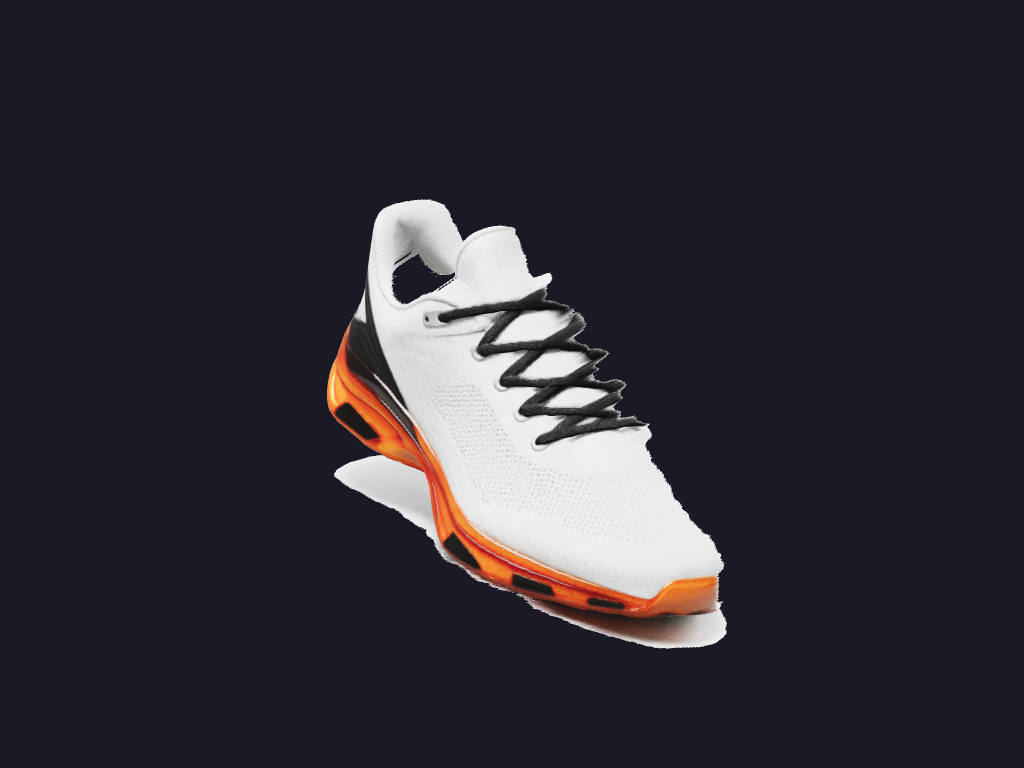
microsoft/moge-3MoGe-3 by Microsoft estimates metric 3D geometry from a single image, refining depth with a sparse 3D refiner, and returns a textured GLB mesh, a PLY point cloud, and depth, normal and mask maps.
Essayer le modèle
PNG, JPEG, WebP ou GIF · 20 MiB maximum
Que souhaitez-vous faire ensuite ?
Sélectionnez un exemple pour charger ses entrées et son résultat dans le playground.
{
  "image": "https://static.sandbase.ai/examples/7cf3a6ed-343a-423e-a24c-4b59a545886a/input/c4235e86-5291-4a00-8f71-e9bb3cdf85bc.png"
}MoGe-3 by Microsoft estimates metric 3D geometry from a single image, refining depth with a sparse 3D refiner, and returns a textured GLB mesh, a PLY point cloud, and depth, normal and mask maps.
| Field | Type | Default | Notes |
|---|---|---|---|
image | image URL, required | — | Input RGB image to reconstruct. |
num_refinement_steps | integer 0–5 | 3 | Number of sparse 3D refinement passes over the predicted depth. 0 skips the refiner. |
resolution_level | integer 0–9 | 9 | Processing resolution level (0-9). Higher values give finer detail but run slower; output size always matches the input. |
fov_x | number 1–179 | — | Known horizontal field of view in degrees. Estimated from the image when omitted. |
apply_mask | boolean | true | Mask out invalid regions (sky, background, uncertain) in the reconstruction. |
url: Main 3D file (GLB unless another export format is selected).point_cloud: Additional file returned by the provider.depth_map: Additional file returned by the provider.normal_map: Additional file returned by the provider.mask: Additional file returned by the provider.$0.075 per request. Failed runs are not charged.
Other Microsoft 3D endpoints: microsoft/moge-2.
Commencer à construire
Soumettez ce modèle via l'API Unified Run de SandBase.
# The quoted heredoc keeps Unicode and shell metacharacters unchanged.
result=$(curl --fail-with-body --silent \
  -X POST "https://api.sandbase.ai/v1/run" \
  -H "Authorization: Bearer $SANDBASE_API_KEY" \
  -H "Content-Type: application/json" \
  --data-binary @- <<'SANDBASE_JSON'
{
  "model": "microsoft/moge-3",
  "image": "https://storage.googleapis.com/falserverless/example_inputs/dog.png",
  "apply_mask": true,
  "resolution_level": 9,
  "num_refinement_steps": 3
}
SANDBASE_JSON
)
run_id=$(printf '%s' "$result" | jq -r .id)
for attempt in $(seq 1 120); do
  status=$(printf '%s' "$result" | jq -r .status)
  case "$status" in completed|failed|timeout) break ;; esac
  sleep 2
  result=$(curl --fail-with-body --silent \
    -H "Authorization: Bearer $SANDBASE_API_KEY" \
    "https://api.sandbase.ai/v1/run/$run_id")
done
status=$(printf '%s' "$result" | jq -r .status)
[ "$status" = completed ] || { echo "Generation ended: $status" >&2; exit 1; }
printf '%s\n' "$result"Créez une clé API SandBase et définissez-la dans l'environnement de votre serveur. Toutes les requêtes utilisent l'authentification Bearer.
export SANDBASE_API_KEY="YOUR_API_KEY"Conservez la clé sur votre serveur. Ne l'exposez pas dans le code du navigateur et ne la committez pas dans un dépôt.
Faites un POST sur /v1/run avec cet ID de modèle et ses entrées. L'exemple de requête ci-dessus inclut la soumission et le polling.
Utilisez l'ID d'exécution renvoyé pour interroger jusqu'à ce que le statut soit completed, failed ou timeout. Ne lisez la sortie qu'une fois completed.
curl "https://api.sandbase.ai/v1/run/$RUN_ID" \
-H "Authorization: Bearer $SANDBASE_API_KEY"Passez une URL de fichier accessible publiquement dans le champ image, video ou audio du modèle. Les formats pris en charge et les limites sont indiqués à côté de chaque entrée du Playground.
Utilisez le contrôle upload ou replace sur les champs image pris en charge dans le Playground. Les champs URL vidéo acceptent une vidéo de conduite hébergée ; cela n'implique pas la prise en charge de l'importation vidéo.
fov_xnumberKnown horizontal field of view in degrees. Estimated from the image when omitted.
Minimum : 1
Maximum : 179
imagestringobligatoireInput RGB image to reconstruct.
apply_maskbooleanMask out invalid regions (sky, background, uncertain) in the reconstruction.
Par défaut : true
resolution_levelintegerProcessing resolution level (0-9). Higher values give finer detail but run slower; output size always matches the input.
Par défaut : 9
Minimum : 0
Maximum : 9
num_refinement_stepsintegerNumber of sparse 3D refinement passes over the predicted depth. 0 skips the refiner.
Par défaut : 3
Minimum : 0
Maximum : 5
{
  "model": "microsoft/moge-3",
  "image": "https://storage.googleapis.com/falserverless/example_inputs/dog.png",
  "apply_mask": true,
  "resolution_level": 9,
  "num_refinement_steps": 3
}Une exécution terminée expose son résultat dans output. Ce qui suit est l'exemple enregistré du modèle, et non une nouvelle génération.
[
  {
    "depth_map": "https://static.sandbase.ai/examples/7cf3a6ed-343a-423e-a24c-4b59a545886a/output/ad8c0ec9-21a9-42f7-a7a9-34b87bf5ced8.png",
    "mask": "https://static.sandbase.ai/examples/7cf3a6ed-343a-423e-a24c-4b59a545886a/output/bc992c7f-d772-4279-ab22-d53fef7e891d.png",
    "normal_map": "https://static.sandbase.ai/examples/7cf3a6ed-343a-423e-a24c-4b59a545886a/output/815d0933-35d9-4663-873c-8880e27aca21.png",
    "point_cloud": "https://static.sandbase.ai/examples/7cf3a6ed-343a-423e-a24c-4b59a545886a/output/ea257113-7644-46c8-aab4-fbcc206fe3c1.ply",
    "poster": "https://static.sandbase.ai/examples/7cf3a6ed-343a-423e-a24c-4b59a545886a/output/97a6fe28-86c9-4442-be9f-6e7b0950ff5a.png",
    "url": "https://static.sandbase.ai/examples/7cf3a6ed-343a-423e-a24c-4b59a545886a/output/2402b0a8-f11e-438f-b061-71fb5f464f8d.glb"
  }
]