
promptstringobligatoire
The text prompt to generate an image from.
Par défaut : "Generate an image of gray tabby cat hugging an otter with an orange scarf"
openai/gpt-image-2GPT Image 2, OpenAI's latest image model, is capable of making fine-grained, detailed edits to images.
Essayer le modèle
Que souhaitez-vous faire ensuite ?
Sélectionnez un exemple pour charger ses entrées et son résultat dans le playground.
{
  "aspect_ratio": "16:9",
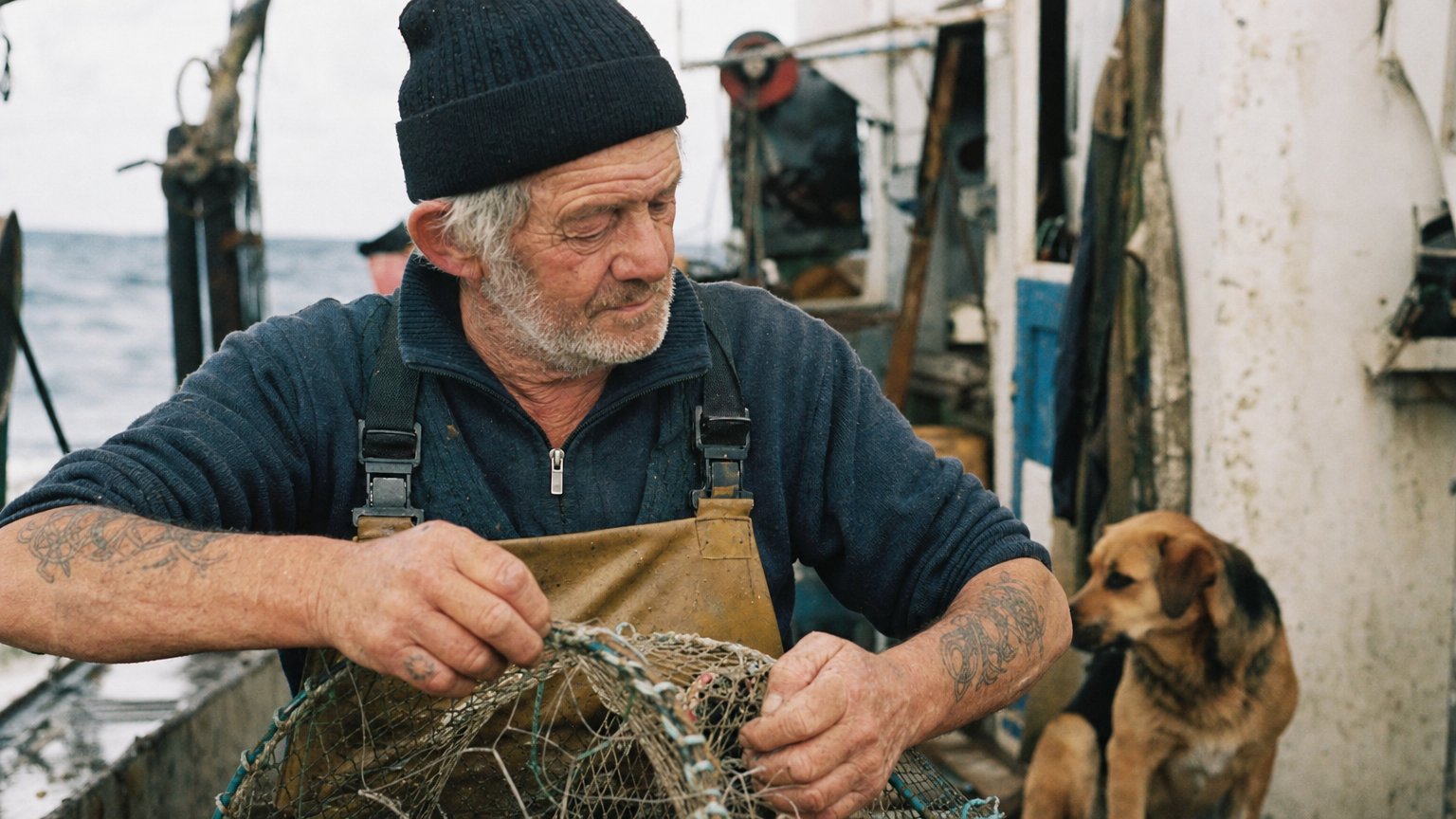
  "prompt": "Create a photorealistic candid photograph of an elderly sailor standing on a small fishing boat.\nHe has weathered skin with visible wrinkles, pores, and sun texture, and a few faded traditional sailor tattoos on his arms.\nHe is calmly adjusting a net while his dog sits nearby on the deck. Shot like a 35mm film photograph, medium close-up at eye level, using a 50mm lens.\nSoft coastal daylight, shallow depth of field, subtle film grain, natural color balance.\nThe image should feel honest and unposed, with real skin texture, worn materials, and everyday detail. No glamorization, no heavy retouching."
}{
"aspect_ratio": "16:9",
"prompt": "Create a detailed Infographic of the functioning and flow of an automatic coffee machine like a Jura.\nFrom bean basket, to grinding, to scale, water tank, boiler, etc.\nI'd like to understand technically and visually the flow."
}{
"aspect_ratio": "16:9",
"prompt": "Give me a cool in culture ad / fashion shot for a brand called Thread.\nIt's a hip young street brand. The ad shows a group of friends hanging out together with the tagline \"Yours to Create.\"\nMake it feel like a polished campaign image for a youth streetwear audience: stylish, contemporary, energetic, and tasteful.\nUse clean composition, strong color direction, natural poses, and premium fashion photography cues.\nRender the tagline exactly once, clearly and legibly, integrated into the ad layout.\nNo extra text, no watermarks, no unrelated logos."
}{
"aspect_ratio": "16:9",
"output_format": "png",
"prompt": "Blog cover image for: \"TikTok Fake View Detection, Tested\". Article brief (context for the 3D subject only; do not render any of its words): \"TikTok fake views detection, tested: 68 public videos through one detector API. What drives its score, how stable it is, and why video age beats likes.\". A premium dark cinematic technology cover for the SandBase engineering blog. Canvas: near-black graphite and midnight navy. Emerald/mint illumination is the main accent, with restrained cyan and at most one small coral or amber warning accent. Composition: follow the named layout family exactly. Show one coherent, article-specific high-detail 3D technical subject made from black metal, smoked glass, etched circuitry, controlled reflections, realistic depth, and subtle volumetric light. The visual language is the established SandBase dark cover family: dark hard-surface hardware lit in mint, one subject, generous negative space around the typography. The result should feel like a cinematic AI hardware launch key visual, not a presentation slide. Every surface, panel, card, and prop inside the 3D subject is blank: no text, numbers, code, or symbols that read as words. Absolutely NO white or light-gray background, thin abstract line art as the hero visual, flat dashboards, browser windows, product cards, generic robots, cartoon brains, floating cubes, chaotic node webs, purple gradients, excessive neon bloom, stock photography, people, fake logos, fake metrics, watermark, or imagery reused from another article. ALL text in English only. No Chinese characters. Subject: one balanced split-chamber evaluation instrument with equal physical bays for the compared systems. The exact primary headline text is: \"TikTok Fake View Detection, Tested\". Preserve the model or product name and version number in it verbatim. One short mint-green subtitle line: \"68 public videos through one detector\". No capability labels, no footer labels, no tags. The headline and the text listed above are the ONLY words on the image: no other text anywhere, no URL paths, no API endpoints or model IDs, no code, no file names, no other article titles, no ticker strip, no screen microcopy. Layout family: top-band. Reserve a calm full-width band across the upper 32% for typography; build the technical subject across the lower 68%, with depth rising toward the center. Use bold condensed sans-serif type, white with one mint-green emphasis line. Do not fall back to a left-title/right-object split when another layout family is specified. Keep it readable at 200x112 thumbnail size. 16:9 aspect ratio. Must look good as a small thumbnail."
}Préférence humaine
Scores Elo issus de votes comparatifs anonymes côte à côte, comparés à d’autres modèles d’image et de vidéo.
Classements provenant de Artificial Analysis Arena
Arena texte vers image : les personnes choisissent la meilleure de deux images générées à partir du même prompt, sans voir les noms des modèles.
GPT Image 2 generates detailed images with strong instruction following and accurate in-image text, at three quality levels and 1K to 4K.
| Field | Type | Default | Notes |
|---|---|---|---|
prompt | string, required | — | Up to 50,000 characters. |
quality | low / medium / high | high | Higher quality costs more; high is the default. |
resolution | 1k / 2k / 4k | — | Output size tier; omit for 1K. |
aspect_ratio | 1:1 / 1:2 / 2:1 / 1:3 / 3:1 / 2:3 / 3:2 / 3:4 / 4:3 / 4:5 / 5:4 / 9:16 / 16:9 / 9:21 / 21:9 | 1:1 | Output frame shape. |
output_format | jpeg / png / webp | png | Output file format. |
Price depends on quality and resolution, per image:
| Quality | 1k | 2k | 4k |
|---|---|---|---|
| low | $0.01 | $0.02 | $0.03 |
| medium | $0.06 | $0.10 | $0.18 |
| high (default) | $0.22 | $0.40 | $0.72 |
Failed runs are not charged.
low, finish at high.Other GPT Image endpoints: openai/gpt-image-2.5-sunburst, openai/gpt-image-2.5-sunburst/edit, openai/gpt-image-2.5-flare, openai/gpt-image-2.5-flare/edit, openai/gpt-image-2/edit.
Commencer à construire
Soumettez ce modèle via l'API Unified Run de SandBase.
# The quoted heredoc keeps Unicode and shell metacharacters unchanged.
result=$(curl --fail-with-body --silent \
  -X POST "https://api.sandbase.ai/v1/run" \
  -H "Authorization: Bearer $SANDBASE_API_KEY" \
  -H "Content-Type: application/json" \
  --data-binary @- <<'SANDBASE_JSON'
{
  "model": "openai/gpt-image-2",
  "prompt": "Generate an image of gray tabby cat hugging an otter with an orange scarf",
  "quality": "high",
  "aspect_ratio": "1:1",
  "output_format": "png"
}
SANDBASE_JSON
)
run_id=$(printf '%s' "$result" | jq -r .id)
for attempt in $(seq 1 120); do
  status=$(printf '%s' "$result" | jq -r .status)
  case "$status" in completed|failed|timeout) break ;; esac
  sleep 2
  result=$(curl --fail-with-body --silent \
    -H "Authorization: Bearer $SANDBASE_API_KEY" \
    "https://api.sandbase.ai/v1/run/$run_id")
done
status=$(printf '%s' "$result" | jq -r .status)
[ "$status" = completed ] || { echo "Generation ended: $status" >&2; exit 1; }
printf '%s\n' "$result"Créez une clé API SandBase et définissez-la dans l'environnement de votre serveur. Toutes les requêtes utilisent l'authentification Bearer.
export SANDBASE_API_KEY="YOUR_API_KEY"Conservez la clé sur votre serveur. Ne l'exposez pas dans le code du navigateur et ne la committez pas dans un dépôt.
Faites un POST sur /v1/run avec cet ID de modèle et ses entrées. L'exemple de requête ci-dessus inclut la soumission et le polling.
Utilisez l'ID d'exécution renvoyé pour interroger jusqu'à ce que le statut soit completed, failed ou timeout. Ne lisez la sortie qu'une fois completed.
curl "https://api.sandbase.ai/v1/run/$RUN_ID" \
-H "Authorization: Bearer $SANDBASE_API_KEY"Passez une URL de fichier accessible publiquement dans le champ image, video ou audio du modèle. Les formats pris en charge et les limites sont indiqués à côté de chaque entrée du Playground.
Utilisez le contrôle upload ou replace sur les champs image pris en charge dans le Playground. Les champs URL vidéo acceptent une vidéo de conduite hébergée ; cela n'implique pas la prise en charge de l'importation vidéo.
promptstringobligatoireThe text prompt to generate an image from.
Par défaut : "Generate an image of gray tabby cat hugging an otter with an orange scarf"
qualitystringQuality for the generated image
Par défaut : "high"
Valeurs possibles : "low", "medium", "high"
resolutionstringThe resolution of the generated image. Leave unset to preserve the provider's standard dimensions.
Valeurs possibles : "1k", "2k", "4k"
aspect_ratiostringThe aspect ratio of the generated image.
Par défaut : "1:1"
Valeurs possibles : "1:1", "1:2", "2:1", "1:3", "3:1", "2:3", "3:2", "3:4", "4:3", "4:5", "5:4", "9:16", "16:9", "9:21", "21:9"
output_formatstringThe format of the generated image.
Par défaut : "png"
Valeurs possibles : "jpeg", "png", "webp"
{
  "model": "openai/gpt-image-2",
  "prompt": "Generate an image of gray tabby cat hugging an otter with an orange scarf",
  "quality": "high",
  "aspect_ratio": "1:1",
  "output_format": "png"
}Une exécution terminée expose son résultat dans output. Ce qui suit est l'exemple enregistré du modèle, et non une nouvelle génération.
[
  {
    "source": "OpenAI Cookbook prompt (MIT)",
    "source_url": "https://developers.openai.com/cookbook/examples/multimodal/image-gen-models-prompting-guide",
    "url": "https://static.sandbase.ai/examples/d54cd5f3-d7dc-4981-aff0-36453d1c678b/output/c544106d-1ee3-4412-99d1-a9bcf6d233f3.png"
  }
]