
imagestringobligatoire
Url of the image to be upscaled
topaz/upscale/imageUpscale Image is Topaz Labs's intelligent image editing model. Transform, retouch, and reimagine existing images using text prompts - from background replacement to artistic style conversion.
Essayer le modèle
PNG, JPEG, WebP ou GIF · 20 MiB maximum
Que souhaitez-vous faire ensuite ?
Sélectionnez un exemple pour charger ses entrées et son résultat dans le playground.
{
  "crop_to_fill": false,
  "enhancement_model": "High Fidelity V2",
  "face_enhancement": false,
  "image": "https://static.sandbase.ai/examples/5f434c76-3c13-4430-ac6e-a044487d42b4/input/235e21e0-6bcc-4297-853b-0d3db8894545.png",
  "output_format": "png",
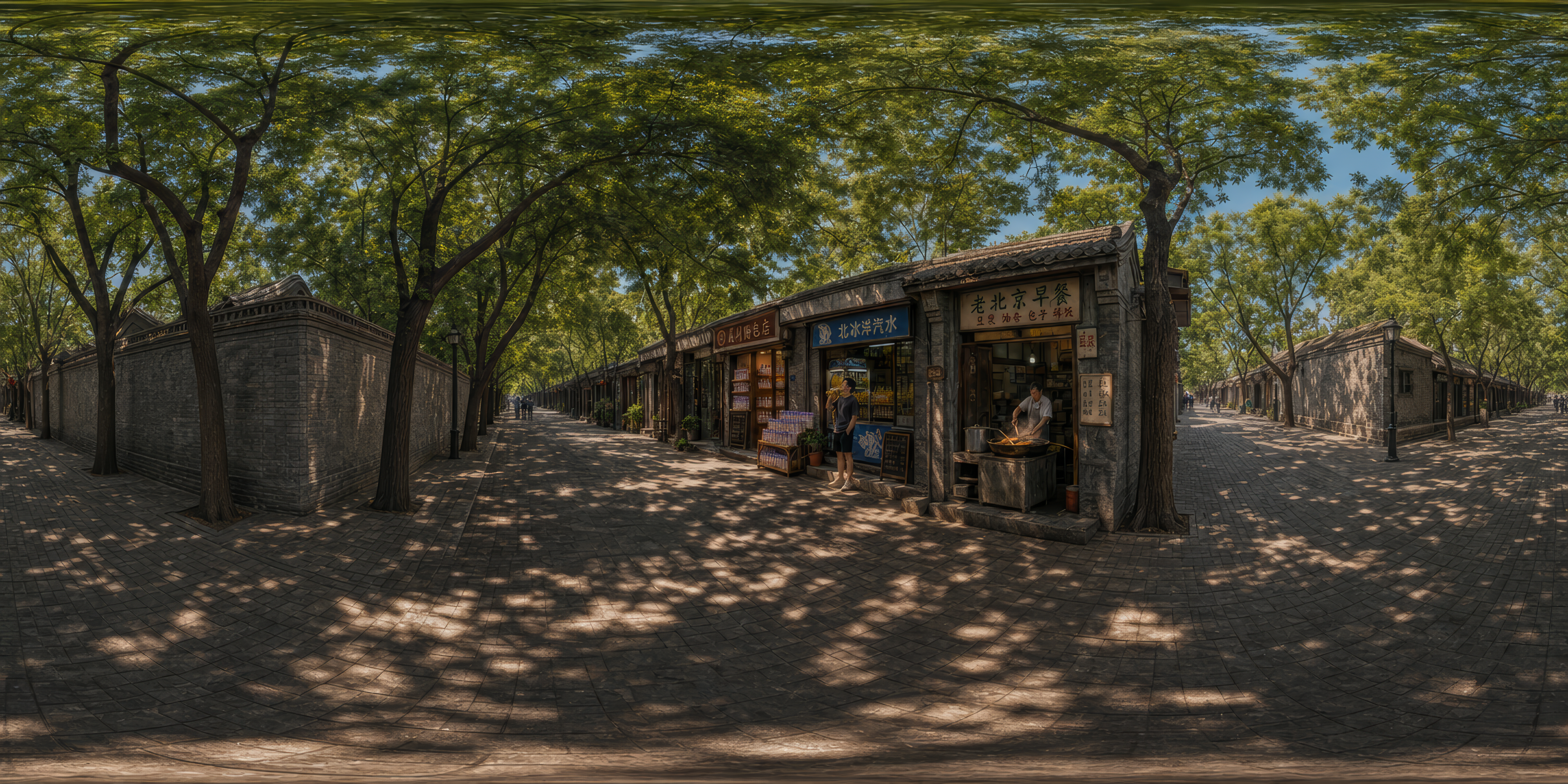
  "prompt": "Preserve the original panoramic composition, geometry, colors, and details while increasing resolution. Do not crop, reframe, or add new objects.",
  "upscale_factor": 2.844444444444445
}{
"crop_to_fill": false,
"enhancement_model": "High Fidelity V2",
"face_enhancement": false,
"image": "https://static.sandbase.ai/examples/837dea98-dbac-4482-b0ba-221473d90d81/input/743b1eb0-8027-4702-bee2-089ad9855502.png",
"output_format": "png",
"prompt": "Preserve the original panoramic composition, geometry, colors, and details while increasing resolution. Do not crop, reframe, or add new objects.",
"upscale_factor": 2.844444444444445
}Topaz upscales and enhances images with model presets for low-resolution, CGI, high-fidelity, and face recovery work.
| Field | Type | Default | Notes |
|---|---|---|---|
prompt | string, required | — | Optional description for generative models. |
image | image URL, required | — | Image to upscale. JPEG, PNG, or WebP URL. |
strength | number 0.01–1 | — | Enhancement strength (0.01-1.0). |
output_format | jpeg / png | jpeg | Output file format. |
face_enhancement_creativity | number 0–1 | 0 | Creativity level for face enhancement. |
enhancement_model | Low Resolution V2 / Standard V2 / CGI / High Fidelity V2 / Text Refine / Recovery / Redefine / Recovery V2 / Standard MAX / Wonder | Standard V2 | Model preset. |
subject_detection | All / Foreground / Background | All | Subject detection mode for the image enhancement. |
crop_to_fill | boolean | false | |
fix_compression | number 0–1 | — | Compression artifact removal level (0.0-1.0). |
face_enhancement_strength | number 0–1 | 0.8 | Strength of the face enhancement. |
detail | number 0–1 | — | Detail recovery level (0.0-1.0). |
creativity | integer 1–6 | — | Creativity level for generative upscaling (1-6). |
autoprompt | boolean | — | Enable automatic prompt generation for generative upscaling. |
sharpen | number 0–1 | — | Sharpening level (0.0-1.0). |
upscale_factor | number 1–4 | 2 | 1–4×. |
texture | integer 1–5 | — | Texture detail level for generative upscaling (1-5). |
denoise | number 0–1 | — | Denoising level (0.0-1.0). |
face_enhancement | boolean | true | Restore faces. |
Billed by output size: $0.08 up to 24MP, $0.16 up to 48MP, $0.32 up to 96MP, $1.36 above. The quote before submission assumes the top tier; the final charge uses the measured output.
| Output | Price |
|---|---|
| 2× of a 4MP photo (16MP) | $0.08 |
| 4× of a 2MP photo (32MP) | $0.16 |
| 4× of a 6MP photo (96MP) | $0.32 |
Failed runs are not charged.
Related: clarity-ai/clarity-upscaler, bytedance/seedvr/upscale/image.
Commencer à construire
Soumettez ce modèle via l'API Unified Run de SandBase.
# The quoted heredoc keeps Unicode and shell metacharacters unchanged.
result=$(curl --fail-with-body --silent \
  -X POST "https://api.sandbase.ai/v1/run" \
  -H "Authorization: Bearer $SANDBASE_API_KEY" \
  -H "Content-Type: application/json" \
  --data-binary @- <<'SANDBASE_JSON'
{
  "model": "topaz/upscale/image",
  "image": "https://static.sandbase.ai/examples/topaz/upscale/image/input_image_0.jpeg",
  "crop_to_fill": false,
  "output_format": "jpeg",
  "upscale_factor": 2,
  "face_enhancement": true,
  "enhancement_model": "Standard V2",
  "subject_detection": "All",
  "face_enhancement_strength": 0.8,
  "face_enhancement_creativity": 0
}
SANDBASE_JSON
)
run_id=$(printf '%s' "$result" | jq -r .id)
for attempt in $(seq 1 120); do
  status=$(printf '%s' "$result" | jq -r .status)
  case "$status" in completed|failed|timeout) break ;; esac
  sleep 2
  result=$(curl --fail-with-body --silent \
    -H "Authorization: Bearer $SANDBASE_API_KEY" \
    "https://api.sandbase.ai/v1/run/$run_id")
done
status=$(printf '%s' "$result" | jq -r .status)
[ "$status" = completed ] || { echo "Generation ended: $status" >&2; exit 1; }
printf '%s\n' "$result"Créez une clé API SandBase et définissez-la dans l'environnement de votre serveur. Toutes les requêtes utilisent l'authentification Bearer.
export SANDBASE_API_KEY="YOUR_API_KEY"Conservez la clé sur votre serveur. Ne l'exposez pas dans le code du navigateur et ne la committez pas dans un dépôt.
Faites un POST sur /v1/run avec cet ID de modèle et ses entrées. L'exemple de requête ci-dessus inclut la soumission et le polling.
Utilisez l'ID d'exécution renvoyé pour interroger jusqu'à ce que le statut soit completed, failed ou timeout. Ne lisez la sortie qu'une fois completed.
curl "https://api.sandbase.ai/v1/run/$RUN_ID" \
-H "Authorization: Bearer $SANDBASE_API_KEY"Passez une URL de fichier accessible publiquement dans le champ image, video ou audio du modèle. Les formats pris en charge et les limites sont indiqués à côté de chaque entrée du Playground.
Utilisez le contrôle upload ou replace sur les champs image pris en charge dans le Playground. Les champs URL vidéo acceptent une vidéo de conduite hébergée ; cela n'implique pas la prise en charge de l'importation vidéo.
imagestringobligatoireUrl of the image to be upscaled
detailnumberDetail recovery level (0.0-1.0). Applies to Recovery V2 model only.
Minimum : 0
Maximum : 1
promptstringobligatoireText prompt to guide generative upscaling (max 1024 chars). Applies to Redefine model only.
denoisenumberDenoising level (0.0-1.0). Applies to Standard V2, Low Resolution V2, CGI, High Fidelity V2, Text Refine, and Redefine models.
Minimum : 0
Maximum : 1
sharpennumberSharpening level (0.0-1.0). Applies to Standard V2, Low Resolution V2, CGI, High Fidelity V2, Text Refine, and Redefine models.
Minimum : 0
Maximum : 1
textureintegerTexture detail level for generative upscaling (1-5). Applies to Redefine model only.
Minimum : 1
Maximum : 5
strengthnumberEnhancement strength (0.01-1.0). Applies to Text Refine model only.
Minimum : 0.01
Maximum : 1
autopromptbooleanEnable automatic prompt generation for generative upscaling. Applies to Redefine model only.
creativityintegerCreativity level for generative upscaling (1-6). Higher values produce more creative/hallucinated details. Applies to Redefine model only.
Minimum : 1
Maximum : 6
crop_to_fillbooleanPar défaut : false
output_formatstringOutput format of the upscaled image.
Par défaut : "jpeg"
Valeurs possibles : "jpeg", "png"
upscale_factornumberFactor to upscale the image by (e.g. 2.0 doubles width and height)
Par défaut : 2
Minimum : 1
Maximum : 4
fix_compressionnumberCompression artifact removal level (0.0-1.0). Applies to Standard V2, Low Resolution V2, High Fidelity V2, and Text Refine models.
Minimum : 0
Maximum : 1
face_enhancementbooleanWhether to apply face enhancement to the image. Applies to standard enhance and Recovery V2 models.
Par défaut : true
enhancement_modelstringModel to use for image enhancement.
Par défaut : "Standard V2"
Valeurs possibles : "Low Resolution V2", "Standard V2", "CGI", "High Fidelity V2", "Text Refine", "Recovery", "Redefine", "Recovery V2", "Standard MAX", "Wonder"
subject_detectionstringSubject detection mode for the image enhancement. Applies to standard enhance and Recovery V2 models.
Par défaut : "All"
Valeurs possibles : "All", "Foreground", "Background"
face_enhancement_strengthnumberStrength of the face enhancement. 0.0 means no enhancement, 1.0 means maximum enhancement. Ignored if face enhancement is disabled.
Par défaut : 0.8
Minimum : 0
Maximum : 1
face_enhancement_creativitynumberCreativity level for face enhancement. 0.0 means no creativity, 1.0 means maximum creativity. Ignored if face enhancement is disabled.
Par défaut : 0
Minimum : 0
Maximum : 1
{
  "model": "topaz/upscale/image",
  "image": "https://static.sandbase.ai/examples/topaz/upscale/image/input_image_0.jpeg",
  "crop_to_fill": false,
  "output_format": "jpeg",
  "upscale_factor": 2,
  "face_enhancement": true,
  "enhancement_model": "Standard V2",
  "subject_detection": "All",
  "face_enhancement_strength": 0.8,
  "face_enhancement_creativity": 0
}Une exécution terminée expose son résultat dans output. Ce qui suit est l'exemple enregistré du modèle, et non une nouvelle génération.
[
  {
    "source": "Completed user prediction (human visual safety screened)",
    "source_url": "https://www.sandbase.ai",
    "url": "https://static.sandbase.ai/examples/5f434c76-3c13-4430-ac6e-a044487d42b4/output/dacc1c12-12fe-48ef-8089-c5e0add47a26.png"
  }
]