
imagesarray
The URLs of the images to use as a reference for the generation. A maximum of 3 images are supported.
tencent/hunyuan-image/3.0/editHunyuan Image 3.0 Edit by Tencent - AI-powered image editing, style transfer, and transformation. Edit photos with natural language instructions, remove backgrounds, change styles, and enhance images effortlessly.
Coba model ini
PNG, JPEG, WebP, or GIF · 20 MiB maximum each
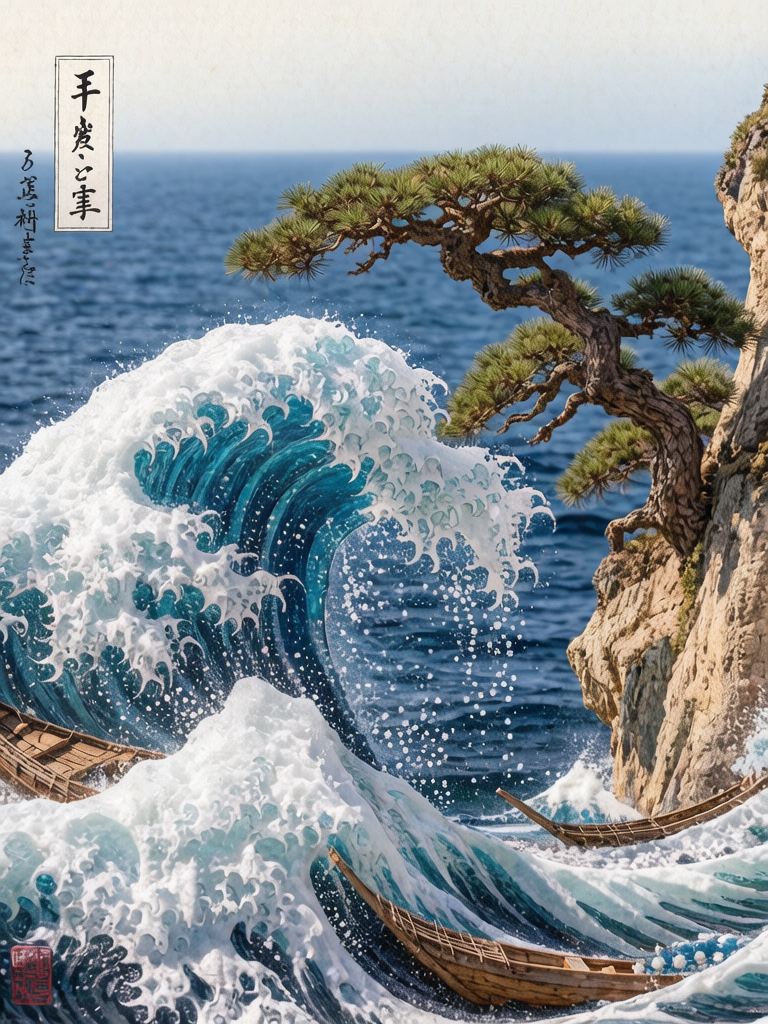
Apa yang ingin Anda lakukan selanjutnya?
Pilih contoh untuk memuat input dan hasilnya ke playground.
{
  "prompt": "Turn this artwork into a realistic image"
}Hunyuan Image 3.0 Instruct edit: change or combine images with an instruction.
| Field | Type | Default | Notes |
|---|---|---|---|
prompt | string, required | — | Text instruction. |
images | image URL[] | — | Images to edit or combine, Image 1, Image 2, … |
output_format | jpeg / png | png | Output file format. |
aspect_ratio | 21:9 / 16:9 / 3:2 / 4:3 / 5:4 / 1:1 / 4:5 / 3:4 / 2:3 / 9:16 | — | Output shape. |
$0.45 per output image.
| Request | Price |
|---|---|
| One image | $0.45 |
Failed runs are not charged.
Related: tencent/hunyuan-image/3.0.
Mulai membangun
Kirim model ini melalui SandBase Unified Run API.
# The quoted heredoc keeps Unicode and shell metacharacters unchanged.
result=$(curl --fail-with-body --silent \
  -X POST "https://api.sandbase.ai/v1/run" \
  -H "Authorization: Bearer $SANDBASE_API_KEY" \
  -H "Content-Type: application/json" \
  --data-binary @- <<'SANDBASE_JSON'
{
  "model": "tencent/hunyuan-image/3.0/edit",
  "images": [
    "https://static.sandbase.ai/examples/tencent/hunyuan-image/3.0/edit/input_images_0.png"
  ],
  "prompt": "Turn this artwork into a realistic image",
  "output_format": "png"
}
SANDBASE_JSON
)
run_id=$(printf '%s' "$result" | jq -r .id)
for attempt in $(seq 1 120); do
  status=$(printf '%s' "$result" | jq -r .status)
  case "$status" in completed|failed|timeout) break ;; esac
  sleep 2
  result=$(curl --fail-with-body --silent \
    -H "Authorization: Bearer $SANDBASE_API_KEY" \
    "https://api.sandbase.ai/v1/run/$run_id")
done
status=$(printf '%s' "$result" | jq -r .status)
[ "$status" = completed ] || { echo "Generation ended: $status" >&2; exit 1; }
printf '%s\n' "$result"Buat SandBase API key dan atur di environment server Anda. Semua permintaan menggunakan autentikasi Bearer.
export SANDBASE_API_KEY="YOUR_API_KEY"Simpan key di server. Jangan tampilkan di kode browser atau commit ke repository.
POST ke /v1/run dengan ID model ini dan inputnya. Contoh permintaan di atas mencakup pengiriman dan polling.
Gunakan run ID yang dikembalikan untuk polling sampai status completed, failed, atau timeout. Baca output hanya setelah completed.
curl "https://api.sandbase.ai/v1/run/$RUN_ID" \
-H "Authorization: Bearer $SANDBASE_API_KEY"Kirim URL file yang dapat diakses publik di field image, video, atau audio model. Format dan batas yang didukung ditampilkan di samping setiap input Playground.
Gunakan kontrol upload atau replace pada field gambar yang didukung di Playground. Field URL video menerima video driving yang di-host; ini tidak berarti dukungan upload video.
imagesarrayThe URLs of the images to use as a reference for the generation. A maximum of 3 images are supported.
promptstringwajibThe text prompt to generate an image from.
aspect_ratiostringThe aspect ratio of the generated image.
Nilai yang mungkin: "21:9", "16:9", "3:2", "4:3", "5:4", "1:1", "4:5", "3:4", "2:3", "9:16"
output_formatstringThe format of the generated image.
Default: "png"
Nilai yang mungkin: "jpeg", "png"
{
  "model": "tencent/hunyuan-image/3.0/edit",
  "images": [
    "https://static.sandbase.ai/examples/tencent/hunyuan-image/3.0/edit/input_images_0.png"
  ],
  "prompt": "Turn this artwork into a realistic image",
  "output_format": "png"
}Run yang selesai menampilkan hasilnya di output. Berikut adalah contoh tersimpan model ini, bukan generasi baru.
[
  {
    "source": "Tencent Hunyuan schema mirror",
    "source_url": "https://cloud.tencent.com/document/product/1616",
    "url": "https://static.sandbase.ai/examples/70b41747-bc8d-4534-ad84-8a9b5cf223fd/output/f0e1f24f-6704-46ab-8340-52bac622ac65.png"
  }
]