
Free photo background blur
БесплатноИзображения AIMake any photo look like portrait mode: the subject stays sharp while the background melts into a soft blur. Works on people, pets and products, even from a phone photo.
- 100% free
- No sign-up
- No watermark
- Works on phone
Пример результата
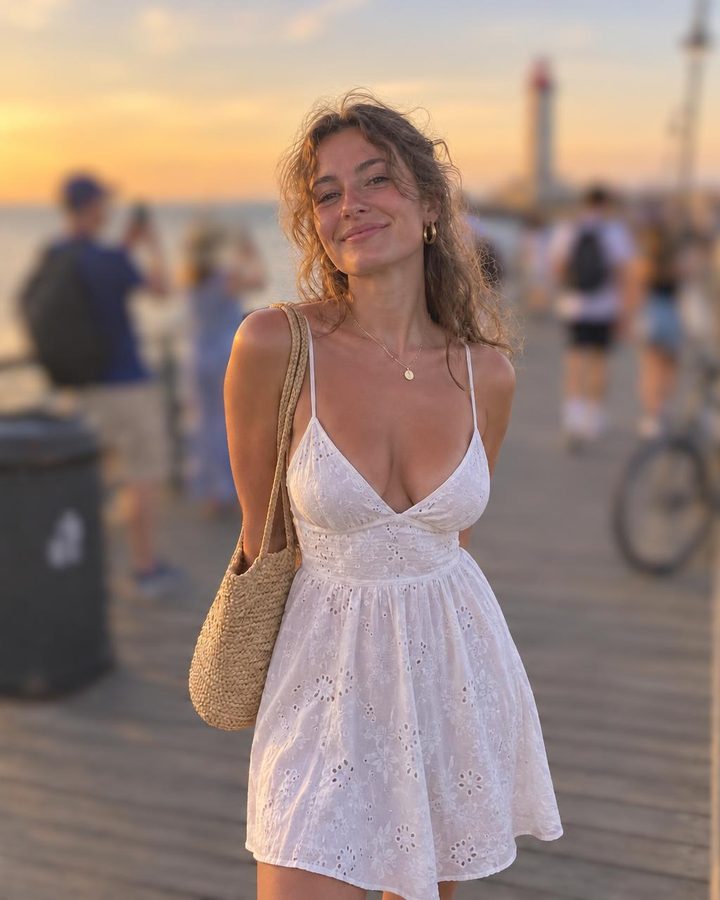
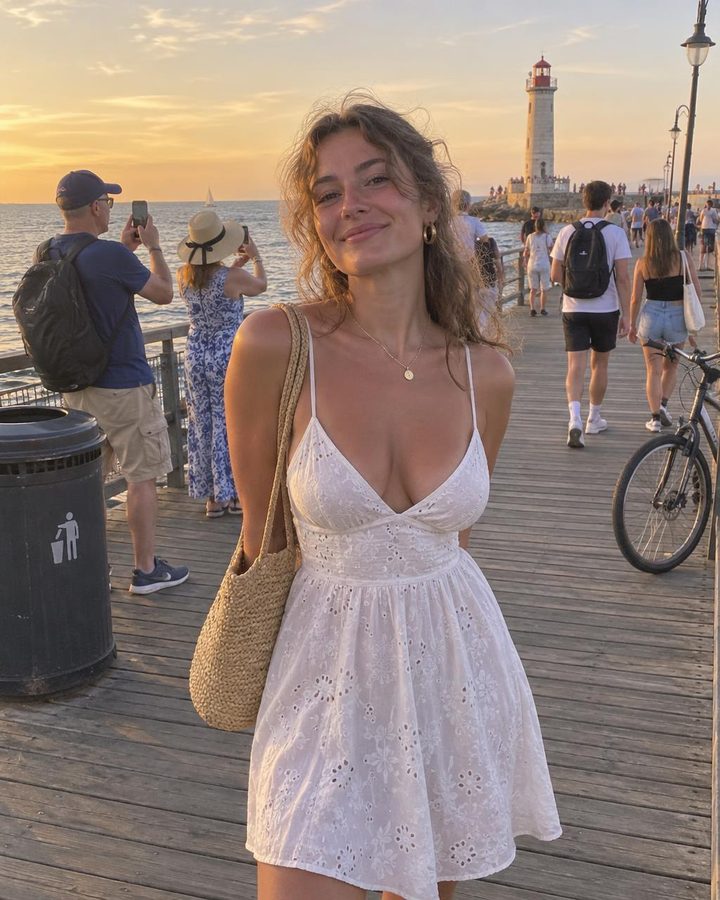 ДоПосле
A busy pier blurred behind the subject.
Как использовать Blur Background
Три шага, на компьютере или телефоне.
- 01
Upload a photo
Drop, paste or pick a JPG, PNG, WebP or HEIC image; on a phone you can take one with the camera.
- 02
Choose blur strength
Pick Blur strength (Soft, Medium or Strong), then select Blur background. A result usually takes about 20 seconds.
- 03
Compare and download
Compare it with your original, then download a JPG. Example on this page: a busy pier blurred behind the subject.
Больше примеров
Этот же инструмент на других фото, без ручного редактирования. Откройте одно, чтобы попробовать самим.
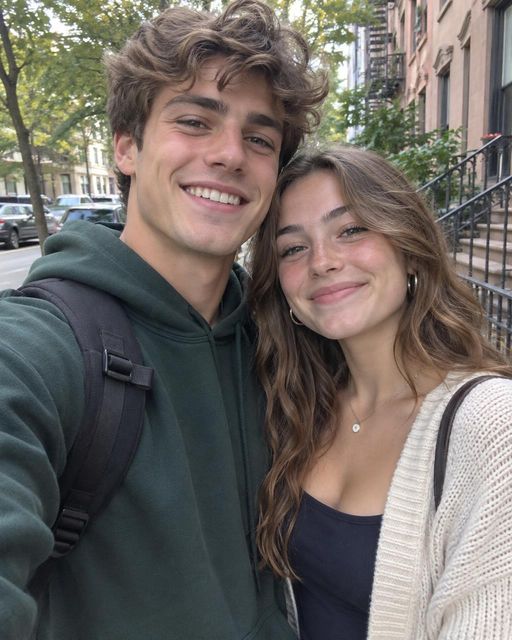
До 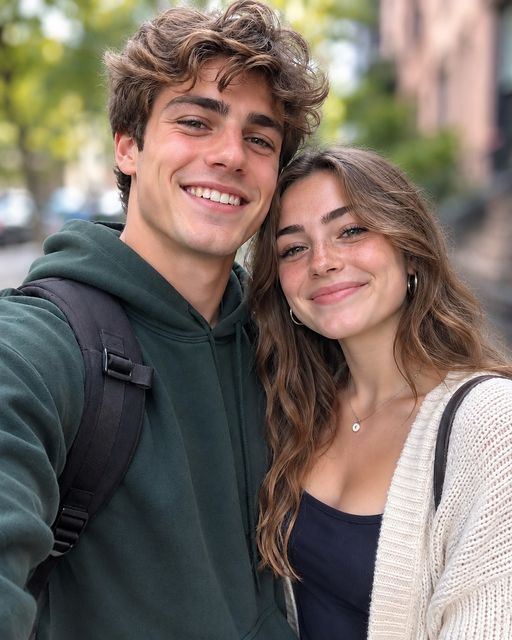
После Попробуйте на своём фото
Загрузите фото и получите результат за секунды. Бесплатно, без регистрации, без водяного знака.
Загрузить фото
Для чего это используют
Portraits
Hide a busy street or a messy room behind you.
Product photos
Make a product stand out from its surroundings.
Social posts
A shallow-focus look without a big camera.
Советы для лучшего результата
- Start with Medium; Strong works best when the subject is close to the camera.
- Soft keeps some of the place readable, good for travel photos.
- Hair and glasses edges come out cleaner on a sharp, well-lit photo.
Нужен больший контроль? Используйте API
Этот инструмент работает на базе SandBase image API. API даёт вам все настройки, которые в бесплатном инструменте фиксируются автоматически.
- Более высокое качество и размерquality=high, размеры до 2K и прозрачный фон в одном запросе.
- Ваш собственный promptИзмените шаблон, добавьте эталонные изображения или обрабатывайте сотни изображений из своего кода или Agent.
- Оплата за изображениеИспользуйте баланс SandBase сверх лимита бесплатного инструмента. Доступность моделей и ограничения API по частоте запросов по-прежнему действуют.
# Set SANDBASE_API_KEY and choose your local image file.
IMAGE_FILE="photo.jpg"
curl --fail-with-body https://api.sandbase.ai/v1/images/edits \
  -H "Authorization: Bearer $SANDBASE_API_KEY" \
  --form-string 'model=gpt-image-2.6-flare' \
  --form "image=@${IMAGE_FILE}" \
  --form-string 'quality=high' \
  --form-string 'size=2048x2048' \
--form-string 'prompt=Blur the background like a portrait-mode photo with a strong, creamy blur like a fast f/1.4 lens. Keep the main subject perfectly sharp and exactly as it is: same edges, hair, clothing, colors and position. Keep the background'\''s colors and layout, only blurred. Do not add or remove anything.'FAQ
Is it a real lens blur?
It is an AI-made depth-of-field effect: the subject stays sharp and the background gets a smooth, lens-like blur with the same colors and layout.
Blur Background бесплатен?
Да, без водяного знака и без регистрации. Один запуск Blur Background занимает около 20 секунд и даёт вам JPG. Он использует один запуск дневного бесплатного лимита на AI images, который общий для всех AI image tools: 10 запусков в день без входа в систему и 30 — с бесплатным аккаунтом SandBase. Инструмент показывает, сколько запусков у вас осталось, а счётчик сбрасывается в полночь UTC; также могут действовать сетевые и общесистемные ограничения.
Что происходит с фото, которое я загружаю в Blur Background?
Ваше фото и ваши настройки обрабатываются SandBase и поставщиком изображений, чтобы создать этот результат. Blur Background не публикует ничего в публичной галерее. Результаты могут повторно использоваться из кэша до 24 часов, так что идентичный запрос не расходует ещё один запуск; скачайте любой результат, который хотите сохранить.
SandBase APIs для этой задачи
Тот же тип данных — в вашем собственном коде или Agent: один API-ключ, оплата за каждый вызов.
Больше инструментов
AI Background Remover
Remove the background from any photo with AI and download a transparent PNG, or put the subject on white or any color.
White Background Maker
Put any product or portrait photo on a pure white background, with a soft shadow or none. Ready for marketplaces and forms.
Change Background
Change the background of any photo to a scene you describe, while the subject keeps its edges and lighting.
Product Photo Background
Put a product photo on a studio, marble, wood or outdoor background with realistic light and shadow.
Change Background Color of Photo
Put the subject on a plain color background, with the rest of the photo unchanged.
Bokeh Effect
Add portrait-lens bokeh and shallow depth of field, with round, heart or star highlights.